What's New in Kustomer: Fall Updates That Give You Clarity, Control and Time Back


Peak season has a way of exposing every gap in your customer experience stack. The questions you can't answer fast enough. The AI you can't quite see into. The setup that works for one brand but not the next. Fall is the time to close those gaps, before the volume hits.
That's what our team focused on from July through September. We shipped updates that help you see what your AI is actually accomplishing, get new automations live faster, give every account a single view, and bring more of your platform into a faster, cleaner workspace.
Kustomer Concierge
Know what your AI is resolving, not just handling
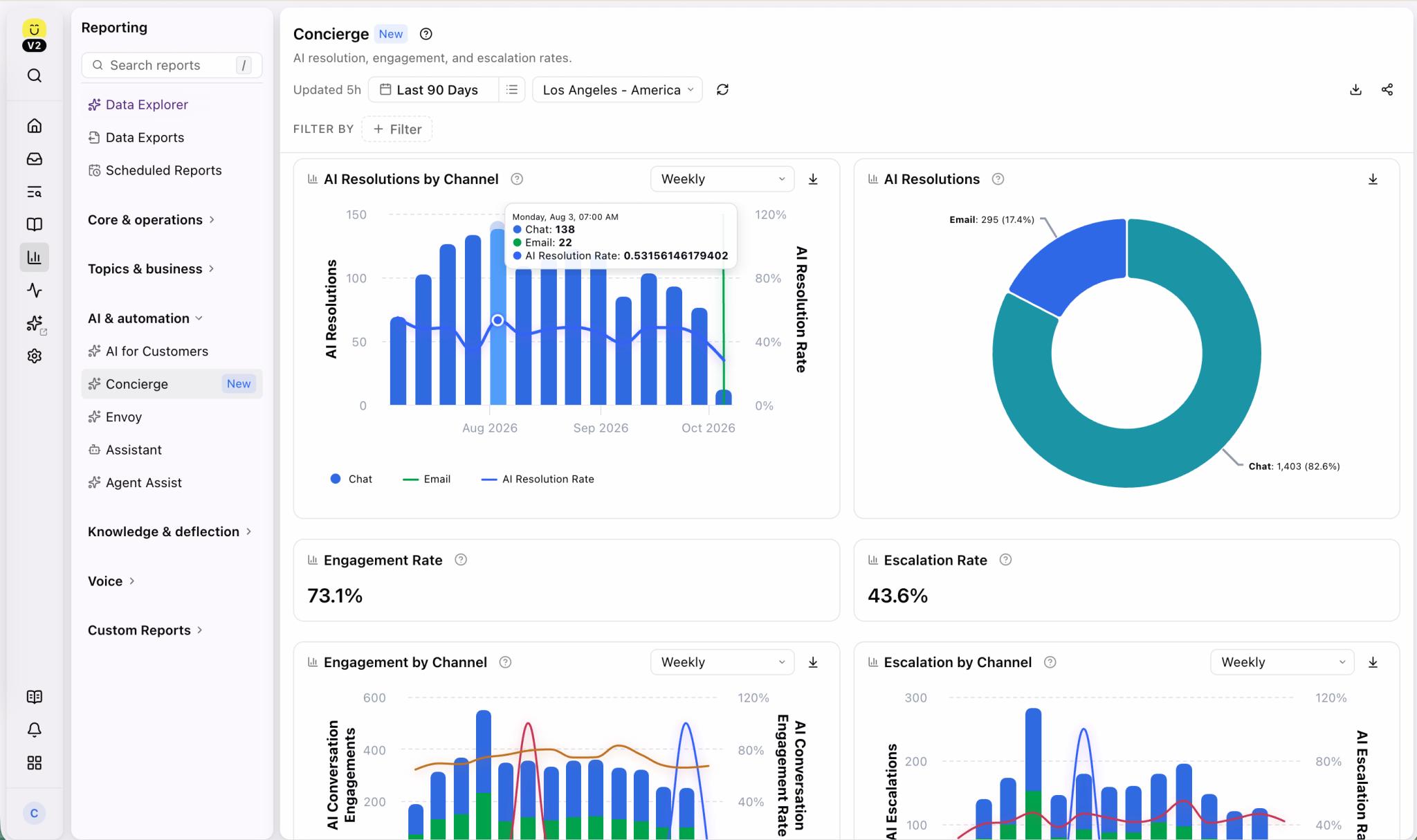
Every CX leader has been asked some version of the same question: is the AI actually working? Answering it well means more than a single metric. It means seeing how AI-handled conversations stack up against the ones your team handles directly.
We keep investing in Concierge reporting to make that comparison easy to see. You can track your AI Resolution Rate and Escalation Rate by date and channel, and compare CSAT for conversations Concierge handled against those handled only by humans. When something isn’t performing, performance tables point to the automation, agent, procedure or tool behind it, so you can tune your AI with data instead of instinct. Learn more.
Precise inputs for every tool call
When an AI agent calls a tool, it sometimes needs one exact value, like a customer ID sent to an external system. Asking the AI to work it out invites inconsistency.
With context variables, now generally available, admins add a placeholder to a tool's preset attributes, and Kustomer fills in the correct customer, conversation or org value before the tool runs. It works for OpenAPI tools, MCP tools and Klass data tools, so your integrations get the data they need every time. Learn more.
Agents that stay sharp as they grow
The more procedures, tools and instructions you add to an agent, the harder it is for it to stay fast and consistent. Concierge context limits check an agent's size when you save or deploy it and tell you exactly which limit you've reached, so you can split distinct intents across child agents instead of building one agent that does everything. Agents that already exceeded the limits were carried over with room to spare, so nothing you've built stops working. See the limits.
Kustomer Architect
Move to Concierge without starting over
For teams still on AI for Customers 1.0, the idea of rebuilding everything from scratch is often the biggest thing standing between them and Concierge.
Now it doesn't have to be. In Architect, you can select an existing 1.0 team and convert it into a Concierge automation. Your procedures, tone, custom guidance and guardrails carry over to their closest Concierge equivalents, and Architect checks in when it needs your input. Your original team stays untouched, so you can try it without risk. Some 1.0 behavior doesn't map one to one, so review the result before you activate it, but you'll start with a working draft instead of a blank page. Read the conversion guide.
Data Explorer: From "what" to "why"
A chart can tell you a number is high without telling you why, and a great answer disappears the moment you navigate away.
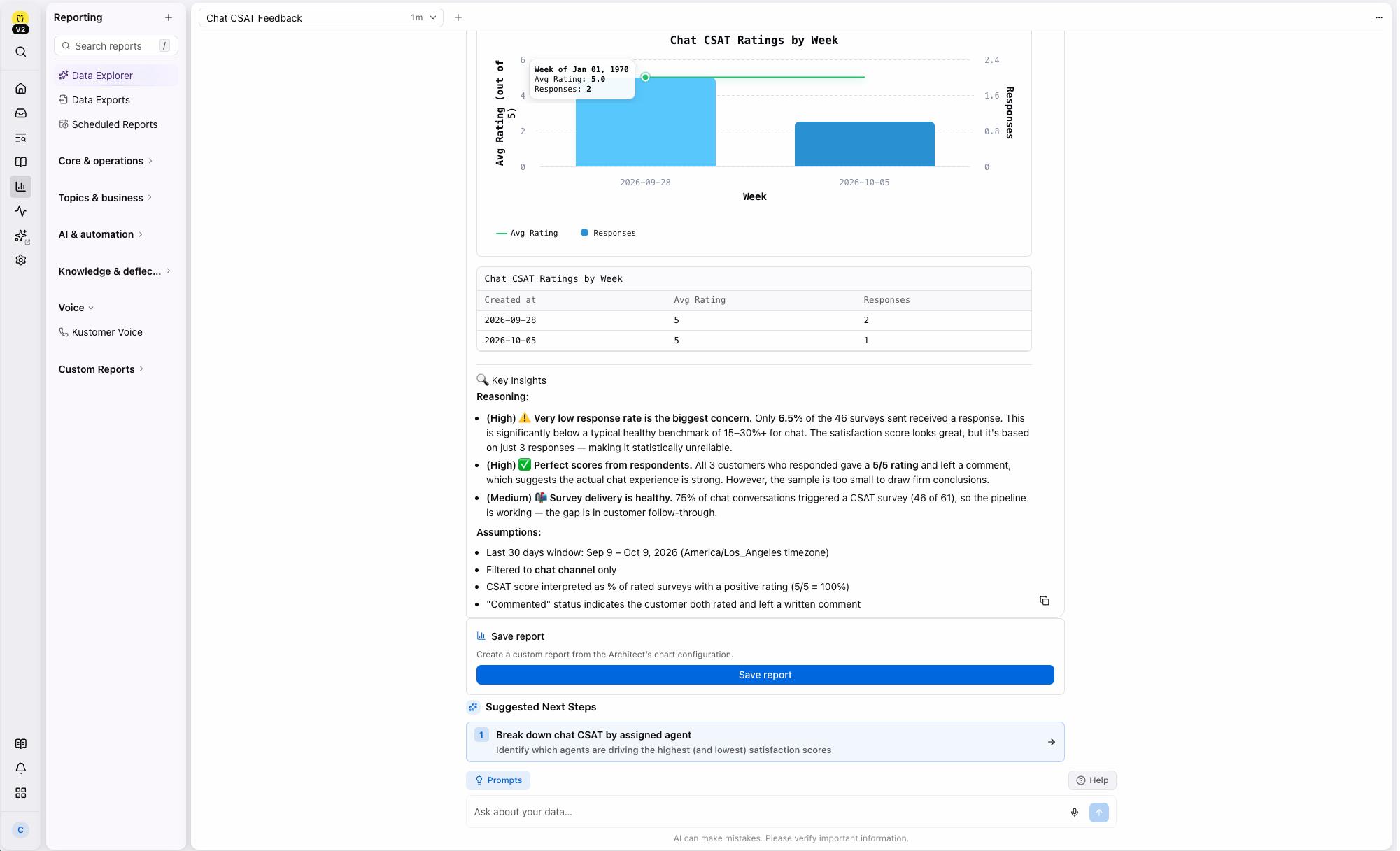
In Data Explorer, you can now drill down from a chart straight into the conversations behind the number, and save a chart as a report you can revisit, share and schedule. You get from insight to action without leaving the page, and the questions you ask most often turn into reports you build once and keep. Where a chart doesn't support one of these yet, Data Explorer tells you, so you're never left guessing. Learn more.
Kustomer Envoy
Answers that match the customer in front of you
A knowledge base organized by brand, location or customer tier is a strength, until your AI searches all of it at once and surfaces the wrong answer.
With scoped knowledge base search, admins can create dedicated search tools for Envoy and Concierge that only look at the right slice of your content. Limit a tool to a category, brand or tag, or build a narrow one for something like VIP-only support. Customers and reps get answers that fit their situation, and your AI stops pulling in articles that don't apply. See how to set it up.
Built for B2B
B2B support is account support. These updates give your team the whole picture.
One view of the whole account
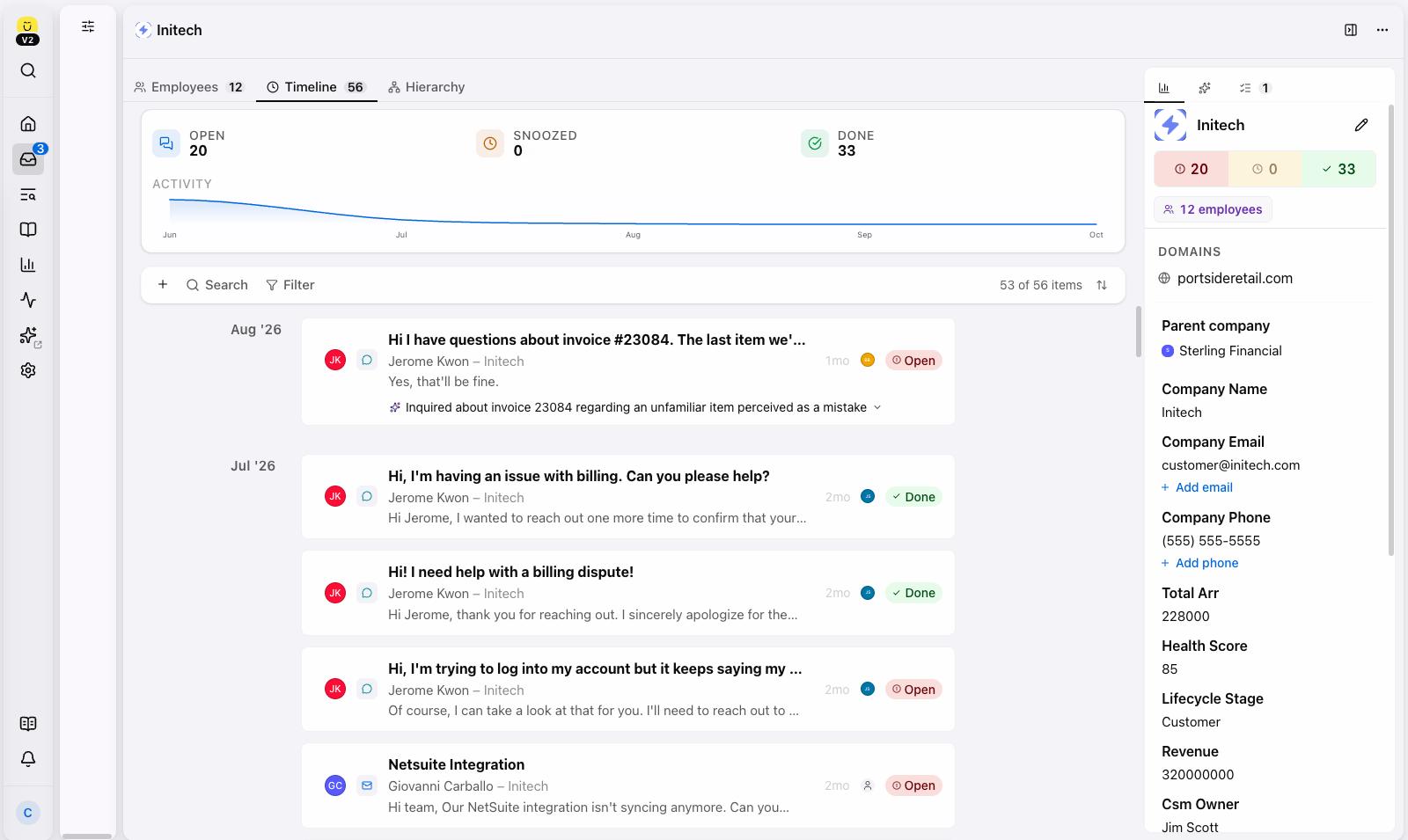
Your customer Timeline already brings every conversation into one place for a single contact. But when your customer is a company, that story spreads across contacts, tasks and people, and someone has to piece it together before every call.
Company Timeline extends that same view to the account level, bringing every conversation, task and event across a company’s contacts into one chronological feed, with AI summaries so agents can catch up in seconds. Company Signals, available with Envoy, reads across the account and flags what needs attention, like a key stakeholder who has gone quiet or sentiment that’s turning negative. Agents walk into every conversation with full context, CSMs walk into every QBR prepared, and risk shows up before it becomes churn. Available in early access in the New Kustomer Experience. Read more.
Company Hierarchy
Businesses rarely sit flat. A parent brand has regional subsidiaries. A franchise has dozens of locations. When your team can only see one company at a time, the bigger picture gets lost.
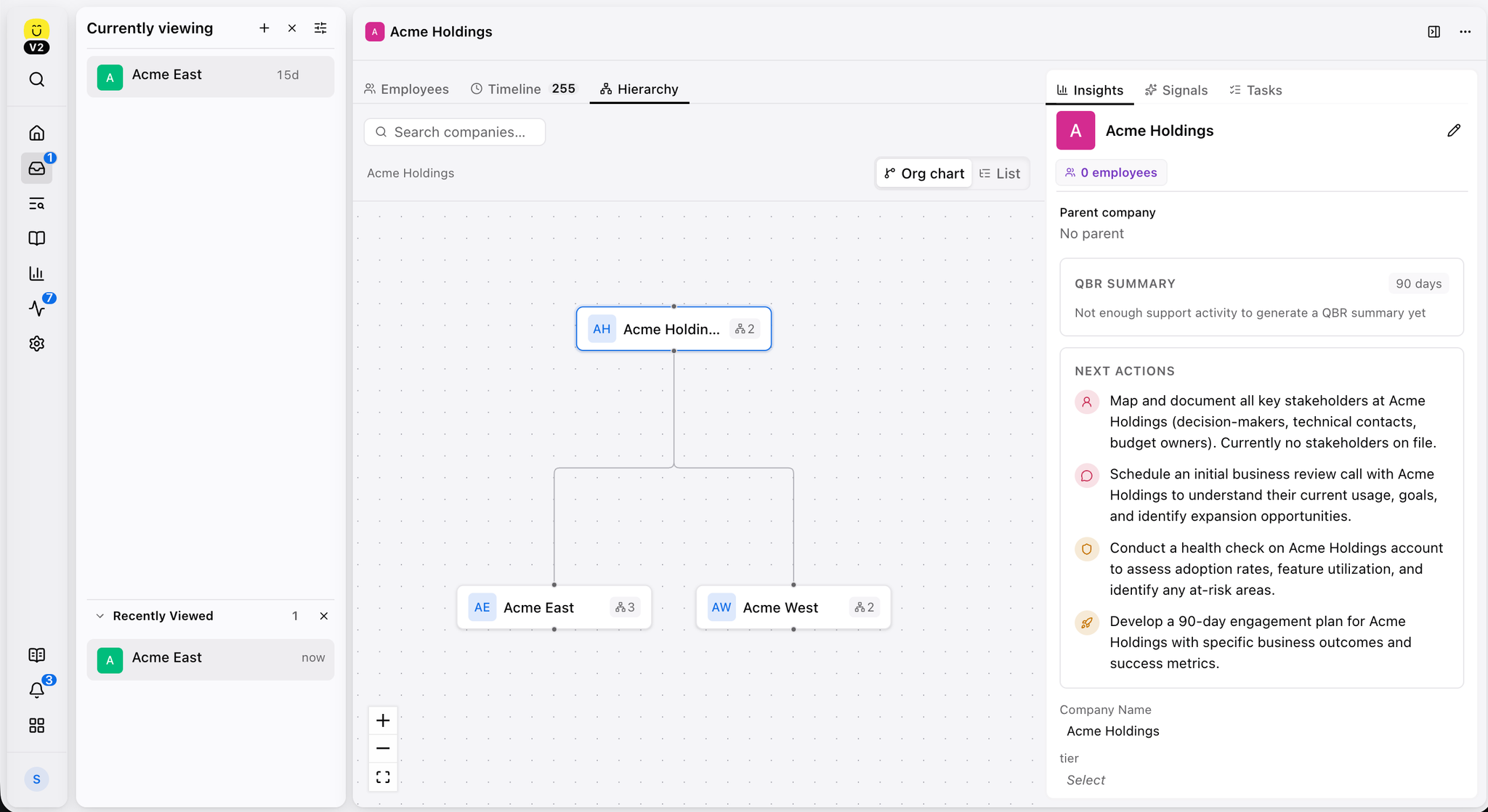
Company Hierarchy lets you map those parent and child relationships and explore them from a new Hierarchy tab on the company page, as an interactive org chart or an expandable tree. You can re-parent companies right in the view, manage hierarchies through the API, and, in early access, filter reporting and search by a company and everything under it. Agents understand who they're helping, and leaders can finally measure support across a whole account family. Read more.
Channel Enhancements
Internal Threads via Email
Some of the best answers live with people who don't have a Kustomer seat: a vendor, a supplier, a teammate in another department. Chasing them in a separate inbox means the context lives somewhere else.
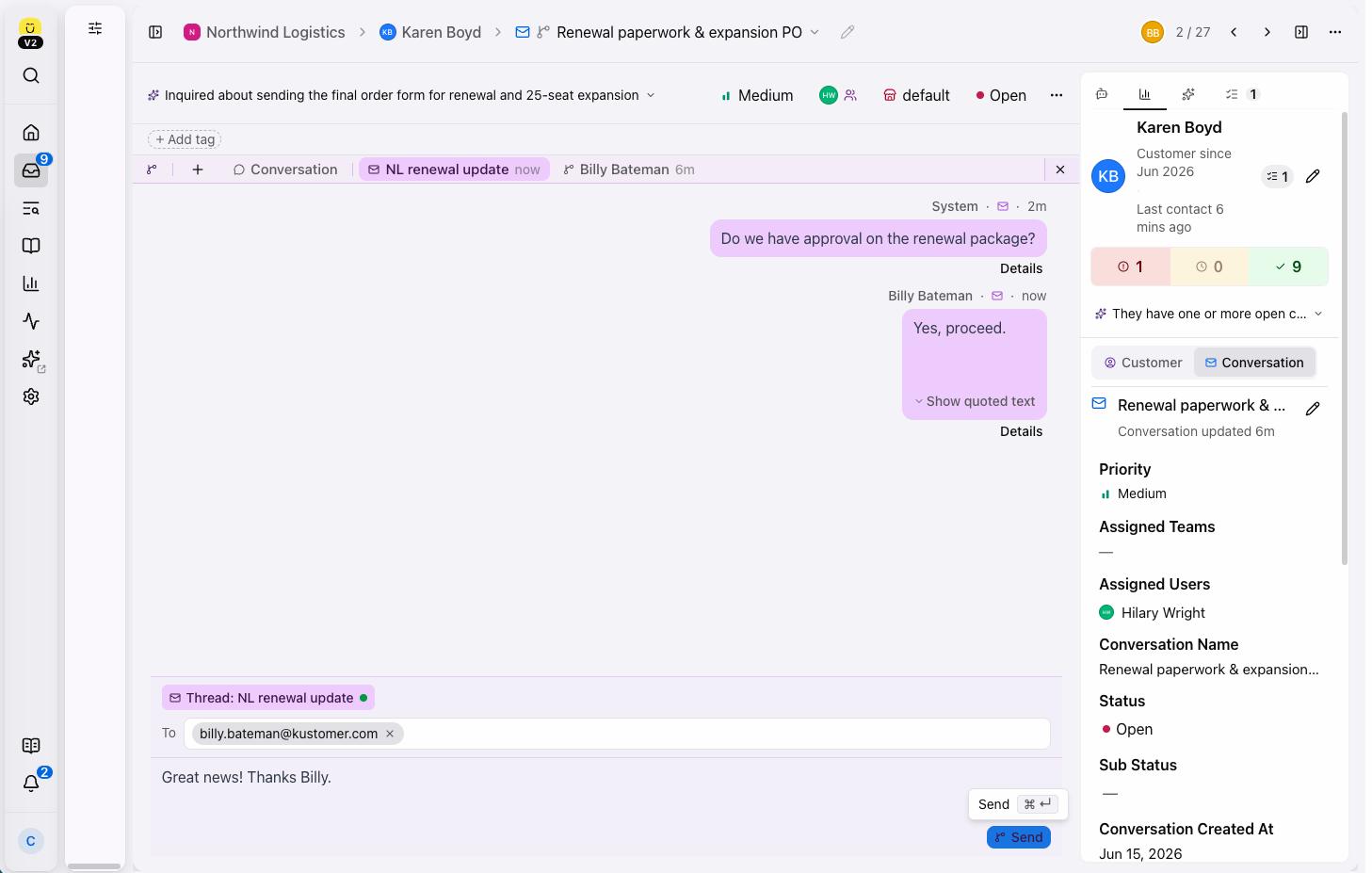
Internal Threads via Email, generally available at no additional cost, lets agents pull outside collaborators into a thread from the conversation, with everything recorded on the customer record. Admins stay in control with allowed domains that keep messages out of personal inboxes, and settings for what external recipients can see. Your team gets answers faster without losing context or compromising security. Read more.
WhatsApp Business-scoped user IDs
As WhatsApp moves toward business-scoped user IDs, a phone number can no longer be the only way to recognize a customer. Kustomer now captures and preserves BSUID data on customer records and uses it for lookup, creation and updates across native WhatsApp, Twilio and MessageBird, so your customer identities stay accurate as the platform changes. Customers on older integration versions will need to upgrade. Check the requirements.
Amazon SES: Bring your own DKIM
If your security team requires control of your own DKIM keys, you can now set a custom selector and key when adding an Amazon SES email domain, instead of using Kustomer-generated records. It's a simple way to meet your email security requirements without a workaround. See the setup steps.
Platform
Billing Hub: Track your AI spend as it happens
As more of your CX program runs on consumption-based pricing like Kustomer Concierge, tracking spend in real time matters more than it used to. A single automation can scale usage quickly, and admins need to see that shift as it happens, not at the end of a billing cycle.
The Billing Hub, now generally available for every customer, shows your upcoming charges, plan details and current-period usage in one place, with downloadable usage records for each product you’re billed for. You can monitor AI usage against your plan, a new admin can get up to speed quickly, and your CSM’s time goes to growing your program instead of answering billing questions. Explore the Billing Hub.
The New Kustomer Experience Is coming together
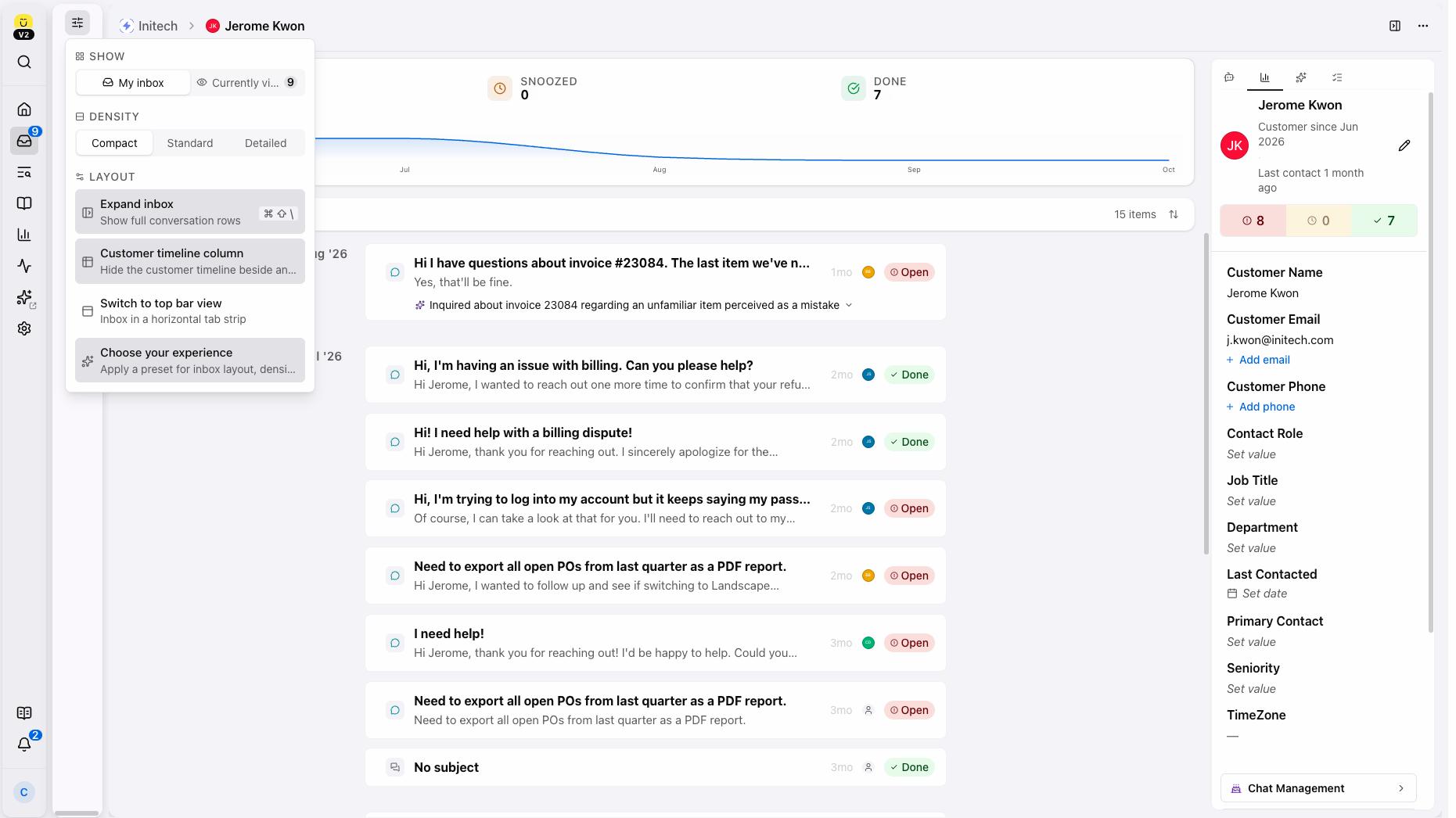
More of the workspace your team uses every day is moving into the New Kustomer Experience, now in early access. The New Kustomer Experience is a faster, cleaner workspace that gets out of the way of the agent doing work so service reps spend more time helping customers. Reps have more options to customize their views based on their preferred way of working such as new conversation timeline layouts that let reps choose how much detail they see at a time. Understand the New Kustomer Experience.
Workflows, Tasks and Admin Controls
A handful of smaller updates add up to a more reliable day-to-day.
Workflows can now add and remove skills and use skills as conditions. Because Workflows run reliably and in order, skill changes apply completely instead of partially under load, and conversations reach the right team. Read more.
Tasks and custom objects now support file attachments, so screenshots and documents live right next to the work, and Task changes appear in the Audit Log so you can see who changed what and when.
Admins also get higher satisfaction survey limits, up to 30 enabled surveys per channel with disabled surveys no longer counting against the limit, and an opt-in allowed framing domains setting that stops unapproved sites from embedding your Knowledge Base. Teams that manage several brands can now connect each org to the Kustomer MCP server with its own URL and stay signed in to more than one at a time with per-org MCP URLs.
What Comes Next
Every customer interaction holds valuable insights waiting to be uncovered. What if you could effortlessly unlock the full story behind every conversation?
We are excited to offer an exclusive preview of Conversation Intelligence and AI QA during Kustomer Quarterly: Fall 2026 on October 29. These powerful new capabilities will transform how you measure agent performance, evaluate quality, and understand customer sentiment.
Join our product experts on Thursday, October 29 at 10:00 AM PT / 1:00 PM ET for live demonstrations of newly released Kustomer AI products and features.