Roll Up Every Subsidiary: Native Company Hierarchy Comes to Kustomer
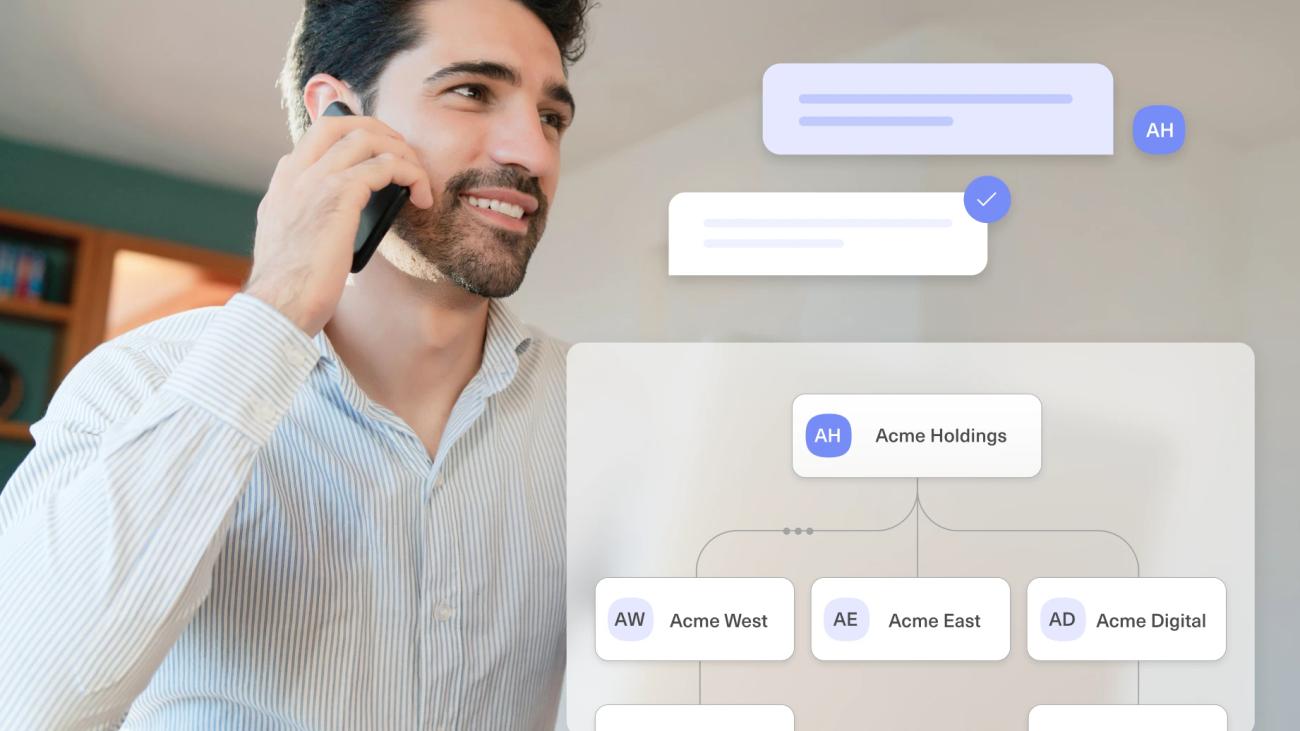
Kustomer now lets you model parent and child companies as a real hierarchy, so support teams can roll up reporting and activity across an entire corporate family while still serving each subsidiary on its own.
Customers often don't show up as a single, tidy company. The account you support can be a parent organization with several child companies underneath it, each with its own contacts, its own conversations, and its own day-to-day issues. It's a common structure and where it exists, getting it right matters.
When it does apply, many support tools can't represent it. You can see the customers, conversations, and custom objects that sit beneath a company, but there's no way to place one company under another, so a parent and its subsidiaries can't be modeled as the family they are. That shows up in a few concrete ways:
- An agent working a child company can't tell it's part of a larger account.
- Teams end up stitching the relationship together with tags, naming conventions, and custom fields that are manual, inconsistent, and quick to fall apart as the account grows.
- For the accounts that do have this structure, often your largest and highest-value customers, this is exactly where your tooling should feel strongest, and too often it's where it feels weakest.
Introducing Nested Company Structures
Nested Company Structures brings a native parent/child relationship to companies in Kustomer, along with the experiences that relationship makes possible.
Instead of forcing a corporate family into tags and naming conventions, you can now model it the way it actually exists: a parent company, with child companies nested beneath it, across as many levels as the real-world structure requires. Because Kustomer's CRM-first data model is built around relationships between objects, that hierarchy isn't a cosmetic label.
Here's what that unlocks.
Company hierarchy
Define parent and child companies and represent multi-level nested structures, so a corporate family is captured the way it's really organized. One account, one hierarchy, with no reverse-engineering the relationship from custom attributes.
Segmentation across the family
Keep each child company's contacts, conversations, and data distinct while still tying them back to the parent. Teams can serve each subsidiary directly, on its own terms, and still understand the account as a whole.
The same structure holds up for a parent company operating under multiple brands. Each brand can be modeled as its own child company, with its own contacts, conversations, and data kept separate so agents work within the right brand context and customers experience the support relationship they signed up for.
What it looks like in practice
Picture a strategic account: a parent company with four subsidiaries, each running its own support relationship with your team.
Before, an agent picking up a ticket from one subsidiary had no signal that it belonged to a much larger account, and the account manager overseeing the parent had to manually piece together context from four separate places, hoping the tags were applied consistently.
Now the subsidiary's records tie back to the parent automatically. The agent sees the context. The account manager opens the parent and sees all four subsidiaries linked underneath it, then jumps into any single one to compare activity or dig into a specific issue. The relationship lives in the product, not in a spreadsheet.
Built for CX, not bolted on
Representing a hierarchy is the easy part. The real value is being able to move through it without friction, and that's where a CRM-first data model makes the difference.
Because parent/child companies are a native part of the way Kustomer stores your data, the hierarchy shows up everywhere you work: on the account, on the conversation. There's no custom development, no manual tagging to maintain, and no add-on tools to stitch it together. And because it's purpose-built for support, the same structure that connects a subsidiary up to its parent also lets you move cleanly back down to any child, with no trade-off between the strategic view and the granular one.
That's the combination: a real company hierarchy, native linking, and clean navigation between parent and child, all built for B2B support out of the box.
Get started with Nested Company Structures
Nested Company Structures is available now in early access, with general availability coming very soon. If you're new to Kustomer, book a demo to see how a CRM-first data model handles complex relationships. If you're already a customer, see the help doc to start modeling your company hierarchies today.