
What’s new in Kustomer
Discover the latest feature releases, improvements, and updates. All in one place.
October 2026
Introducing AI QA
AI QA scores 100% of your conversations against a rubric you define, so you can coach the whole team and identify customer patterns based on the entire picture, not limited samples.
Learn More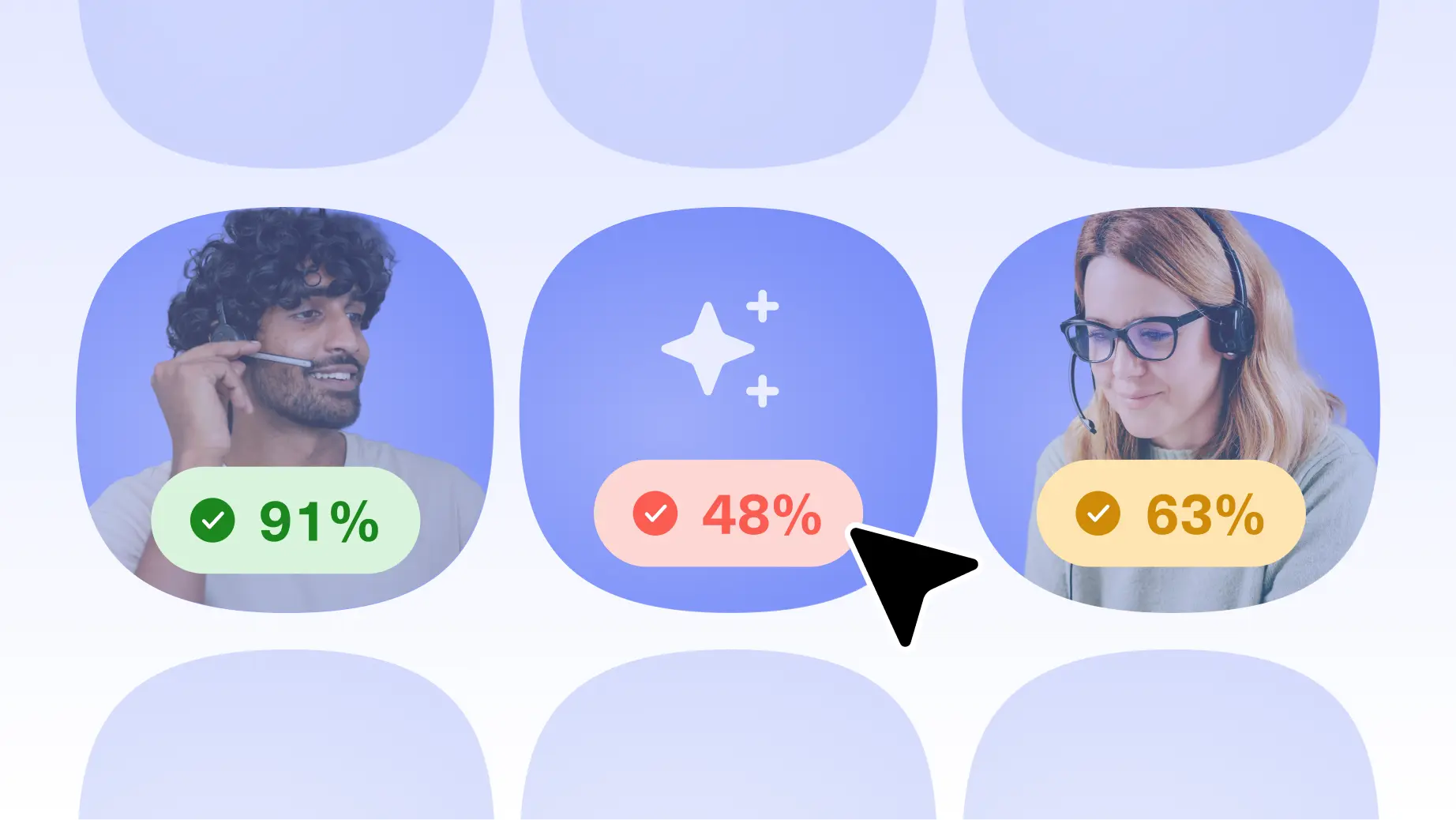
Slack: assign conversations to the agent who claimed them
Conversations created from Slack can now be assigned to the agent who claimed them, so claimed requests land with the right person.
Learn More
Filters for Concierge observability traces
You can now filter the conversation list on the Analyze page for your AI agents. Use the search bar to find conversations by their text, then select + Filter to narrow the list by Customer, Errors & cancellations, Tools used, or Channel.
Learn More
Architect in Multi-Agent Mode
Architect can now help you plan and maintain automations in Multi-Agent Mode. Describe the specialist agents and routing you want, and Architect returns a read-only team-structure preview you can use as a blueprint on the Build canvas.
Learn More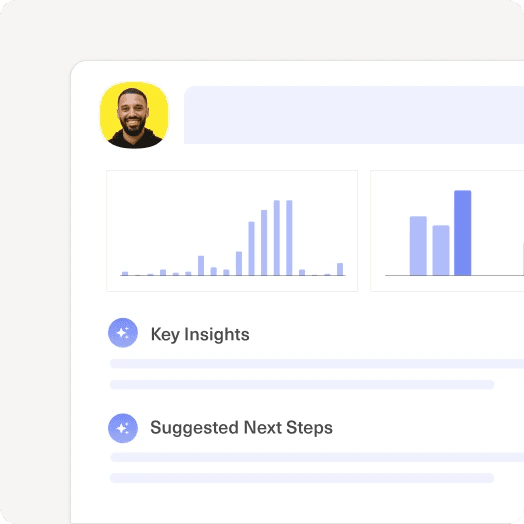
Set Human-Only First Response Targets
Admins can now decide what satisfies the First Response Time (FRT) target on an SLA policy. A new Based on human interaction option lets a policy require a human reply, so an AI agent reply no longer counts as the first response.
Learn MoreCustom outcome actions for single-agent AI Automations
Until now, single-agent AI Automations ended the conversations they resolved and routed the ones they couldn't. Admins can now choose what happens for each outcome without leaving single-agent mode, for example sending a follow-up message after a resolution.
Learn More
Introducing Conversation Intelligence
Conversation Intelligence classifies, scores, and extracts information from every conversation, automatically, with the AI’s reasoning shown behind every value. Available now as a paid add-on for existing customers.
Learn More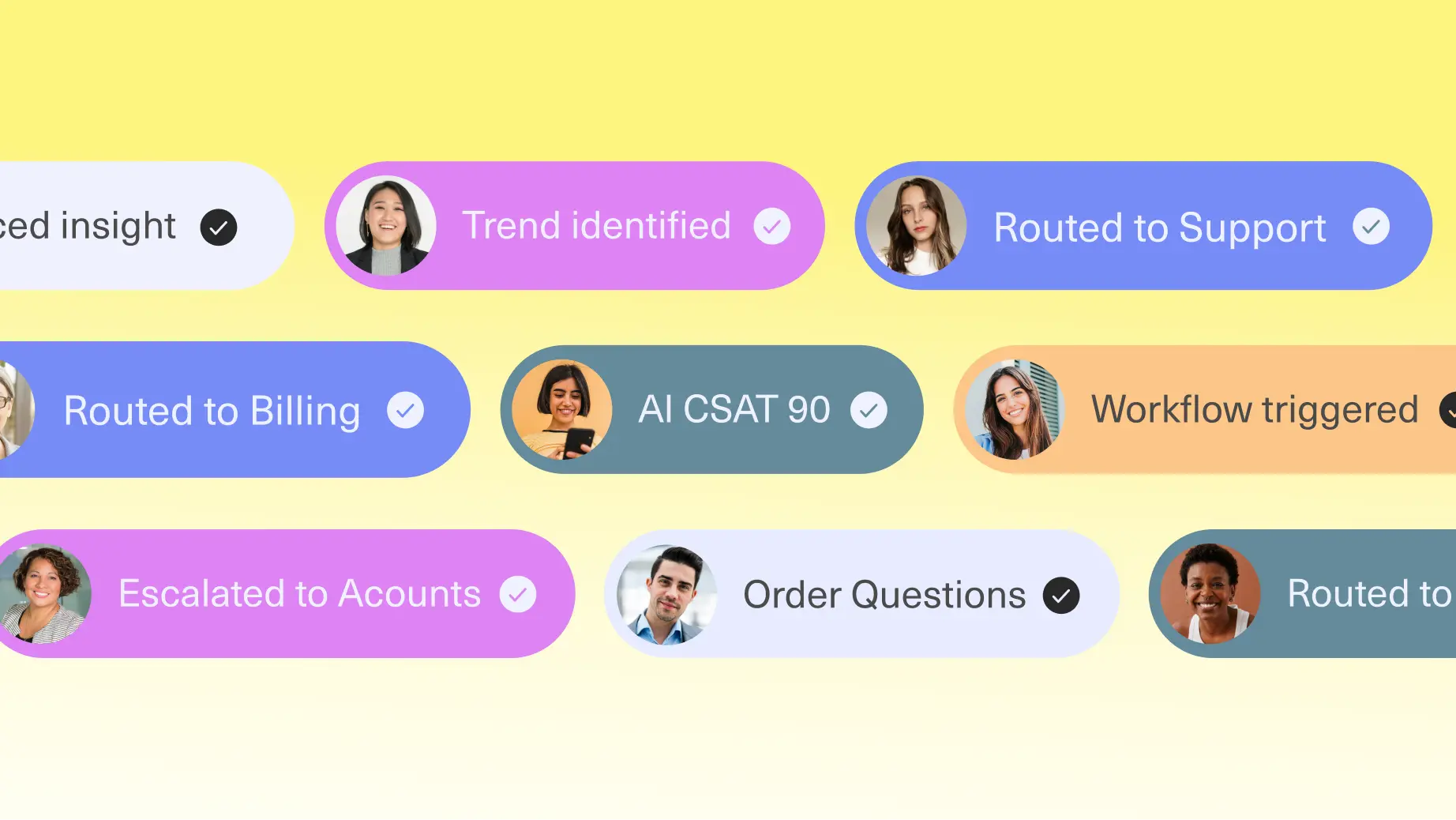
Slack as a Channel: Selectable trigger emojis + Concierge Support
Slack is now a full Kustomer channel, and Concierge can answer in it. B2B support that lives in shared Slack Connect channels now lands on the customer timeline, with SLAs, reporting, and history on the Company.
Learn MoreEmail aliases on support addresses
Email aliases let admins link a receive-only address to a sendable support address, so that when a customer emails an unrecognized email address, Reply still pre-selects the correct support address as the From address. This is useful for organizations that manage multiple brand-facing addresses — for example, a corporate relay address that receives mail forwarded from several brand domains. No action required — nothing changes until aliases are added. Once they are, agents stop carrying the From-address decision.
Learn MoreRepeat notification sounds, per channel
Agents can now enable repeat notifications so important messages are harder to miss even when you're working in a different tab.
Learn MoreNext Reply SLA
A 5th SLA metric, Next Reply, is now available. Next Reply measures the time from a customer's oldest unanswered message to the next reply, and re-measures on every subsequent exchange for as long as the conversation stays open.
Learn MoreSeptember 2026
New Concierge Report is Live
New and improved Concierge reporting is now available. See exactly how well your Concierge automations are performing: resolution rate, engagement rate, escalation rate, and a side-by-side CSAT comparison between AI-handled and human-only conversations. Drill down by automation, agent, procedure, or tool to see precisely where things are working — or not.
Learn More
Bring Your Own DKIM is now supported for Amazon SES domains
Admins migrating an email domain to Amazon SES can now set their own custom DKIM selector and key, instead of relying solely on Kustomer-generated DKIM records — giving security-conscious teams full control over how their outgoing email is signed.
Learn More
WhatsApp Identity Support for Business-Scoped User IDs
As WhatsApp shifts to business-scoped user IDs, phone numbers alone can no longer reliably identify a customer. Kustomer now captures and uses this new identifier across native WhatsApp, Twilio, and MessageBird integrations, so customer identity keeps working without interruption.
Learn MoreConcierge Context Limits
Keep your Concierge agents fast, focused, and reliable as they grow. New size guardrails on agents, tools, and procedures help prevent overloaded configurations from slowing down or confusing your AI, with clear guidance if you ever need to trim something back.
Learn MoreAugust 2026
Higher satisfaction survey limits per channel
The maximum number of satisfaction surveys per channel has increased from 10 to 30. Disabled surveys no longer count against this limit — only enabled surveys do — so you can keep old or unused surveys around without losing room to create new ones. Find it under Settings > Satisfaction Surveys.
Learn MoreNew Billing Hub now available
The Billing Hub is a centralized place to manage and understand your Kustomer billing. It gives you visibility into upcoming recurring and usage-based charges, the terms and allocations included in your contract, and detailed usage for the current billing period. This is now available to org owners and admins with billing permissions.
Learn MoreScoped knowledge base search tools for Concierge and Envoy
This release lets admins create dedicated knowledge base search tools with fixed or agent-supplied filters. AI agents can use these tools to retrieve content from a more relevant subset of articles.
Learn MoreIntroducing context variables in tool attributes
Context variables let you insert dynamic values — like customer ID or org ID — directly into a tool's preset attributes, so Kustomer resolves them automatically at runtime instead of relying on the AI Agent to supply them. Available now for OpenAPI tools, MCP tools, and Klass data tools.
Learn MoreJuly 2026
File attachments for Tasks and custom Klasses
You can now attach files directly to Tasks, to any custom object (Klass/kObject), and to comments on those records.
Learn More
Internal Threads via Email
Internal Threads lets your team collaborate with people who don't live in Kustomer — folks without a seat or license, or partners outside your company like vendors and critical suppliers. We already brought this to Slack, and now the email channel joins the fray with a set of enhancements that make those conversations more secure, faster to start, and easier to tailor.
Learn MoreCollapsible WhatsApp account rows
WhatsApp accounts in your billing settings now show as collapsible rows, matching the nested layout used elsewhere, so long lists are easier to scan.
Learn MoreFocused mobile task editing in Customer details
When you create or edit a task from the Tasks tab on phone-sized screens, search, filters, and suggested tasks step aside so the form has the full panel. Task audit history stays on desktop only while editing. Tapping a task row opens it and closes the details sheet, and the favorite star moves into the row menu to save space.
Learn More
Faster inbox loading
Your inbox list now fills in sooner after you log in or open Inbox, especially on a slower connection. Conversation rows appear from data already loaded with your work session instead of waiting on a chain of follow-up requests.
Learn MoreEasier customer details on tablets
On tablet-sized screens, customer details and search copilot now open as a right-side panel over the timeline instead of taking over the full page. You can still see the conversation behind a dimmed backdrop, scroll through insights normally, and tap outside the panel to close it. Phones keep the full-width layout you already use.
Learn MoreCompact new search control
The saved search list header now uses a + icon for creating a new search, matching the other header actions. Hover or focus the button to see the New search label. When exports are running, the + button appears to the left of the exports indicator.
Learn MoreConsistent margins on mobile sidebars and summary sheets
Customer and company detail sheets, AI summary panels, timeline toolbars, and the tasks suggestion strip now use the same readable page margins as the rest of the app on phone-sized screens. Copilot in Customer details uses the full panel width with aligned header and message padding. Detail fields in mobile sidebars stack with the label above the control so long field names are no longer cut off. Insight pickers in those sheets now open full-height option lists with the standard search field, Apply and Cancel on date fields, and touch-friendly row spacing.
Learn MoreUse portrait on your phone
If you rotate your phone to landscape, you'll see a prompt to turn it back to portrait. The app is built for portrait on phones, so this keeps layouts readable and avoids cut-off content while you work.
Learn MoreCleaner mobile bottom navigation
The floating bottom navigation on phone now shows icon-only tabs with wider pill-shaped touch targets, so the bar stays compact while remaining easy to tap.
Learn MoreCollapsible WhatsApp account rows
WhatsApp accounts in your billing settings now show as collapsible rows, matching the nested layout used elsewhere, so long lists are easier to scan. The prepayment note is clearer too — you will see the after-prepayment amount even when a prepayment fully covers your WhatsApp usage.
Learn MoreEasier customer details on tablets
On tablet-sized screens, customer details and search copilot now open as a right-side panel over the timeline instead of taking over the full page. You can still see the conversation behind a dimmed backdrop, scroll through insights normally, and tap outside the panel to close it. Phones keep the full-width layout you already use.
Learn MoreJapanese landline phone number validation
You can now save Japanese landline phone numbers in the Home and Mobile fields of a customer's profile. These numbers — including those entered with spaces or dashes — are now accepted, while mobile number validation continues to work as before.
Learn MoreSegment by skill name with reporting
When building reports, teams could only segment skill data by Skill ID — raw identifiers that are hard to read and interpret at a glance. You can now segment conversation and work item data by Skill Name, showing readable skill names instead of raw skill IDs. The existing Skill ID option is still available for reporting on raw identifiers.
Learn MoreSkill-Based Routing in Workflows
Workflows can now add and remove skills on a conversation, and skills can be used as workflow conditions to branch routing logic based on a conversation's current skill state.
Learn MoreJune 2026
A More Secure Email Foundation: Moving to Amazon SES
Kustomer is moving its primary email provider from Postmark to Amazon Simple Email Service (SES)—which meets SOC 2, PCI and FedRAMP security standards, making it the ideal choice for supporting our customers' email channel needs.
Learn MoreFacebook Comment Moderation
Agents can now fully moderate Facebook Page comments from within the Kustomer timeline.
Learn MoreAI Products Renamed: Envoy, Concierge & Architect
Our AI tools now have names that reflect what they actually do. Concierge (formerly AI for Customers) handles customer-facing interactions. Envoy (formerly AI for Reps) supports your reps. Architect (formerly Assistants) is the AI working across the entire platform — powering search, workflows, data analysis, and knowledge. Note: AI for Customers 1.0 will remain as-is in our product and documentation
Learn MoreMay 2026
Link Carousels in Chat
When an agent or automated message includes multiple URLs, the chat widget now displays them as a horizontal, swipeable carousel instead of a stacked list — making it easier for customers to browse options without scrolling through a wall of cards.
Learn MoreConditional Routing by Customer Attribute
This update enables teams to configure conditional Voice routing using customer attributes, Assistant Rules, queues, and routing logic so callers can reach the right team faster and receive more personalized support experiences.
Learn MoreLink Unfurling in Chat setting
Chat now supports the ability to disable link unfurling. This gives your team more control over how links appear in conversations. Previously, links shared in Chat would automatically expand to show a preview. Now, admins can turn this behavior off so links display as plain text instead. To disable, navigate to Apps > Chat > Settings and toggle off link unfurling.
Learn MoreCompany Dashboard People and Conversations tabs
The updated company timeline (now called company dashboards) introduces dedicated People and Conversations tabs, giving teams a clearer operational view of customer engagement across a company from a single location.
Learn MoreAverage Handle Time in Data Explorer
We've introduced a dedicated query path for Average Handle Time, powered by the same unified calculation engine used across Custom Reporting, Standard Reports, and the API.
Learn MoreBrand-Aware Concierge
Concierge can automatically identify and select knowledge articles and external knowledge sources by brands based on conversation context.
Learn MoreURL Filtering and Re-Indexing for Knowledge Sources
This release reduces AI automation accuracy and increases maintenance overhead. These updates ensure your knowledge stays current, easier to manage, and more precise—improving answer quality and reducing manual intervention.
Learn MoreApril 2026
Multi-Tab Voice Restrictions
Voice controls are now limited to the primary tab for agents, aimed at providing a reliable voice experience when utilizing the Kustomer application in multiple tabs. This feature is available to all Kustomer Voice customers.
Learn MoreInternal Threads with Slack
Internal threads now allow for better internal collaboration flows. Connect Slack to get help for your agents from experts across your organization. This feature is available to orgs and admins. Learn more here.
Learn MoreNew Routing Report Metrics
Our Routing Report now contains new, voice-specific metrics that articulate how many calls were rejected or allowed to time out by specific agents. This feature is available to orgs and admins with Kustomer Voice. Learn more here.
Learn MoreRestrict Transfers to Default Queue
Admins can now configure the Restrict User Transfers setting on the Default Queue — the same setting that has long been available on all other queues. This feature is available to orgs and admins.
Learn MoreEvals Assistant Available for Concierge
The Evaluations Assistant helps you build and maintain automated test coverage for your AI agents.
Learn MoreAI Agents Select From a Multi-Level List
Klass Data tools can now be configured for AI Agents to select a value from a multi-level list like Disposition Code, Issue Category, etc.
Learn MoreAccess-Controlled KB Search in Copilot
Copilot's KB search now enforces the same access controls that govern KB article visibility across Kustomer.
Learn More
March 2026
Signals for Envoy
Signals is a powerful new feature that brings proactive, AI-generated customer insights directly to the insights panel. It fundamentally changes how we understand customer context by shifting from manual review to automatic, intelligent analysis of customer activity.
Learn More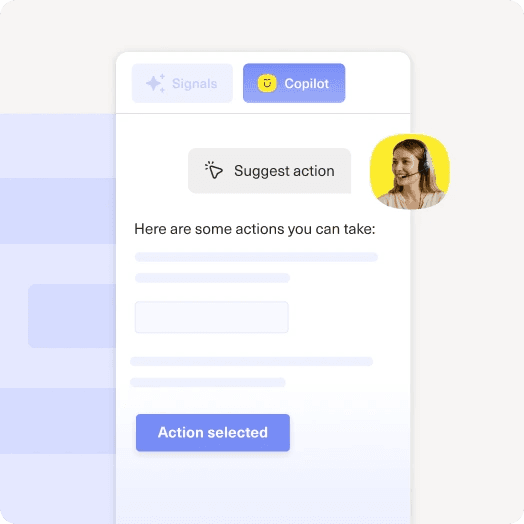
Envoy Copilot Observability: 90-Day Trace History
Admins can paginate through all copilot traces going back 90 days, filter by customer or user, and use a new date filter (last 24h, last 48h, or custom range). This release will help admins troubleshoot better by giving them visibility into more traces.
Learn MoreCompare Versions is Now Available for Concierge 1.0
Admins can now compare AI Agent configurations between AI Agent Team versions before performing a rollback. This is now available for all orgs with Concierge 1.0.
Learn MoreAdmin API: Pull AI Summaries Programmatically
This release enables admins to retrieve AI summaries programmatically through the Admin API, unlocking new possibilities for automation, integrations, and analytics.
Learn MoreImproved Two-Way Translation UX
This release introduces a simpler, more accessible translation experience, allowing reps to translate an entire conversation with a single click.
Learn MoreConcierge 2.0
Concierge 2.0 introduces Procedures to provide a balance of AI reasoning and guided determinism.
Learn MoreLive Call Monitoring for Kustomer Voice
The Live Call Monitoring dashboard gives supervisors a real-time view of calls in IVR, queue, and active conversations so they can respond quickly to changes in call volume and service levels. This is available for all customers utilizing Kustomer Voice and requires no action to enable. More...
Learn MoreRemote MCP Server Integration
Kustomer now supports connections to remote Model Context Protocol (MCP) servers, enabling AI Agents to utilize externally hosted tools and data.
Learn MoreNew Countries are Supported for Outbound Calling
Kustomer Voice now supports outbound calling to 61 new countries. This is available for all customers utilizing Kustomer Voice and requires no action to enable.
Learn MoreCustom Hold Music for Voice
Up to 3 Custom Hold Music tracks can be set up for each Kustomer Voice phone number. Once enabled, these tracks will loop sequentially while callers are in queue waiting to be connected to an agent.
Learn MoreFebruary 2026
The Ordergroove App
With the new Ordergroove app, agents can take action on customer subscriptions directly from the timeline. They can perform common actions like cancelling and pausing subscriptions, or sending orders early, without ever leaving the Kustomer platform.
Learn MoreConcierge Resolution Rate Analysis
Resolution Rate Analysis is now available in the AI Agents for Customers report. AI Resolution Rate is an industry-standard indicator of AI automation coverage that measures which AI agent teams are effectively taking on CX work, freeing up human agents to handle more complex aspects of...
Learn MoreAI Setup Assistant
Validate your CX foundation before scale exposes what's fragile — with explainable, prioritized fix recommendations.
Learn MoreThe Ordergroove App
Ordergroove is a subscription management service. With the new Ordergroove app, agents can take action on customer subscriptions directly from the timeline. They can perform common actions like cancelling and pausing subscriptions, or sending orders early, without ever leaving the Kustomer...
Learn MoreTwo-way Translations Now Use Nova Models
Two-way translations now use AWS' Nova models for translating outbound messages sent by reps to customers. Reps continue to use the same mechanism as they do today to translate their replies before sending them to customers but can expect this upgrade to capture dialects better. This is...
Learn MoreLink Unfurling
Links will now unfurl in chat web, Android, iOS, and on the agent-facing timeline, generating a preview of a URL that users can see prior to clicking.
Learn MoreJanuary 2026
TikTok Shop
Customers can now install TikTok dirtectly from our app marketplace.
Learn MoreVersion Controls and Rollbacks for AI Agents
A new capability designed to give admins greater control and confidence when building and deploying AI Agent Teams.
Learn MoreAutomated Translations of Summaries
AI Summaries are now automatically translated to the user's preferred language in Kustomer without any manual action required. This includes customer, conversation, kobject, conversation handoff, and conversation close summaries.
Learn MoreUse Suggested Shortcuts with the Copilot
Copilot can now suggest shortcuts, both public and private, when suggesting the next best action for the rep to take in order to resolve a customer's issue.
Learn MoreAI Observability Assistant
AI Observability Assistant, a powerful new toolset that transforms AI Agents from a "black box" into a transparent, measurable asset is now generally available.
Learn MoreVersion Control and Rollbacks for Concierge 2.0
Version controls and rollbacks are now available for Concierge 2.0. Admins can review prior versions of their AI Automations from the Deploy tab, and choose to rollback to a previously deployed version.
Learn MoreFilter Customer Timelines by Object Attributes
You can now filter a customer's timeline by attributes on conversations, tasks, and other objects. This helps you quickly find the activity you care about—without scrolling through the full timeline—so you can focus on relevant conversations and actions faster.
Learn MoreConfigurable Tone Inclusion in AI Summaries
Admins can now optionally exclude customer tone and sentiment from AI Summaries. This will apply to the following summaries - customer, conversation, handoff, and close summaries.
Learn MoreDecember 2025
Use Guru as a Knowledge Source for AI Agents
We are thrilled to announce that the Guru integration for AI Agents is now available. You can now connect Guru directly to Kustomer, allowing your AI Agents to resolve inquiries using the trusted knowledge you already have. Key Benefits: Unlock Your Knowledge: Instantly give Agents access to...
Learn MoreCode Procedures Tool
We've introduced a new type of tool called Code Procedures. With Code Procedures, your Agents can now execute code directly within their workflows, bridging the gap between generative AI and deterministic logic. Why use Code Procedures? Precision: Ensure your Agents follow exact business logic...
Learn MoreReporting Assistant in Custom Reports
We've introduced a new Reporting Assistant in our Custom reports, bringing powerful on-demand data analysis capabilities in natural language to traditional dashboards. Here's how you can unlock deep data discovery in your Custom reports: Ask Reporting Assistant questions about your report in...
Learn MoreContext-Aware Evaluations
We are excited to announce that Context-Aware Evals are now Generally Available! You can now evaluate your AI Agents using relevant Conversation History, ensuring your tests reflect the nuance of real, multi-turn customer interactions. Key Highlights Automatic Context: Creating a test case now...
Learn MoreNext Generation of AI for Reps
We have rebuilt the experience from the ground up to be faster, smarter, and significantly more actionable. Faster, More Intuitive Assistance - The AI copilot is now powered by advanced models that think ahead. Instant Responses: We've reduced latency by over 40%, streaming answers instantly...
Learn MoreWhatsApp Usage
The Evaluations Assistant helps you build and maintain automated test coverage for your AI agents. Access it from the Test screen on any AI for Customers 2.0 agent, and use it to generate test ideas, create and run evaluations, and analyze pass/fail results.
Learn MoreNew Custom Report Builder
We've refreshed our Custom report builder experience, making it much easier to create tailored charts that answer the most important questions about your business. Some key improvements include: Business value descriptions of all datasets and metrics More intuitive aggregation and segmentation...
Learn MoreNovember 2025
Data Explorer
Our powerful new Data Explorer feature is now available to all users! The Data Explorer is your natural language analysis workspace for Kustomer data. It runs validated queries across your data, interprets it, and returns explanations, patterns, and actionable recommendations you can instantly...
Learn MoreIndividual Permissions for AI-Enabled Features
We've added the ability to configure access to all of our amazing new AI-enabled features at the team and user level! You can now control access to: AI Agent Team Assistant Automation Analysis Assistant Data Explorer Knowledge Base Assistant Search Assistant Workflow Assistant Check out...
Learn MoreIn App Sandbox Creation
Continuing our cadence of improvements to sandboxes, clients with a sandbox entitlement can now create sandboxes in Settings. That's right! One button click (honestly two button clicks) and there you have it, instant sandbox. Highlights: This is available by default to users with the Org Owner...
Learn MoreEarly Access: AI Automations Analysis Assistant
We're excited to announce the AI Automations Analysis Assistant is now available in Early Access! This new AI-powered tool helps you analyze, understand, and optimize your automations — across Workflows, Business Rules, Customer Assist (CA) Rules, and Queue Rules — with speed and clarity. ✨...
Learn MoreCustomer Abandonment with AI Agents
Introducing Customer Abandonment Settings — a new way to automatically handle inactive conversations with your AI Agent. Define when a conversation is considered abandoned by channel, and choose to auto-close or reassign it. You can also send a custom message to re-engage customers who haven't...
Learn MoreData Explorer Enhancements
Analysts and managers can ask plain-English questions about their Kustomer data and get explanations of why metrics moved and what to do next. This improvement is available in Reporting under Data Explorer. You will also see a Prompts menu with ready-made templates that run common analyses...
Learn MorePer-Tool | Per-Channel Verification Toggle for AI Agents
We're excited to announce the general availability (GA) of enhanced flexibility for your AI-powered Kustomer AI Agent Studio environment: administrators now have the ability to disable verification on a per-tool and per-channel basis. This gives you more control over where and how verification...
Learn MoreOctober 2025
Introducing the Kustomer MCP Server
We're excited to announce the launch of the Kustomer MCP (Model Context Protocol) Server — a new way to securely connect Kustomer to large language models (LLMs), such as Claude and ChatGPT. The MCP Server provides structured, monitored access to your Kustomer data, allowing AI systems to...
Learn MoreAI Assistants are officially live!
We're thrilled to announce the general availability (GA) of AI Assistants, a powerful new suite of tools designed to enhance every part of your Kustomer experience. Starting today, all organizations can access: AI Agent team assistant AI workflow assistant AI search assistant AI knowledge base...
Learn MoreEvals Update: AI Agent Assertions
Admins can now define expected AI Agents to be used for a given test query—similar to how tool use is evaluated. During evaluation, Evals will check whether the correct agents were invoked as intended when addressing the query. This enhancement helps ensure multi-agent workflows are...
Learn MoreSummaries can now be enabled/disabled by category
When you're configuring AI Summaries for your agents, you can now individually enable or disable summaries by category. This includes: Conversation summaries Customer summaries Conversation handoff summaries Conversation closing summaries This feature is available for organizations with access...
Learn MorePCI Redaction
With this update, you can now enable PCI redaction through the Sensitive Data Protection option in your Security settings. When enabled, any credit card information that's accidentally shared in supported channels and outgoing conversations will automatically be redacted and replaced with X's....
Learn MoreIdentify Sandbox Environments with a Banner
When you're logged into a sandbox, you'll now see a banner at the top of the screen. This banner makes it easy to tell when you're working in a sandbox environment (for testing) rather than a production org. The banner displays the name of the related production org and includes helpful...
Learn MoreAdd and Remove Skills on User Profile
Building on the October 10 release, admins (or users with permission to edit other users) can now add and remove skills directly from a user's profile page. This provides a more intuitive way to manage which skills a user has for routing purposes—right where you'd expect to make those changes....
Learn MoreKustomer Voice Routing Improvements
We've improved Kustomer Voice with a new routing architecture. This new architecture: Makes it much less likely that a call will fail to route to an agent Gives us better visibility into the few cases where something does go wrong, so that we can more easily troubleshoot and address these...
Learn MoreSkills on User Profile
We're continuing to enhance the experience for clients using Skills-Based Routing. Admins can now view which skills are associated with a user directly from their profile in Settings. This provides quick visibility into an agent's routing qualifications without needing to navigate elsewhere....
Learn MoreEvals for AI Agent Teams are now live!
We're thrilled to announce the launch of Evaluations (Evals) in AI Agent Studio — a powerful new way to measure, validate, and improve your AI's performance before it meets real customers. AI is transforming how businesses interact with their customers, and ensuring that these systems behave...
Learn MoreAI Agent Fallbacks in Observability Traces
We've expanded on recent improvements to AI Agent fallbacks. A few weeks ago, we introduced the ability for admins to configure fallback options in case an AI Agent encounters an error. Now, these fallback events are also reported directly in Observability traces. This enhancement makes it...
Learn MoreNew 'Who Ended the Call' Notifications in Kustomer Voice
We've added notifications to give your agents more context when handling calls via Kustomer Voice. When a call ends, agents can see who ended the call - the agent or the customer. In cases where the call ends unexpectedly, the agent can now determine whether the customer ended the call...
Learn MoreNew iOS, Android, and React Native Releases
View the iOS, Android, and React Native changelogs for more information on what's included in these releases.
Learn MoreSeptember 2025
Talk to Kustomer Out Loud
Busy agents can save time by speaking directly to Kustomer rather than typing out their thoughts. This improvement is available in the reply editor within Timeline, the AIR Copilot, and the AI Builders (also in Early Access). The voice prompt is also available in additional editors throughout...
Learn MoreAI Agents for Customers Now Available in Mobile SDKs
AI Agents for Customers are now supported in the latest versions of our iOS and Android SDKs, bringing AI-powered assistance to your mobile experiences. What's new: Customers using our mobile SDKs can now deploy AI Agents for Customers to handle customer inquiries directly within mobile apps....
Learn MoreNew Android and React Native Releases
View the Android and React Native changelogs for more information on what's included in these releases.
Learn MoreUpdated Information Architecture for Kustomer's AI Product Suite
We've updated the information architecture in the Settings page to make it easier to find and use our newest suite of AI products—AI Agents for Customers and AI Agents for Reps. A new top-level navigation item for AI Agent Studio now contains our latest AI products, while Kustomer IQ includes...
Learn MoreAI Knowledge Base Builder and AI Search Builder Now in Early Access
We're excited to introduce our Early Access Program, which gives you the opportunity to try new AI-powered tools ahead of their general release. First up: AI Knowledge Base Builder and AI Search Builder. AI Knowledge Base Builder Admins can now partner with an AI copilot to streamline article...
Learn MoreAutomatic Task–Conversation Linking
We've made it easier to keep tasks connected to the right work. When you create a task from the Conversation Insights panel, it will automatically link to the active conversation. Agents can still update or remove the link at any time. This change helps save time when creating follow-up tasks...
Learn MoreNew Voice Metrics Available in Standard Reporting
We've expanded our Kustomer Voice reporting with a powerful set of new metrics to help you better understand how your team is performing and where to optimize operations. These metrics make it easier to measure agent activity, track routing outcomes, and identify opportunities for improvement,...
Learn MoreResizable Right Pane
You can now adjust the width of the right pane that appears throughout Kustomer, including in the customer timeline, company timeline, and knowledge base article editor. This update gives you more control over your workspace. For example, if your team uses AI Agents for Reps, you can expand...
Learn MoreUse OAuth 2.0 for OpenAPI Tools in AI Agents
We've made it easier and more secure to connect your AI agents to external APIs. You can now use OAuth 2.0 with Authorization Code grant flow when setting up OpenAPI tools, so you can authenticate directly against third-party systems in a secure, streamlined way—without managing tokens...
Learn MoreAI Agents for Reps Now Powered by GPT-4.1
We've upgraded the model that powers AI Agents for Reps from GPT-4.1-mini to GPT-4.1. GPT-4.1 is a significantly more intelligent model, which means AI Agents for Reps will now: Provide more useful and contextually accurate suggestions Use tools more precisely Follow instructions more reliably...
Learn MoreRich Text Previews for HTML Emails in the Timeline
You can now see full-fidelity previews of HTML emails directly in the timeline. Previously, email content, such as tables, images, and text styles, didn't always display accurately. With this update, agents will see the customer's message exactly as it was formatted, making it easier to review...
Learn MoreAugust 2025
AI Agents for Reps Writing Tools Moved to the Smartbar
We've moved Copilot Writing Tools to the smartbar just below the editor, making them faster and easier for reps to access while composing messages. If your organization has both Agent Assist and Copilot turned on, these actions now use the Copilot configuration instead of the Agent Assist...
Learn MoreAI Agent Teams Now Respect Business Hours
AI Agent Teams can now be configured to recognize your organization's business hours, ensuring smoother handoffs and more intentional behavior outside of staffed times. What's new: Admins can choose how the AI Agent should behave when attempting to route a conversation or unassign itself...
Learn MoreNew iOS v6.0.0 Release
View the iOS changelog for more information on what's included in this release.
Learn MoreLocal Phone Numbers Now Available in the Netherlands
Companies doing business in the Netherlands, or nearby, can now purchase local numbers for inbound and outbound calling. This makes it easier to provide a more familiar, localized experience for their Dutch customers. With this addition, customers can now purchase local phone numbers in 10...
Learn MoreAutomatic Refresh of Sitemap-Based Collections and Zendesk Help Centers
Collections based on website sitemaps and Zendesk Help Centers are refreshed automatically every day. This process runs during off-peak business hours. It re-parses the sitemap file for each collection, detects any changes, and schedules jobs to ingest the new or updated content into our...
Learn MoreAI Agents Can Now Pick From a List of Pre-Configured Tags
AI Agents can now use their reasoning to choose the appropriate tag from a list of pre-configured options, making it easier to automatically classify conversations. Admins can enhance this capability by adding guidance that explains what each tag represents. This context is incorporated into...
Learn MoreConditional Shortcuts: Now Supports Contains Operator
You can now use the contains operator in shortcut conditions to better support omnichannel use cases. For example, conversation.channels contains "email" will match conversations that include email, even if other channels are present, unlike the = operator, which only matched email-only...
Learn MoreModernized Articles Table
The Articles table has been updated to match the look and feel of other tables across the platform. In addition to a refreshed design, you can now sort and view articles by key data points, including article name, created date, last updated date, and author (updated or published by).
Learn MoreJuly 2025
Drag and Drop Email Recipients
You can now move recipients between the To, CC, and BCC fields in outbound messages.
Learn MoreAI Agent Fallback Configuration
AI Agent Teams will automatically unassign themselves from conversations when AI reasoning errors out, and route conversations to human agents. You can optionally configure a message to alert customers when this happens. Learn more in our help article. This is available to all organizations...
Learn MoreShopify Search Orders Tool Now Available for AI Agents
The Shopify Search Orders tool is now available for organizations with the Shopify app installed. This tool allows AI Agents to search for Shopify orders using a customer's email address, allowing them to access key order details directly from your Shopify account. Unlike standard timeline...
Learn MoreRefresh Individual AI Agent Knowledge Sources
Now, you can refresh either an entire knowledge source collection or each source individually.
Learn MoreAudit Logs: Business Rule Names Now Shown
Audit logs now display the names of all business rules that were processed when a change is made to a record (customer, company, or conversation). If you have multiple rules in place, this makes it much easier to identify which ones were involved. Rule names in the audit log are also...
Learn MoreOutlook Integration Now Available
You can now send emails from Outlook directly into Kustomer with a single click. Our new Outlook add-in makes it easy to capture important customer messages without the need for copy-pasting or forwarding. To get started, download the manifest file and install the add-in in your Outlook...
Learn MoreIncreased Max Wait Time for Kustomer Voice Calls
Previously, the longest amount of time that calls could wait in queue before going to voicemail was 5 minutes (300 seconds). What's new Calls can now wait for up to 10 minutes (600 seconds) before going to voicemail. This is available to all customers using Kustomer Voice. Learn more: Routing...
Learn MoreTimeline Filters: Custom Date Range Support
You can now filter the timeline using a custom date range. This gives you more control and flexibility, allowing you to select specific date ranges beyond the predefined options of This Week, This Month, and This Year.
Learn MoreHelp Center: Filter by Uncategorized Articles
A new None option has been added to the Category filter in the article manager. This lets you easily find articles that haven't been assigned to any category, helping you stay organized and avoid ungrouped content in your help center.
Learn MoreNew iOS v5.0.14 Release
View the iOS changelog for more information on what's included in this release.
Learn MoreExternal Knowledge: Zendesk Help Centers Now Supported
You can now connect Zendesk help centers as an external knowledge source in the AI Agent Studio. Once linked, your Zendesk articles will be indexed and made available to AI Agents for Customers and Reps. This allows the AI to reference your existing help content when crafting responses. This...
Learn MoreWorkflow: Option to Unset Tree (MLL) Custom Fields
You can now set Tree (MLL) custom fields to null in workflows using the new Unset option in the TreePicker component. This makes it easier to explicitly clear field values when configuring workflow actions.
Learn MoreEnterprise Web Crawler: Support for Sitemaps
We now support the ability for a user to provide a link to a sitemap of URLs when configuring external knowledge sources. The platform will then extract the URLs within this sitemap, index them, and make them available as knowledge sources for AI Agents for Customers and Reps. This feature is...
Learn MoreUnset Queues in Workflows—No JSON Required
We've added a long-requested update to workflows: you can now unset queues for both conversations and tasks (kobjects) directly from the workflow builder—no JSON editing needed. What's new Use the new "Unassigned" option in the queue dropdown when updating conversations or tasks via workflow...
Learn MoreNow Available: Ability to Rename AI Agents and Tools
You can now edit the names of your AI Agents and tools, giving you more flexibility as your setup grows. Names must be unique across your entire org to avoid conflicts.
Learn MoreAI Agents for Reps: Two-Way Translations Now Generally Available
Copilot now supports two-way translation, allowing agents to instantly translate both customer messages and their own replies, without the need for third-party tools. How to enable it Admins can turn on two-way translations by going to Settings > AI Agent Studio > Copilot and toggling on the...
Learn MoreSmarter Optional Fields in Workflow Builder
Only see the optional fields that matter—no more scrolling through dozens of empty ones. A new searchable field picker makes it easy to find the fields you need by name, type, or description. Handy count shows how many fields are in use (e.g., "2/34"). Improved accessibility with keyboard...
Learn MoreKeyboard Shortcut Added for Copilot
You can now use option + l (macOS) or alt + l (Windows/Linux) to quickly switch to the Copilot tab or focus the text input field. For a full list of available shortcuts, see this help article.
Learn MoreNew iOS v5.0.13 and React Native v3.0.0 Releases
View the changelogs for more information on what's included in these releases: iOS changelog React Native changelog
Learn MoreAI Agents for Reps: Improved Copilot Response Speeds and Reasoning
We have implemented architectural upgrades for the Copilot that improve its response speed and reasoning accuracy. These upgrades have already been applied to all organizations that currently use the Copilot - no additional configuration is required.
Learn MoreNew React Native v2.7.2 Release
View the React Native changelog for more information on what's included in this release.
Learn MoreNew Android v4.0.0 Release
View the Android changelog for more information on what's included in this release. Chat character limit increase (07/11) Character limits in chat have been increased from 1024 to 10,240. This provides you with more flexibility in responding to customer replies via the chat channel and...
Learn MoreAI Agents for Customers Report: Deeper Insights
We've introduced numerous enhancements to the AI Agents report! Observability We've added a time-series chart of Active AI Agents, so you can see which AI Agents are initiating most frequently over time. We've also improved legend labeling so AI Agent names align with how they're configured in...
Learn MoreAI Agent Studio Improvements
We've made a few updates to improve your experience in AI Agent Studio—check out what's new below. Upgraded guidance and instruction editor for agent names and tools to support rich text formatting. When creating a new tool, the list is now sorted alphabetically for easier navigation. Fixed...
Learn MoreCopilot Improvements
Modular components: Rebuilt Copilot using reusable components for better consistency and future flexibility. SmartBar upgrade: Updated SmartBar to use the new Copilot system, reducing duplication and improving maintainability. Improved messaging UX: Added scroll indicators, auto-scroll logic,...
Learn MoreWorkflow Settings View Just Got an Upgrade
The Workflow list now uses our new table layout for easier scanning and navigation. Takes full advantage of screen width so you can see more at once. All workflows are shown—no more 15-per-page limit. Sort by clicking column headers to quickly find what you need.
Learn MoreNew iOS v5.0.12 Release
View the iOS changelog for more information on what's included in this release.
Learn MoreNew Address Types for Company and Customer
When setting an address for a customer or a company, there are now two new address types - Billing and Shipping. This provides clients with more flexibility in selecting the type of address they store for both customers and companies. This is available to all organizations.
Learn MoreImproved Chat Settings
We've made some improvements to the Settings page for Chat: Moved the Authorize domains functionality from its previous location below the Brand selector to make it clearer that the configuration in Authorize domains applies to all brands, not just the currently selected one. Renamed the...
Learn MoreImprovements for Summary Notifications for AI Agents for Reps
We have implemented some under-the-hood improvements to conversation handoffs and close summaries. When these summaries are added to conversations, notifications will no longer be triggered, thereby reducing the distractions agents experience while working on conversations. This is available...
Learn MoreMay 2025
New React Native v2.7.0 release
View the React Native changelog for more information on what's included in this release.
Learn MoreSet your preferred font size
You can now choose the font size you'd like to use in Kustomer. Whether you prefer a more compact view or larger text for readability, you can adjust the interface to suit your needs from your profile menu.
Learn MoreGetCustomers API enhancements
The GetCustomers endpoint now supports enhanced filtering, sorting, and pagination capabilities, providing greater flexibility when querying customer data. What's new: Filtering support You can now filter customers by createdAt and updatedAt using range operators (gt, gte, lt, lte), making it...
Learn MoreImprovement to WhatsApp message delivery stability and compliance
We're making improvements to how WhatsApp messages are sent through our platform to better support high message volumes and protect system performance. What's changing? Media file validation: To reduce send failures and ensure only valid files are sent through WhatsApp, we're blocking...
Learn MoreIntroducing after-call work time for Voice agent
We've introduced a configurable feature that gives voice agents dedicated time to complete post-call tasks before automatically becoming "Available" again. Admins can now set how long agents remain unavailable after each voice interaction. Previously, agents had to manually set themselves back...
Learn MoreSet fields as read-only when customizing an Insights Card
You can now configure attributes as read-only when building an Insights Card. Use the Read Only checkbox in the visual editor, or add a readOnly attribute when editing in code view. This allows you to display attribute values without making them editable.
Learn MoreShopify - Extend chat through checkout now available
We're extending Kustomer's chat widget functionality in Shopify, allowing customers to maintain live chat support all the way through checkout and post-purchase. Previously, the chat widget disappeared when customers entered checkout, potentially leading to drop-off if they had last-minute...
Learn MoreApril 2025
AI Agents for Reps
Note: Interested in joining our beta? Learn more about AI Agents for Reps and talk to your CSM to request access today. The AI Agents for Reps product is designed to enhance agent efficiency and customer satisfaction by automating time-consuming tasks and delivering critical insights. What's...
Learn MoreNew Android v3.4.4 release
View the Android changelog for more information on what's included in this release.
Learn MoreNew pricing support on the Manage Subscriptions page
The Manage Subscription page in Settings now shows information that supports the most recent pricing changes. This will give you more information about your products and their usage. The page now: Displays seat-based plans with the AI for Customers add-on. Displays conversation-based plans...
Learn MoreUpdate to Standard reporting window
To support long-term trend analysis, we've expanded the maximum analysis window in Standard reports from 1 year to 2 years. This change aligns standard to custom reporting, where 2-year windows were already available.
Learn MoreImprovement to multi-party email conversations
This release improves the current Gmail email experience by showing the actual sender of each email in a conversation instead of automatically attributing it to the customer whose timeline the conversation appears on. Note: This update is available for organizations using Gmail for email. You...
Learn MoreNew iOS v5.0.10 SDK release
View the iOS changelog for more information on what's included in this release.
Learn MoreQuick reporting trust enhancements
Over the past several weeks, we've introduced a series of quick fixes to reporting to enhance user trust and reduce confusion: Fixed benchmark performance on KPI cards that displayed a positive increase in metrics that clients are optimizing to be lower rather than higher (e.g., showing a...
Learn MoreMarch 2025
Support your Amharic-speaking customers
We now offer Amharic language support. Customers who speak, read, and write Amharic can now do so when interacting with Kustomer chat and the knowledge base. You can turn on support for this language by going to Settings > Localization. This also allows you to create snippets to send messages...
Learn MoreImproved AI handoff: Unassign AI Agent and route using queue or skill-based routing
You can now create a new tool, or use the default RouteConversation tool, to unassign the AI Agent from a conversation. Once unassigned, the conversation is routed to a human agent using your existing queues or skill-based routing configuration. This update improves the AI-to-human handoff by...
Learn MoreIncreased deletion rule limit to 30,000 records per rule per day
When deletion rules launched in January 2025, the daily limit was 10,000 records per rule. This has now been increased to 30,000 records per rule per day. See this article to learn how to manage your platform usage data.
Learn MoreImprovement to multi-party email conversations
This release improves the current email experience by showing the actual sender of each email in a conversation, instead of automatically attributing it to the customer whose timeline the conversation appears on. Note: This update is available for organizations using Postmark for email. You...
Learn MoreNew ways to hand off conversations to AI Agent teams
Note: Updated on March 18 to include the release of the Transfer to AI Agent team interaction. You can now manually assign conversations from a human agent to an AI Agent from directly within a conversation. This option can be turned on in each AI Agent team's settings page. We've also...
Learn MoreExpanded support of skills in business rules
Conversations can now have skills added or removed via business rules. When creating or editing a business rule, you can choose a new field action to set (add) or clear (remove) a conversation's skill. Previously, once a skill was manually removed via the UI, it wouldn't be re-applied by any...
Learn MoreOption and multi-level list updates now sync automatically in forms
Now, when you add number or single-line text option lists or multi-level list attributes in a knowledge base form, updates to the list values will sync automatically in those forms. Previously, updating a number or single-line text option or multi-level list didn't update forms using that...
Learn MoreDefault Search API rate limits
Clients who access the Search API endpoint will now encounter a default rate limit of 100 requests per minute (RPM). See this page for more information on our rate limits.
Learn MoreNew search update controls
Automatic search updates are now available, giving you greater control over your search configuration. You can now select whether you want your search results to automatically update, or refresh your results manually. This update is available for all existing clients. For more information, see...
Learn MoreFebruary 2025
Accessibility improvements to chat SDK
Several improvements have been made to the functionality of chat SDK to improve the experience for people using keyboard navigation and/or screen readers: Customers using keyboard navigation no longer get stuck on the "Minimize Chat" button of the chat window. The chat logo that our customers...
Learn MoreImproved dialpad for Kustomer Voice
Improved the dialpad experience for users navigating an interactive voice response (IVR) with Kustomer Voice.
Learn MoreNew Android v3.4.1 SDK release
View the Android changelog for more information on what's included in this release.
Learn MoreAI Agents can now connect to external systems
AI Agents can connect to external systems using tools powered by OpenAPI specifications, allowing them to retrieve real-time data, provide more accurate responses to customers, and perform actions like: Get customer data from external systems; Place orders on external e-commerce systems;...
Learn MoreAI Agents can now access public URLs as data sources
Admins can now add individual public URLs as data sources in addition to public knowledge bases, and have the AI Agents use these to frame responses to customers. Today, these URLs can be added on a page-by-page basis and indexed or reindexed manually. Once indexed, the URL collection can be...
Learn MoreNew workflow actions for KObjects, like Tasks
Workflow actions now support additional key data points for KObjects: assignedUser, status, and queue. This enhancement allows admins to create more dynamic workflows and automate key actions without relying on API calls. With this update, workflows can efficiently reference and act on items...
Learn MoreData deletion tool
You can now set up recurring rules to help you manage your data and stay below your storage limits. Rules run once per day and delete data that matches the rule criteria. Currently, this feature can delete Conversations and custom object (KObject) data. Messages, notes, and attachments will...
Learn MoreJanuary 2025
New mobile SDK releases
We recently released iOS v5.0.8, Android v3.4.2, and React Native v2.6.0. View the chat SDKs changelog for more information on what's included in these releases.
Learn MoreHIPAA-Compliant Kustomer Voice
Kustomer Voice is now HIPAA compliant, providing you with a secure way to handle sensitive calls and messages. Customers can take calls using a Kustomer Voice number, as well as send and receive SMS messages through Voice. Customers using HIPAA-compliant Kustomer Voice can use traditional IVRs...
Learn MoreNew Android v3.4.1 SDK release
View the Android changelog for more information on what's included in this release.
Learn MoreNew Android v3.4.0 SDK release
View the Android changelog for more information on what's included in this release.
Learn MoreMessage direction indicators in search results
Search results now show whether a message is inbound or outbound for each conversation. This improvement makes it easier for you to find the information you need at a glance.
Learn MoreUpdate to our knowledge base article editor: Improved pasting experience
You can now paste content into the article editor from sources like Google Docs or Microsoft Word without the extra HTML formatting. This update ensures that only the essential formatting is preserved in your articles, keeping your content clean and consistent.
Learn MoreNew channel support for AI Agents - Forms
You can now deploy AI Agents to respond to any inbound forms, and have it reply to the customer via email. This allows you to specify deployment conditions based on conversation attributes as defined in the form. This is available for all clients on a conversation-based plan when configuring...
Learn MoreNew iOS v5.0.7 SDK release
View the iOS changelog for more information on what's included in this release.
Learn MoreNew language support for conversational assistant templates
We're excited to announce expanded language support for creating assistants in Customer Assist. You can now create assistants in French, Dutch, and German, in addition to the previously supported languages. This update allows you to leverage our pre-built templates in these new languages,...
Learn More