Loop In Anyone, From Anywhere They Work: Internal Threads Now Support Email
Kustomer helps agents loop colleagues, approvers, and outside experts into a customer conversation by email, with admin-controlled domain whitelisting keeping every exchange governed and on the record.
The People Who Solve Your Hardest Cases May Not Be in Your Support Tool
Support teams don't resolve their toughest cases alone. A shipping delay needs the warehouse. A billing dispute needs finance to weigh in. A technical edge case needs a specialist who may not have access to your CRM. Solving the case often means pulling in someone who sits outside the day-to-day support workflow: an outside partner or vendor, or simply a colleague on your own team who isn't usually customer-facing.
Most of the time, that person lives in another system entirely, often just an inbox. We already solved this for teams that collaborate in Slack with Internal Threads via Slack, and now that same collaboration model extends to email. Because forwarding an email isn't a workflow, it's a workaround. The agent has the context, the customer is waiting, and the expert who can unblock the case is a click away, stuck in a completely different system.
Introducing Internal Threads via Email
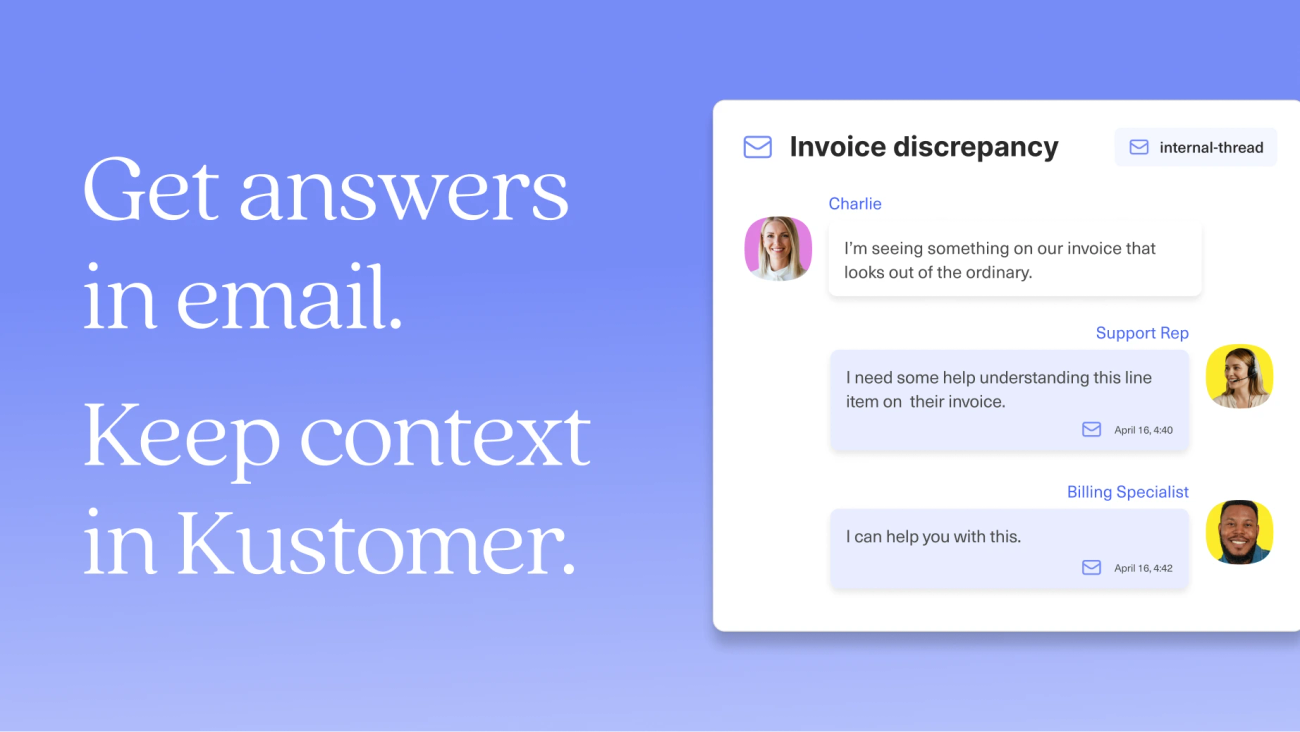
Internal Threads via Email extends the collaboration model agents already use in Kustomer, via Slack Internal Threads, to another channel many outside experts live in. Agents can now loop in a warehouse manager, a finance approver, a logistics partner, or a product specialist directly by email, from inside the customer conversation, without forwarding anything or leaving Kustomer.
Here's how it works:
Loop in collaborators without leaving the conversation
From inside a customer conversation, an agent opens an internal thread and adds an email participant. Kustomer sends the email on the agent's behalf along with the conversation transcript for full context. No forwarding, no context copied by hand into a separate message.
Replies land right back on the timeline
When the participant replies, their response flows directly into the internal thread, threaded with the original ask. The collaboration stays anchored to the record it belongs to, so anyone who opens the case later sees the full exchange in context.
The customer never sees any of it
Internal threads are private by design. The entire email exchange happens on the internal side of the conversation, and nothing crosses into the customer-facing channel.
Admins control exactly who can participate
This is the control that makes external email collaboration safe to turn on. Admins define which email domains are allowed to participate: the company's own domain, plus a vetted logistics partner or specific vendor, for example. Anyone outside the approved domains simply can't be looped in, which closes off accidental data leakage and takes the "who gets access to this customer's data" decision out of individual agents' hands.
Every contribution is attributed and auditable
Each reply is attributed to the person who sent it, in order, so the thread reads as a clear record of who was asked and what they said. Because the collaboration lives on the timeline instead of in someone's inbox, it's visible to reporting: who was looped in, when, from which domain, and how long the customer waited on that internal step. SLAs can account for collaboration time, and compliance has an actual record of every external participant.
Why this matters for your team
For CX leaders: Collaboration that used to be invisible, happening in inboxes you can't see into, now shows up in reporting. You can finally measure how much of your resolution time is spent waiting on internal dependencies.
For admins: Domain whitelisting means you decide, once, who's allowed to touch a customer thread, instead of trusting every agent to make that judgment call correctly every time.
For agents: No more forwarding, no more copy-pasting answers back in. The expert you need is one thread away, and their answer shows up exactly where you're already working.
A common scenario
Consider a customer asking why their order hasn't shipped. The agent doesn't have visibility into warehouse inventory; that lives with the warehouse manager, who works entirely out of email. Previously, the agent would forward the case, wait, and manually paste the answer back into the ticket once it arrived, hoping nothing got lost in translation.
With Internal Threads via Email, the agent adds the warehouse manager as an email participant on an internal thread without leaving the conversation. The warehouse manager replies from their inbox as usual. Their answer lands back on the timeline, attributed and timestamped, and the agent responds to the customer, all without the case context ever leaving Kustomer.
“Not everyone on the customer experience journey lives in Kustomer, and they shouldn’t have to. Our job is to meet people where they already work. Internal Threads via Email does exactly that. Reps can orchestrate any customer journey and ensure full visibility and governance in the timeline.’’
Rachel Hughes, VP of Product, Kustomer
Get started with Internal Threads via Email
Internal Threads via Email is available today, included on all Kustomer plans at no additional cost. Existing customers can enable domain whitelisting and start looping in collaborators right away. For a full walkthrough of setup and usage, visit our Help Center article on Internal Threads via Email. If you're not yet a Kustomer customer and want to see how governed, timeline-anchored collaboration works in practice, book a demo with our team.