Support Where B2B Customers Already Live: Connect Slack to Kustomer
For B2B teams, Slack stopped being a side channel a while ago. It's where deals get worked, where implementations get managed, and increasingly, where customers expect support to happen. Not in a portal, not in a ticket queue, but in the shared channel they already have open all day.
The trouble is, most support platforms weren't built with that in mind. So teams end up with a strange split: every other channel is governed, measured, and improved, and Slack, often the highest-touch and highest-volume surface of all, is running on vibes.
That gap shows up as a real operational cost. Messages land in a shared channel and get answered by whoever happens to be online: a CSM, an account exec, sometimes an engineer pulled in mid-thread. There's no queue and no clear owner. A question posted at 11 p.m. has no clock on it, so first-response and resolution time for the channel your customers use most simply don't exist in your reporting.
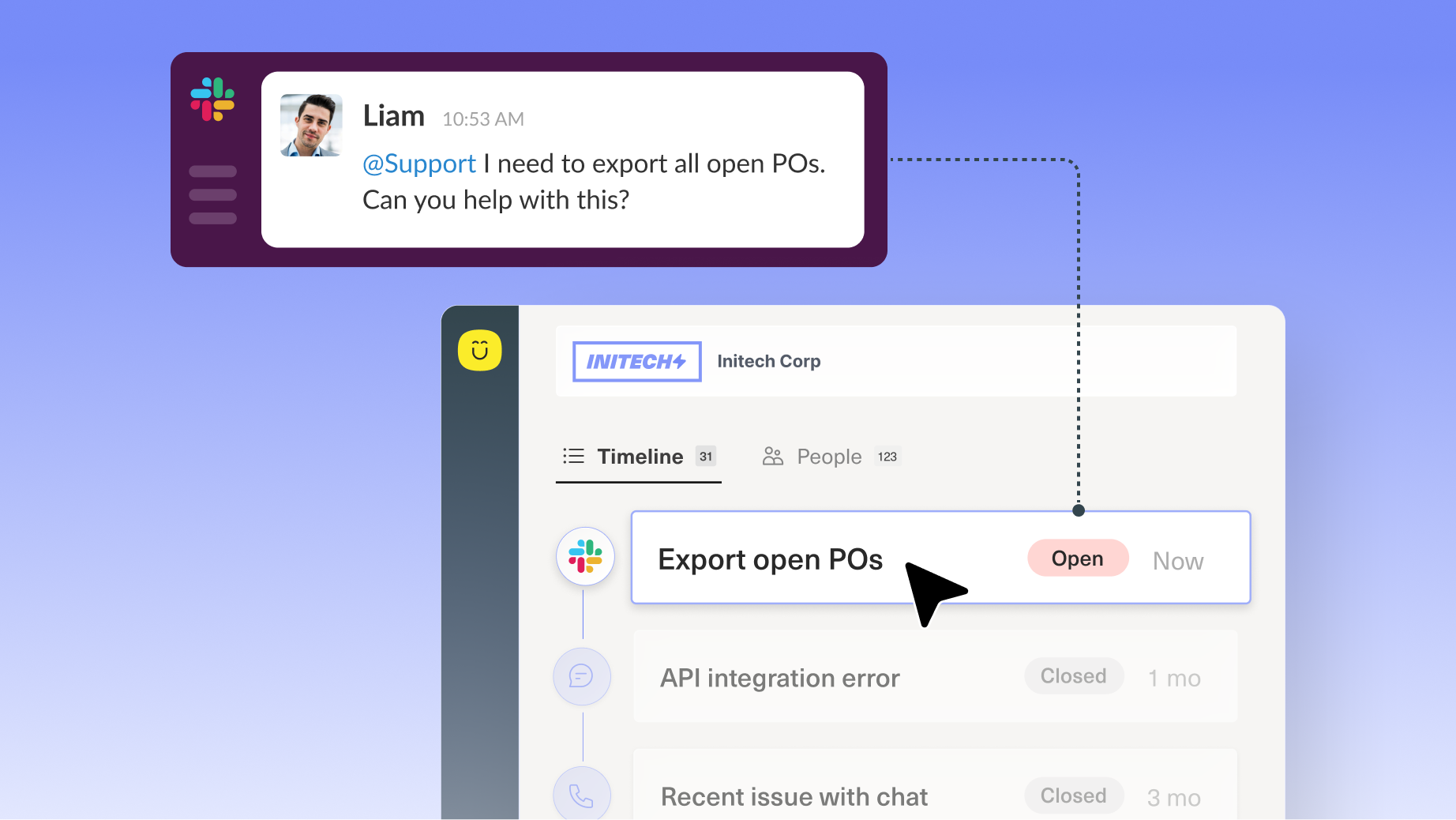
Slack as a channel
Slack as a channel puts those conversations on the same timeline. Messages your customers send in a shared Slack Connect channel come into Kustomer, where they become conversations on the same unified timeline as email, chat, voice, SMS, and social, for that same customer, in one place.
That's the core shift: Slack conversations stop being invisible to the rest of your operation and start running through it.
Inbound from the shared channels you already have
Each customer's dedicated Slack Connect channel maps to the right company and contact in Kustomer, so a message in Slack lands with full context. No guessing who's on the other end.
Internal Channels, Too
Customers can also invite Kustomer into their own internal Slack channels, and anyone in one of those channels can loop in Kustomer to kick off a support conversation directly.
One timeline, not a separate inbox
A Slack conversation looks and behaves like any other conversation in Kustomer. It sits next to that customer's full history across every other channel, so agents aren't reconstructing context from scratch just because the customer happened to use Slack this time.
Real routing and assignment
Slack conversations run through the same routing, queues, and business rules as everything else. The right person owns each conversation, not whoever happened to be watching the channel.
Two-way reply, without leaving Kustomer
Agents respond from inside Kustomer, and the reply posts back into the Slack channel. No Slack license required, no context switch. The customer stays exactly where they already are.
Concierge meets customers in Slack
Concierge works in Slack conversations the same way it already does on chat and email. It works through customer questions and problems right in the shared channel, simple or complex, and brings an agent in when a conversation needs one.
SLAs and reporting that include Slack
First-response and resolution SLAs apply to Slack conversations. Volume, topics, response times, and CSAT for Slack roll into the same analytics you already use for every other channel.
What this means for your team
For CX leaders: visibility into a channel that's currently a black box. Real SLA and CSAT reporting for Slack, sitting next to every other channel, so you're managing the whole operation instead of guessing at one piece of it.
For admins: one place to configure, monitor, and manage Slack Connect channels per customer, using the same routing and business rules you've already built.
For agents: no more toggling between Slack and Kustomer, and no losing thread of a conversation because it happened to start somewhere else. Everything's on the timeline.
What it looks like in practice
A customer posts a question in your shared Slack channel. That message might sit until someone notices it, or get answered by whoever's fastest to react, with no record of who owns it or how long it took. With Slack as a channel, that message brings the conversation into Kustomer with the right owner, the right SLA clock, and the customer's full history already attached. Your agent responds from Kustomer; the customer sees the reply land right back in Slack, as if nothing changed on their end. Nothing did. They never left the channel they were already in.
It's the same feeling as opening an issue in a tool like Linear and knowing it's going to the right place, except there's a person on the other end making sure it's handled. That confidence, "somebody's got it," is the whole point.
"Great service happens where customers already are. Slack as a channel meets them there and keeps the whole account team in the loop."
Rachel Hughes
VP of Product at Kustomer
Get started
If you're an existing Kustomer customer, reach out to your Customer Success Manager or use this help doc to get your Slack Connect channels set up.
If you're evaluating Kustomer book a demo with our team. We'd like to show you what it looks like when Slack runs through the same operation as everything else.