How Kustomer Uses Kustomer
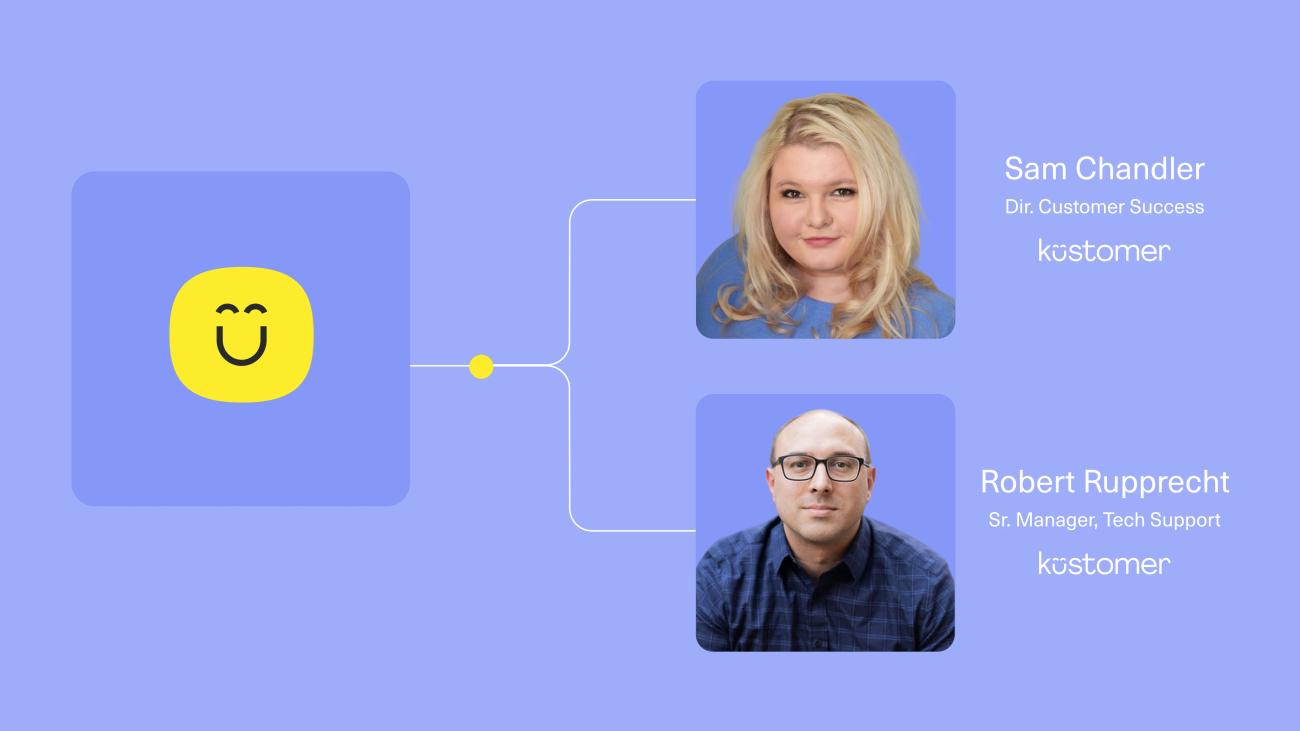
Most companies grow up on a patchwork of tools. Their tech stack starts with the bare essentials and quickly expands into an unwieldy, fragmented infrastructure. Kustomer was no different. As we helped so many leading brands transform their CX programs with our platform, our own Technical Support and Commercial Customer Success teams were wrestling with the same kind of disjointed stack our customers come to us to escape.
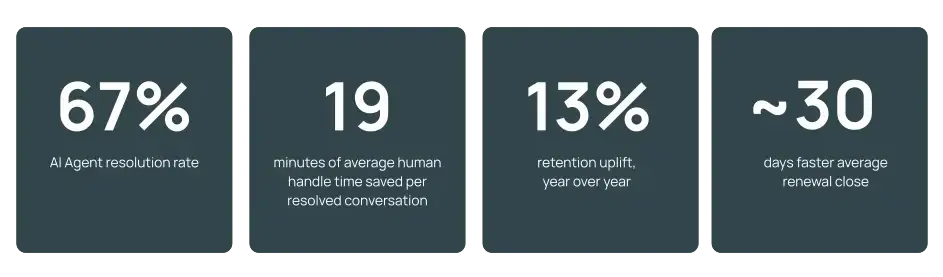
As we sharpened our focus on building for B2B over the past 3-4 years, we focused our own operations onto Kustomer, and we started seeing the same results our customers see when they run on a unified CX platform. Since centering operations in Kustomer, AI resolves 67% of our conversations. These are primarily complex, technical inquiries not easily deflectable FAQs. Now, retention is up 13% year over year, and renewals close a full month faster.
This is the story of how Kustomer uses Kustomer today.
Our results
In this story
- Our challenge. We were losing hours to the wrong work. Support agents were clicking through five tools to piece together B2B context, and CSMs were spending 75% of their time on administrative tasks buried in an inbox.
- Our solution. We run both our technical support team and customer success teams on Kustomer. Timeline, Insight Cards, Data Explorer, AI Agents, Copilot, Envoy, and the Kustomer MCP server unify our company and contact data, automate triage, summarize threads for our CSMs, and continuously close knowledge gaps in our own AI.
- Our success. Our AI resolves 67% of inbound support, saving 19 minutes per conversation. Our CSMs operate from a centralized hub instead of inboxes, and customer retention is up 13% year over year, with renewals closing roughly 30 days earlier.
We're our own customer
At Kustomer, we're our own customer. We're the AI-powered customer service CRM trusted by some of the world's most customer-obsessed brands, and we're also a 200+ person B2B SaaS company headquartered in North America, supporting a global base of enterprise customers. Two of our teams in particular run their entire operations on Kustomer: Technical Support and Commercial Customer Success. Different motions, same platform, same data, same playbook.
That's not a marketing line. It's how we pressure-test the product we ship. Every feature we build into B2B has to work for our own team first.
The B2B reality, on both sides of the desk
B2B support breaks most help desks. A single client can have dozens of users opening conversations with us, each one needing context about the account's tier, health score, license level, and renewal status. Critical data lives in Salesforce. Other context lives in Gong, Notion, Slack, and our internal knowledge bases. Without a way to unify all of it, our agents and CSMs would end up clicking across half a dozen tabs to do their jobs. That's the problem we set out to solve for ourselves, on our own platform.
"You have a system of record like Salesforce to feed into Kustomer, but you also have Kustomer that can be your system of record when it comes to all things customer service and engagement related."
Robert Rupprecht
Senior Manager, Technical Support, Kustomer
A timeline built for the way B2B actually works
The foundation of our internal operating model is the Kustomer Timeline, the one-to-many relationship between a company and its users, with every conversation, custom object, and third-party event tagged to both the right contact and the right account. Salesforce flows into Kustomer as our system of record for company data. From there, we layer in custom objects, third-party data through workflows and webhooks, and conversation-level events that all live on a single, searchable timeline.
The result is that our support team sees every conversation in full context, and our customer success team sees every account in full context, drawing from the same source of truth.
Custom Insight Cards: zero clicks between an agent and an answer
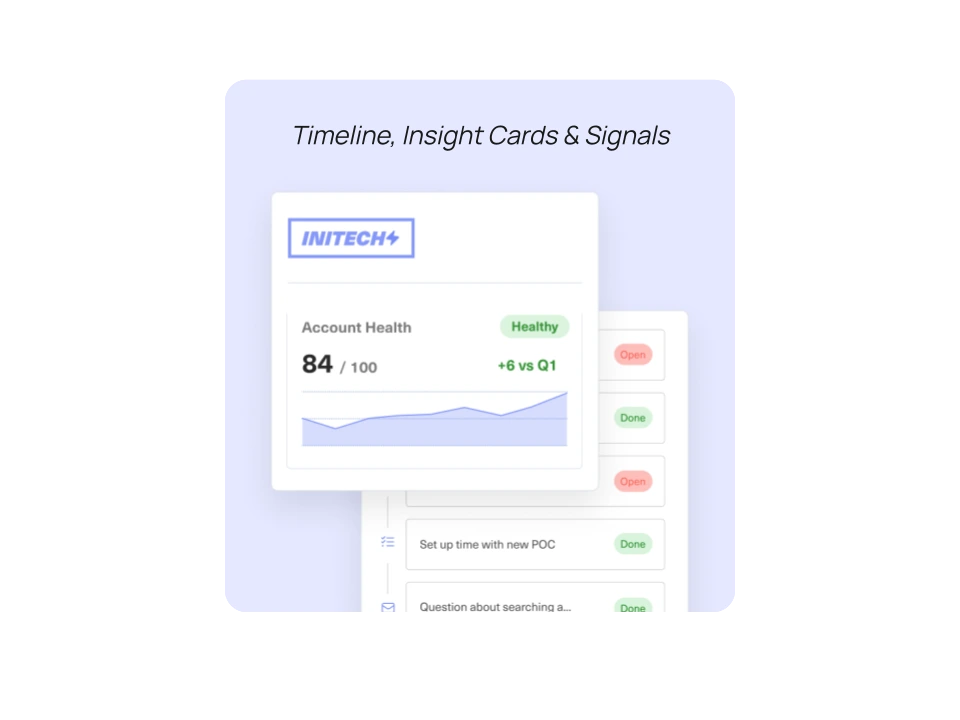
On the support side, our Technical Support Consultants (TSEs) need account-specific context (customer health score, ARR tier, license level, renewal timing) surfaced the moment a conversation opens. We build our own Insight Cards: interactive, visually distinct, and conditional. A customer with an upcoming renewal gets a red banner on the agent's screen. Different tiers (platinum, gold, silver) trigger different routing, automations, and presentation. Our goal is simple: eliminate every barrier between an agent and the right answer.
I want my agents to be quick, but I want them to be thorough. I don't want them to be clicking around to different pages. Having a custom Insight Card, being able to pull all that data and just have it at their fingertips, that's what makes the agent experience better, especially in a B2B world.
Robert Rupprecht
Senior Manager, Technical Support, Kustomer
The 75% problem: when admin work eats the relationship
On the customer success side, we ran into a different version of the same problem. When we audited what our CSMs were actually spending their days on, 75% of their incoming requests were administrative. Renewal paperwork. Service questions. Process questions. Things where the customer did not care who answered, as long as they got an answer. That tax was the thing keeping our team from doing the work that actually moves retention. The hidden cost of leaving it alone was the small irritations we couldn't see, the ones that quietly build toward a churn we wouldn't catch until the postmortem.
By focusing on how we get a customer to the next phase, you start to think about how to remove these administrative burdens, these taxes on our time, so that we can free people up to focus on the really important tasks.
Sam Chandler
Director of Commercial Customer Success, Kustomer
From inbox to centralized hub
Historically, our CSMs lived in their inbox. Zoom calls, onsite visits, and then email, email, email. The relationship felt personal, but the data trail disappeared. We had no clean picture of what each CSM did with a customer, whether they solved the underlying problem, or what tiny irritations were quietly building toward churn. So we moved as much of that communication as we could into Kustomer.
Inside Kustomer, our CSMs work from custom views scoped per customer. They can tell at a glance if a conversation has been open for four days without a response. They can hand off cleanly when someone is on vacation. And critically, the village kicked in. Whoever was best positioned answered, the customer got the answer faster, and the CSM stayed focused on the retention and growth work that only they can do.
We tend to think, I'm the only one who can answer this. What's been really exciting is realizing, wait a second, maybe customers just need an answer. Whether I give it or somebody else does, what matters is that they get it.
Sam Chandler
Director of Commercial Customer Success, Kustomer
Data Explorer: from "what happened" to "what should I do"
Both teams use Data Explorer, part of Kustomer Architect, as a daily operating tool. Instead of building a report to surface a specific data cut, we prompt Data Explorer in natural language and get back not just the data, but suggested actions and training recommendations down to the individual agent.
One example from the support side: we used Data Explorer to audit our conversation-tagging workflow our TSEs use to categorize closed conversations. Historically, tagging was manual, and conversation volume made true accuracy impossible at scale. Data Explorer reviewed the underlying conversation content and surfaced specific gaps. What used to be a multi-week project became a single prompt, and that insight fed directly into our AI-powered Computed Fields capability, which is now automating much of that classification work.
Using our own AI, we achieve a 67% resolution rate
Our AI Agents power the concierge experience on our own help site. With Kustomer's AI tuned to our brand, products, and procedures, our Technical Support team runs at a 67% resolution rate. At an average human handle time of 19 minutes per conversation, every resolved conversation translates directly into reclaimed capacity for our team.
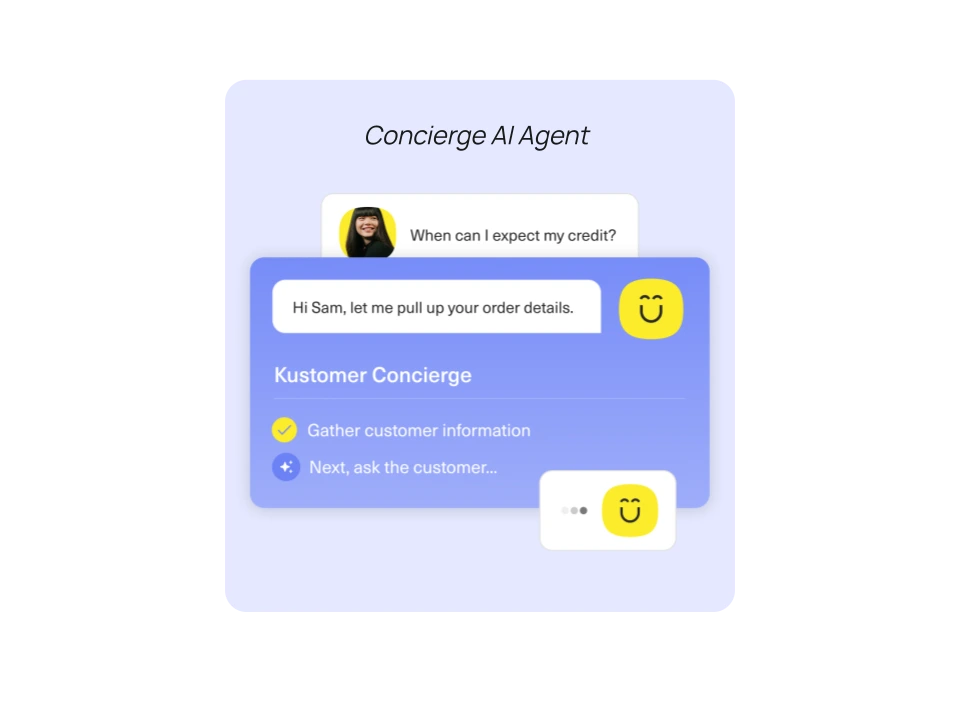
The resolution number is only half the story. As our customer base has grown, our inbound volume has grown, but actionable (human-handled) volume is trending down, and customer behavior is changing too. Our customers increasingly use the AI as an answer tool asking questions getting answers as they work within Kustomer.
We had a CSAT come back where the customer said they didn't even know they were talking to an AI. They were just going back and forth and getting their answers.
Sam Chandler
Director of Commercial Customer Success, Kustomer
Copilot and Envoy: AI inside every conversation
For our agents, Envoy lives inside every conversation. Connected to Notion, Guru, internal Slack channels, and our public knowledge base, it answers an agent's "what does this setting do again?" question in seconds, without ever leaving the conversation. Conversation and handoff summaries mean that when an overnight TSE passes a case to the next shift, the next agent reads a paragraph instead of 20 messages.
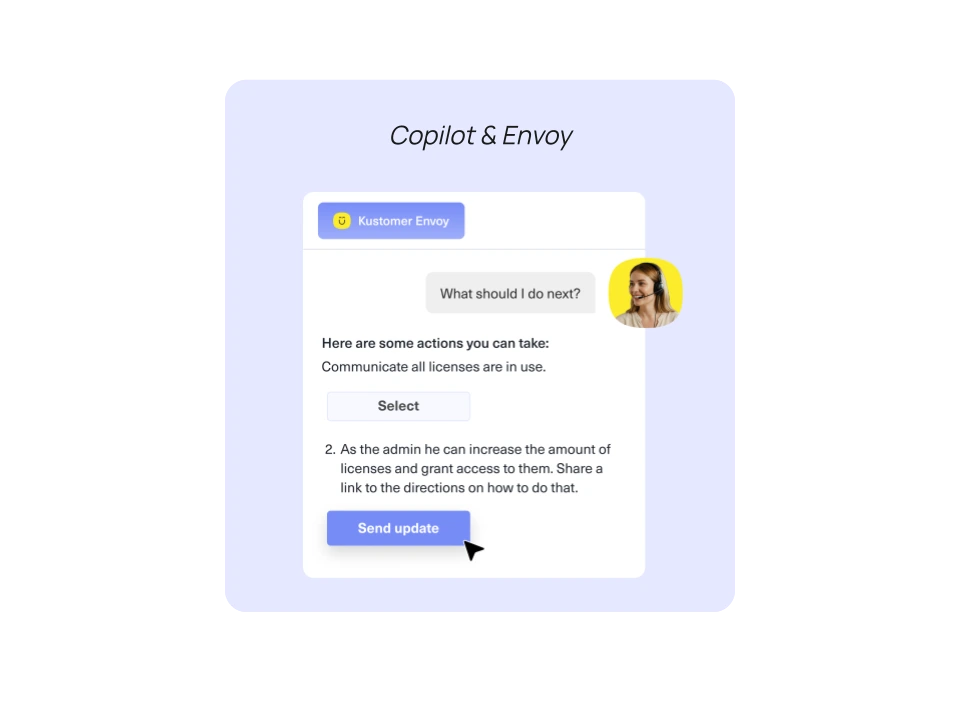
For our CSMs, Envoy is the AI summarization layer that tells them, in a single paragraph, what's happening on any account thread: what just happened, what the customer is waiting on, and the sentiment of the conversation. It tells our CSMs in seconds whether to step in or let the team run.
If there's a thread that's been going on for a hot minute and I'm wondering what's the latest, Envoy very succinctly tells me the last thing that happened, what needs to happen, and the sentiment, so I can understand whether to move in or let somebody else handle it.
Sam Chandler
Director of Commercial Customer Success, Kustomer
The MCP server: a flywheel that closes the loop
Our most powerful unlock has been the Kustomer MCP server. We built a Claude skill that runs every morning. It reviews all conversations closed the previous day (or three days, on Mondays), compares them against our help documentation, and returns formatted, copy-and-paste-ready updates for the specific articles that need new content. We publish the articles. Our AI Agent answers those questions automatically the next time. The flywheel runs daily, continuously feeding our 67% AI resolution rate.
Moving toward an automated solution inside the platform, 'based on your closings the last few days, here's some data you should add to these articles,' would be amazing. That's how I use the MCP server today.
Robert Rupprecht
Senior Manager, Technical Support, Kustomer
Our results: leaner, faster, more aligned
Across both teams, the combined effect is a Kustomer that's running leaner, faster, and with better visibility than at any point in our history.
- Our AI resolution rate sits at 67%, saving roughly 19 minutes per resolved conversation.
- Retention is up 13% year over year.
- Our renewals are closing roughly 30 days earlier on average.
- The 75% of CSM tasks that were administrative now live in a centralized hub instead of an inbox.
- Tagging and categorization that used to be manual is now AI-assisted with Data Explorer recommendations replacing hours of human review.
- Our knowledge base coverage compounds daily thanks to the MCP-driven article update workflow.
- Both teams operate from a single source of truth: Kustomer Timeline plus custom Insight Cards, drawing from the same Salesforce-backed data.
What this means for how we build the product
The thesis we're proving internally is the same one we bring to the market: in B2B, AI only works if it's wired into a unified customer record, surfaced in context, and continuously fed by the conversations happening on the platform every day.
The thing we're most excited about isn't any single feature. It's that our Technical Support and Commercial Customer Success teams now operate from the same platform, with the same data, drawing the same conclusions, while doing different work. That alignment is the operating model we're building toward, and the platform we're building it on is the one we sell.
Our AI is night and day different from when we launched AI Agents. It's not just answering, it's guiding customers to resolution. And the more we feed it from real conversations through the MCP server and Data Explorer, the better it gets.
Robert Rupprecht
Senior Manager, Technical Support, Kustomer
Want to learn more about how we support B2B businesses? Schedule a demo.