
Slack
Get the answers in Slack. Keep the context in Kustomer.
Get the answers in Slack. Keep the context in Kustomer.
Internal Threads with Slack gives your agents a direct line to the experts, partners, and back-office teams they need — without ever leaving a customer conversation. Every exchange syncs back to the Kustomer timeline automatically, so your supervisors see the full picture in one place.
About This Integration
Your agents work in Kustomer. Your experts live in Slack. Now they work together.
Complex customer issues rarely have a single-team solution. A repair needs a field technician. A return needs a logistics partner. A billing dispute needs a finance specialist. Until now, getting that help meant leaving Kustomer, hunting for the right Slack channel, posting a question, and waiting — all while the customer waited too.
Internal Threads with Slack changes that workflow entirely. Agents initiate a Slack thread directly from any Kustomer conversation. Slack-side experts receive the request and reply in Slack — no Kustomer license needed. Every reply appears back on the conversation timeline within seconds. The customer never sees a word of it.
The result: faster resolutions, zero context-switching, and a complete audit trail that lives in Kustomer — not scattered across apps.
What You Get
Everything your team needs to collaborate without compromise.
Start Slack threads from inside Kustomer
Agents can open a Slack thread tied to any active conversation without switching tabs or apps. Select a channel, type a message, and it's live in Slack instantly — all from the Kustomer conversation view.
Replies sync back in real time
When Slack-side experts respond, their messages appear on the Kustomer timeline in seconds. Agents see the reply without opening Slack. No copy-pasting. No manual updates. No dropped context.
One timeline. The complete picture
Customer messages and internal expert threads render together in a single chronological view. Supervisors can see exactly what happened, who was consulted, and how long each step took — all in one place.
Internal-only. Always
Every internal thread is fully hidden from the customer. It never appears in emails, chats, or any channel the customer can see. Internal stays internal.
No Kustomer license required for experts
Slack-side collaborators — field reps, logistics partners, billing teams, external vendors — respond directly in Slack. They never need to touch Kustomer to contribute to a resolution.
Admin control from day one
Admins enable the integration in minutes via Slack OAuth and configure permissions directly in Kustomer. Add the Kustomer Slack App to any Slack channel to allow agents to create threads where they work.
How It Works
Complete collaboration between users in Kustomer and Slack with all threads captured in Kustomer
Step 1: Agent initiates request for help to internal experts via Slack channel
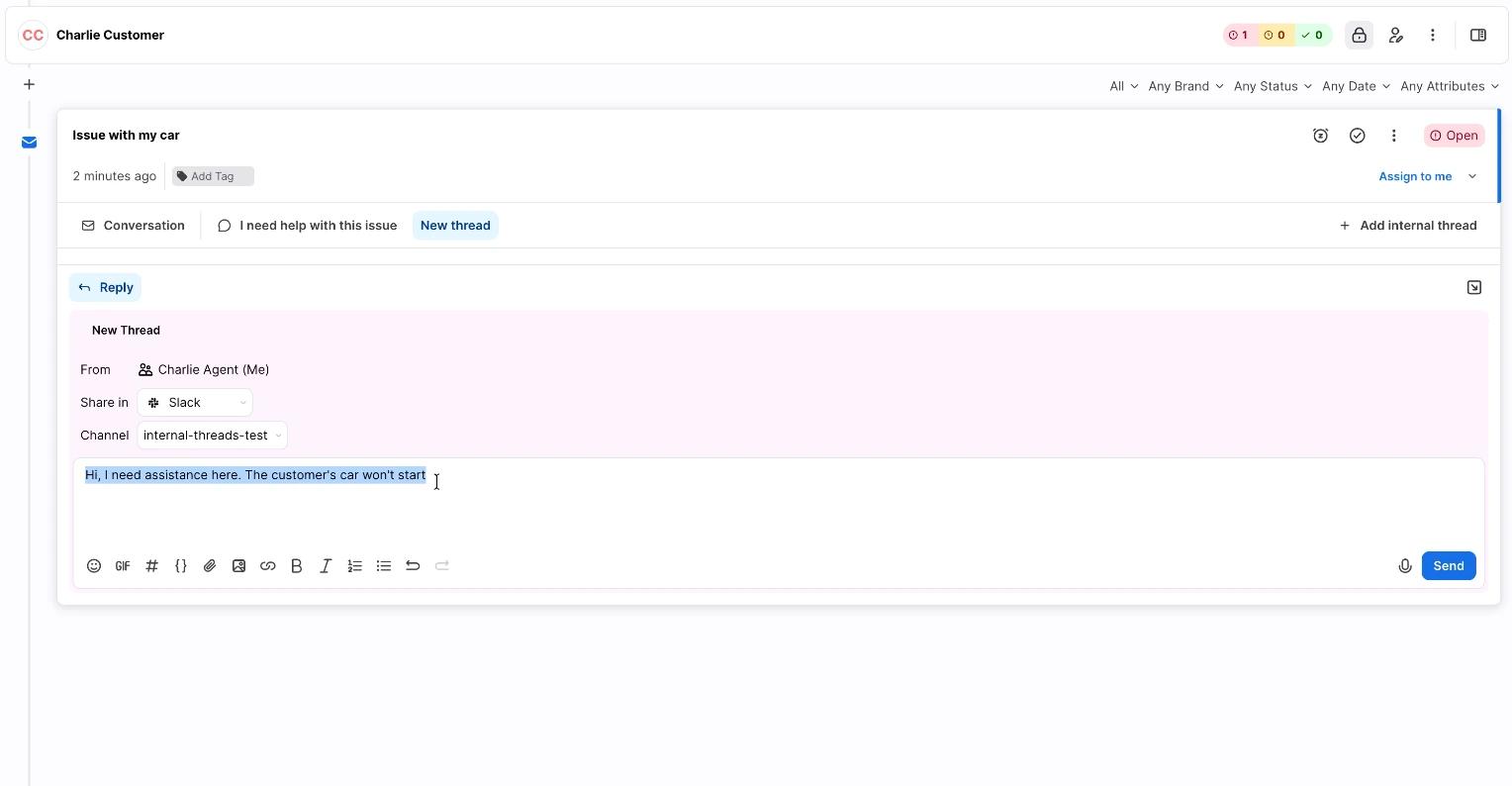
An agent receives a complex customer inquiry and needs expert input. They click "Internal Thread" directly from the conversation view, select the appropriate Slack channel, and send a message — all without leaving Kustomer.
Step 2: Expert responds to agent’s request in Slack
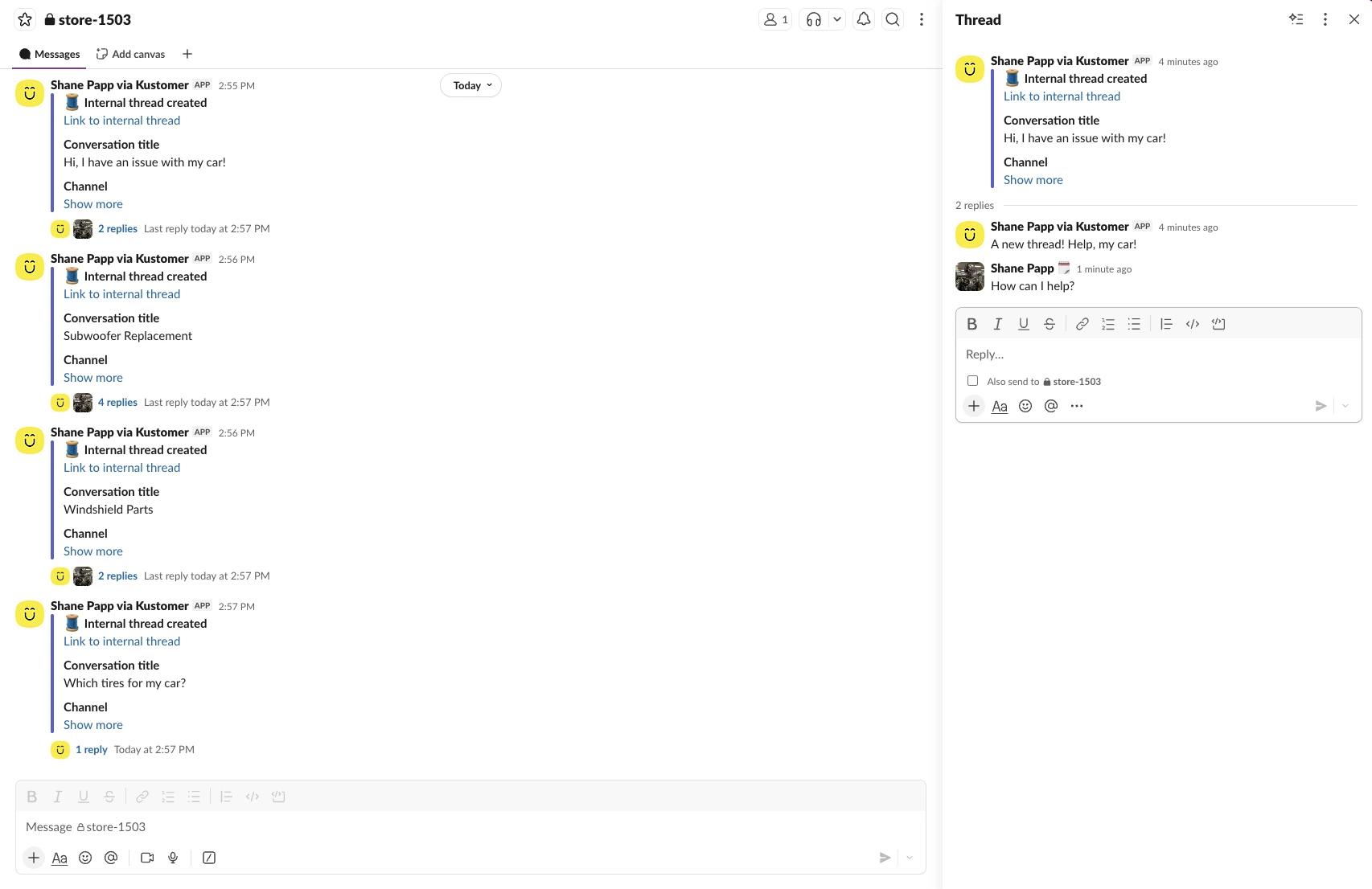
The Slack channel receives a formatted notification with the customer context and a link to the conversation. Experts reply in the Slack thread — no Kustomer account needed.
Step 3: Internal conversation between agent and expert appear on the Timeline
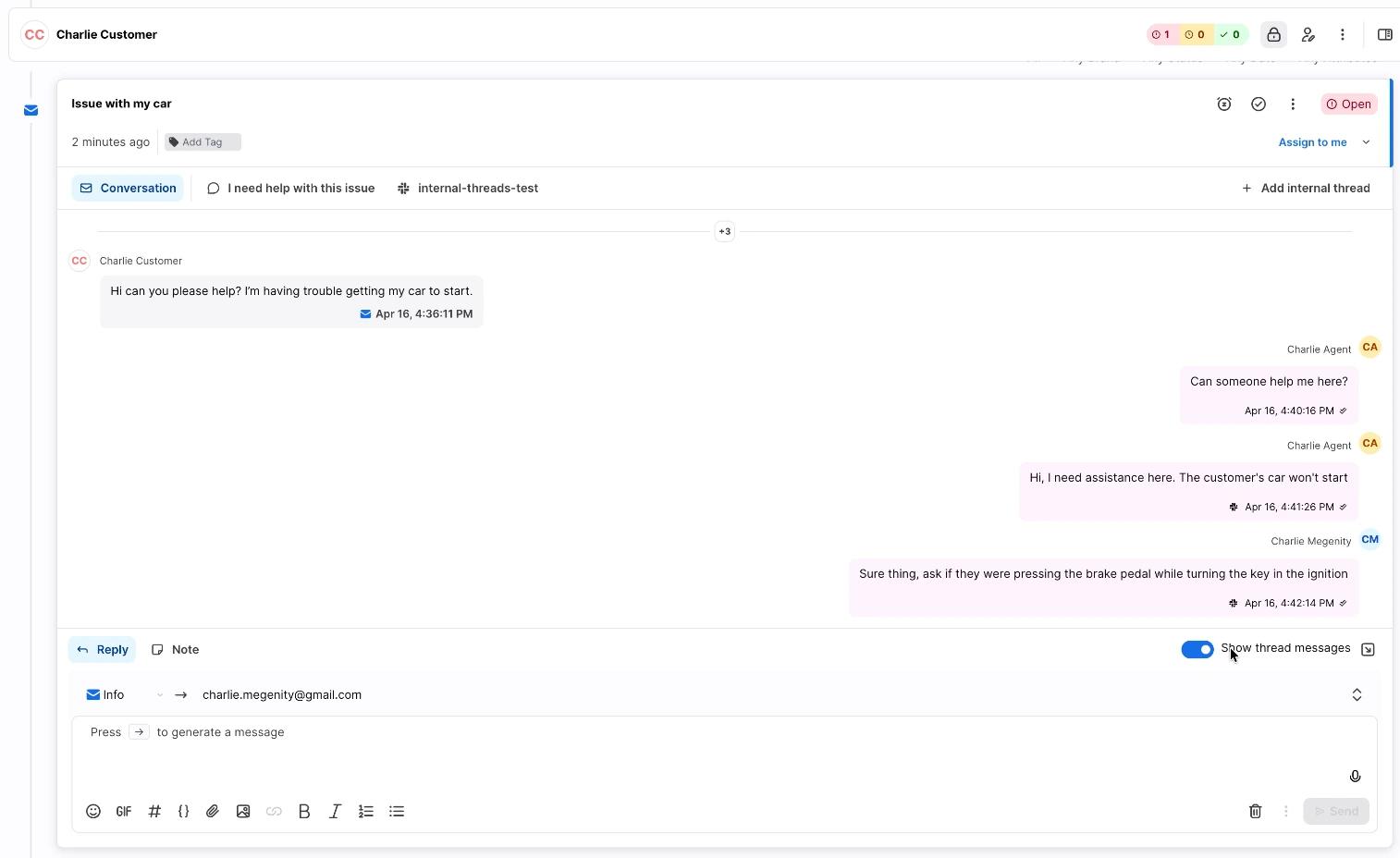
Within seconds, every Slack reply appears inline on the Kustomer conversation timeline, clearly labeled as internal. The agent sees the response and acts on it immediately.
Step 4: Supervisors see everything
Managers and QA teams review the complete record — customer exchanges, internal thread messages, timestamps, and author attribution — all in one chronological view. No guesswork. No gaps.
Give your agents the fastest path to an answer.
Internal Threads with Slack is available now for all Kustomer customers — at no additional cost.