12 Best AI CX Software to Consider in 2026


Customer experience platforms have started to sound like copies of each other. Every provider claims to offer omnichannel support, unified customer data, and AI features that handle routine tasks.
But there is a massive difference between a legacy helpdesk with a bolted-on AI chatbot and an AI-native CX platform built from the ground up for intelligent automation. Many teams end up with disconnected customer support tools, disjointed customer data, and human agents who cannot see the full picture without switching tabs.
Just go through any CX subreddit, and this is one of the most common complaints that you’ll see:

If you are dealing with high-volume customer inquiries, slow response times, or isolated tickets that break the customer journey, this guide will help you sort through your options. We put 12 AI CX platforms side by side for 2026, breaking down their AI capabilities, strengths, and real-world use cases.
Key Features to Look for in a Modern CX Software
With this many options available, it's easy to get distracted by features you'll never use. Here are the non-negotiable features that your CX platform should have:
- Unified customer view: When a customer reaches out, your support agents should instantly see their past customer interactions (like orders and billing history). The platform must tie data to the customer, not just to an isolated ticket.
- Agentic workflows: Basic deflection is no longer enough. Your AI agents need to pull customer history, process returns, update records through an API, and execute end-to-end resolutions without human intervention.
- Embedded AI for reps: AI must support your team after the handoff. Look for an AI agent assistant or Copilot that provides real-time conversational AI summaries, suggested replies, and sentiment analysis.
- Orchestration and smart routing: Customer service software must prioritize issues instantly. You need a no-code workflow engine to build escalation rules, manage SLA tracking, and route complex issues to the right support teams.
- Actionable self-service: If your knowledge base only hosts static FAQs, customers will ignore it. Your self-service options need AI to surface precise answers and resolve queries directly.
12 Best AI Customer Experience Software on the Market Right Now
This list covers everything from enterprise-grade AI platforms to straightforward shared inboxes. Here is how they compare:
| Platform | Key Differentiator | Best For | Pricing |
| Kustomer | AI-native platform combining orchestration, unified data, and embedded AI. | Mid-size to enterprise teams replacing ticket-based systems with a unified customer view. | Custom |
| Zendesk | Mature ticketing system with advanced features and a massive ecosystem. | Enterprise teams with the budget to customize complex routing and add-ons. | $19–$169/agent/mo |
| Intercom | Fin AI resolves conversations end-to-end, billed per resolution. | B2B SaaS teams wanting robust in-app messaging and AI automation. | $29–$132/seat/mo + per resolution |
| Freshdesk | Accessible helpdesk with fast setup and Freddy AI capabilities. | Small to mid-size teams needing straightforward support operations. | Free; paid from $29/agent/mo |
| Gorgias | Deep native e-commerce integrations for Shopify and Magento. | DTC brands in need of store and order data inside the helpdesk. | $10–$900/mo (ticket-based) |
| Front | Shared inbox with built-in collaboration and cross-department visibility. | B2B operations teams that collaborate heavily on customer conversations. | $25–$105/seat/mo |
| Salesforce Service Cloud | Native connection to the broader Salesforce CRM ecosystem. | Enterprise teams with dedicated admins and complex data structures. | $25–$330/user/mo |
| Oracle Cloud CX | Suite natively connected to ERP, finance, and supply chain. | Enterprise operations heavily invested in Oracle infrastructure. | Custom only |
| Help Scout | Simple shared inbox with a flat learning curve. | Growing companies needing basic multi-channel support fast. | Free; paid $25–$75/user/mo |
| Zoho Desk | Feature-complete system with native Zoho suite integration. | Mid-size teams wanting broad functionality at a low cost. | Free; paid $7–$40/user/mo |
| Tidio | Live chat and AI chatbot with visitor tracking. | Small e-commerce stores needing fast chat setup. | Free; paid $29–$749/mo |
| HubSpot Service Hub | Shared database with HubSpot's go-to-market tools. | Teams keeping support on the same platform as sales and marketing. | Free; paid $9–$150/seat/mo |
1. Kustomer
Best for: Mid-size to enterprise support teams that want AI, customer data, and orchestration operating on a single, unified platform.
Most legacy customer experience platforms operate on a ticket-centric model, where every interaction is treated as an isolated incident. Kustomer takes a fundamentally different approach. It is an AI-native CX platform built around a unified customer view, ensuring that human agents and AI models act on the complete history of the person or account.
Kustomer does not just bolt a chatbot onto an old architecture. It embeds AI directly into your workflows. Because Kustomer sits on top of your underlying platform data, its AI agents can orchestrate complex workflows, execute agentic customer service tasks, and provide leaders with actionable reporting out of the box.
Key features
- Unified customer timeline: Customer interactions from all channels feed into one chronological view alongside purchase and billing records. The full history is already there before whoever handles the next conversation types a word.
- AI Agents for Customers: AI agents that resolve conversations across all channels and take action while they do it. They connect to Shopify, Stripe, and other tools to issue refunds, pull up orders, or update records without handing off to a human.
- AI Agents for Reps: AI that stays active after a handoff to a human agent. It pulls up relevant history, recommends next steps, generates draft replies, and handles two-way translation in 76 languages.
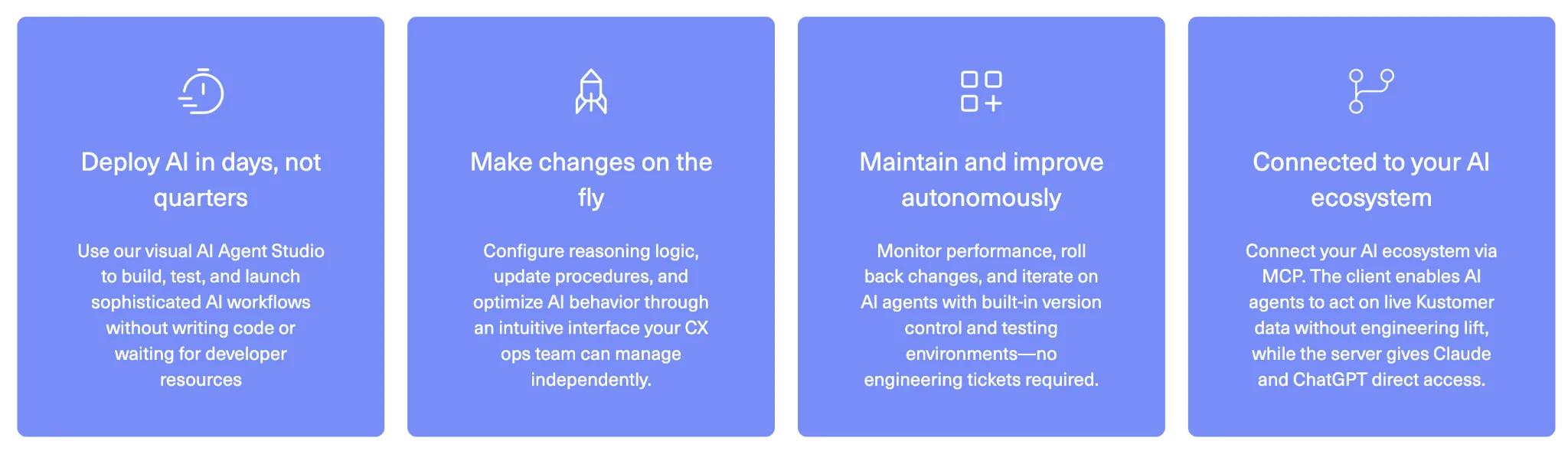
- No-code workflow orchestration: Routing, SLA tracking, tagging, escalation logic, and quality checks all run through configurable business rules and multi-step workflows that non-technical teams can build and adjust on their own.
- Native integrations: The platform connects natively to Shopify, Salesforce, Magento, Stripe, Aircall, and dozens of other tools. Customer data, order history, and billing information sync directly into the timeline without middleware or custom development.
- Kustomer AI for Zendesk: If your team already runs on Zendesk, you don't need to leave it to use Kustomer's AI. The standalone product layers the same AI agents, customer context, and no-code configuration into your existing helpdesk.
Advantages of using Kustomer
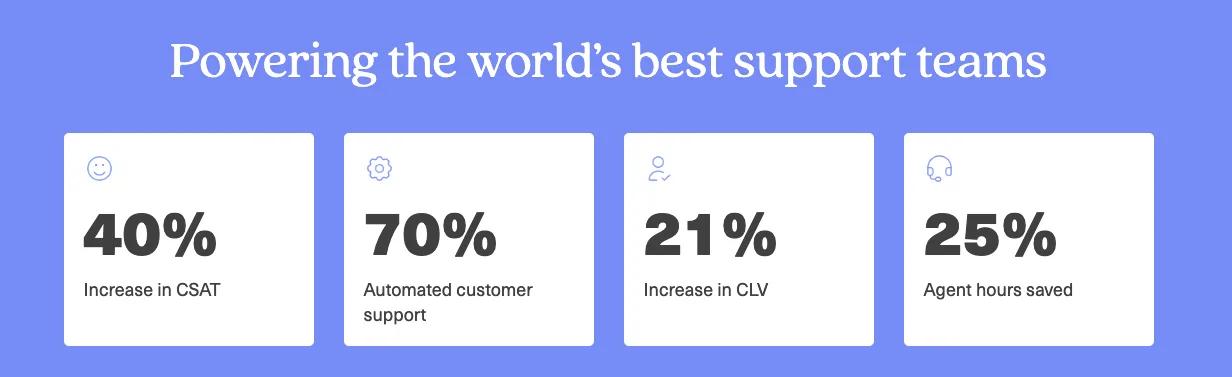
- Hopper was running support on Intercom and couldn't route conversations by urgency, couldn't see real-time volume, and had agents spread across 13 separate tools. After switching to Kustomer, the team consolidated everything into one workspace, built priority-based routing, and cut first response times by 50%.
- Aplazo was scaling fast and needed a self-service that could keep up. With Kustomer's AI powering self-service on WhatsApp and in-app chat, the team automated 60% of all inquiries and saw CSAT climb 40%.
- LoadUp, a national junk removal company, used Kustomer's AI Agents to automate its entire SMS quoting process. Today, 33% of inbound SMS inquiries convert into booked jobs without any human involvement.
"We needed AI that could take a customer from inquiry to completed purchase without human intervention, and Kustomer made that possible." — Chad Danklef, VP of Operations.
Pricing
You can add Kustomer AI on top of your current helpdesk as a standalone product, or go with Kustomer AI + Platform for the full system with CRM, workflows, and omnichannel support included.
Whichever path you choose, pricing scales per seat or per conversation, depending on your setup.
2. Zendesk
Best for: Mid-size to enterprise support teams that need a mature, highly customizable ticketing system with deep integrations and are willing to invest the time and budget to configure it properly.
Zendesk is a ticketing-first enterprise helpdesk software that consolidates email, chat, voice, social, and messaging into one agent workspace.
Recent updates have pushed it toward an AI-driven model with autonomous agents that can handle conversations end-to-end, a Copilot that assists human agents in real time, and routing that uses intent, sentiment, and language signals to assign tickets.
The platform is highly customizable, but getting it to do exactly what you need usually takes more configuration time (and money) than simpler alternatives on this list.
Key features
- Unified agent workspace: Every channel feeds into a single view with customer needs, history, previous interactions, and account data attached automatically. Agents see everything in one place.
- Copilot for agent assist: Gives agents real-time reply suggestions, auto-generated ticket summaries, and recommended next steps based on conversation context.
- 1,000+ integrations: Zendesk's marketplace is one of the largest in the category. Native connectors cover most major CRMs, e-commerce platforms, and internal tools without custom development.
Related reading → Zendesk AI Agent Features Teardown
Pros
- Centralized ticket management: The ticketing system is one of the most frequently praised aspects on G2. You can track, prioritize, and resolve issues in a structured way that keeps response times consistent even during busy periods. [Read Full G2 Review]
- Strong reporting and analytics: Zendesk's analytics have improved significantly in recent updates. Reviewers say the dashboards now give a much clearer picture of team performance and customer satisfaction. [Read Full G2 Review]
- Effective workflow automation: Triggers and macros cover a lot of the repetitive work that would otherwise eat into every agent's day. Routing, tagging, and standard replies all run automatically, which reduces the chance of human error. [Read Full G2 Review]
Cons
- AI features locked behind expensive tiers: Many of Zendesk's newer AI capabilities aren't available on lower-tier plans. Users describe this as a push toward more expensive Suite packages, which can feel frustrating for teams that are already paying per agent. [Read Full G2 Review]
- Complex setup for smaller teams: Getting Zendesk to work the way you need it to is not a quick process. The customization options are deep, but teams without admin resources often find themselves stuck in a longer setup cycle than they planned for. [Read Full G2 Review]
- Hard to get help when you need it: Zendesk's own support experience doesn't always match what the platform is designed to help you deliver. Wait times can be long, and users on standard plans frequently find themselves stuck with generic responses. [Read Full G2 Review]
Learn more → Is Zendesk Worth It? Hmm... See The Pros & Cons
Pricing
Zendesk pricing starts at $19/agent/month for the Support Team plan, which covers basic email ticketing only.
- Suite Team at $55/agent/month
- Suite Professional at $115/agent/month
- Suite Enterprise at $169/agent/month, all billed annually
Essential AI agents come included with all Suite plans. Advanced AI capabilities and Copilot cost around $50/agent/month each as separate add-ons.
Related reading → Top 20 Zendesk Alternatives & Competitors (Ranked & Rated) | Kustomer
3. Intercom
Best for: B2B SaaS companies and product-led teams that want a modern helpdesk with strong AI automation and in-app messaging capabilities built into one platform.
Intercom is a helpdesk platform with a strong AI layer and built-in customer engagement tools. The core of it is a shared inbox, a ticketing system, and Fin, an AI agent that resolves conversations on its own using your help center content and connected data.
On top of that, the platform covers product tours, onboarding checklists, and outbound messaging, so it goes further than what you'd expect from a standard helpdesk.
Key features
- Fin AI Agent: Intercom's AI agent resolves conversations on its own by pulling from your knowledge base, help center, and past conversation data. It's billed per resolution, so you're only charged when it solves a ticket.
- Shared omnichannel inbox: Chat, email, WhatsApp, phone, and social media conversations all appear in the same place, and the full thread follows the customer on all channels.
- In-app messaging and product tours: You can build product tours, onboarding checklists, and in-app announcements natively within the platform.
Pros
- Reliable AI agent: A lot of AI agents are really just fancy routing tools that buy time before a human steps in. Intercom’s Fin genuinely closes conversations on its own, and the impact on ticket volume is immediate. [Read Full G2 Review]
- Customizable AI tone: Fin can be tuned to match your brand's voice, whether that means more professional, more empathetic, or somewhere in between. [Read Full G2 Review]
- Clean, fast interface: The workspace is intuitive and easy to move through, even when managing a high volume of open conversations. [Read Full G2 Review]
Cons
- Limited setup guidance: Configuring the core platform is simple, but integrations and custom actions come with a learning curve that the documentation doesn't fully address. [Read Full G2 Review]
- AI responses aren't always accurate: Even with guardrails in place, the AI agent will occasionally generate factually wrong answers. [Read Full G2 Review]
- Unpredictable costs: Because pricing ties directly to the number of conversations the AI resolves, costs can vary significantly month to month.[Read Full G2 Review]
Pricing
Intercom pricing is seat-based, with three plans available:
- Essential at $29/seat/month
- Advanced at $85/seat/month
- Expert at $132/seat/month
The AI agent is billed separately at $0.99 per resolution on top of your plan.
Learn more → 20 Best Intercom Alternatives & Competitors for 2026
4. Freshdesk
Best for: Small to mid-size teams looking for a helpdesk that's easy to get running, covers the fundamentals well, and won't require a dedicated admin to maintain.
Freshdesk is one of the most accessible helpdesks on this list. It's built by Freshworks, and you can streamline your ticketing setup without the overhead that comes with platforms like Zendesk or Salesforce
The platform includes Freddy AI for both customer-facing automation and agent assistance, plus a built-in knowledge base and workflow automation.
It comes in two versions – standard for ticketing-first teams, and Omni for teams that need multichannel support in a single inbox.
Key features
- Ticketing and automation: Tickets are automatically categorized, prioritized, and routed based on rules you configure.
- Marketplace integrations: Freshdesk connects to over 1,000 third-party tools through the Freshworks marketplace. Most integrations are plug-and-play without custom development.
- Freddy AI Agent: Freddy picks up routine support conversations and resolves them using your existing documentation. It's not as advanced as Intercom's Fin in terms of autonomy, but it covers the basics well and keeps simpler tickets off your agents' plates.
Pros
- Capable AI for routine tickets: Freddy handles common support conversations on its own using your existing documentation. It's not the most advanced AI agent out there, but it reliably keeps simpler tickets off your agents' plates. [Read Full G2 Review]
- Scalable reply templates: If you’re running multiple brands, you can set up and maintain separate response templates for each one. [Read Full G2 Review]
- Reliable vendor support: Freshdesk's own support team is quick to respond and easy to work with. Given how many platforms on this list get called out for slow or unhelpful vendor support, that's worth mentioning.[Read Full G2 Review]
Cons
- Automation could be smarter: Simple automations are easy to set up, but the platform struggles with more complex workflows. There's also no built-in grammar or tone checking, so most teams end up using external tools for response quality. [Read Full G2 Review]
- Inconsistent mobile experience: If your agents need to handle tickets from their phones regularly, the mobile experience may disappoint. It works, but it's not nearly as polished or responsive as the desktop interface. [Read Full G2 Review]
- Not built for contact center metrics: If your team relies on traditional contact center metrics, Freshdesk's reporting structure may not give you what you need out of the box. The lack of queue-based tracking makes some key performance indicators difficult to measure accurately. [Read Full G2 Review]
Pricing
Freshdesk Omni pricing is per agent, per month, billed annually:
- Growth at $29/agent/month
- Pro at $79/agent/month
- Enterprise at $119/agent/month
Pro and Enterprise plans include the first 500 Freddy AI Agent sessions, with additional sessions at $49 per 100. Freddy AI Copilot is a separate add-on at $29/agent/month.
Related reading → 17 Best Freshdesk Alternatives for 2026 (Based on Real Users)
5. Gorgias
Best for: E-commerce teams on Shopify, BigCommerce, or Magento that need their helpdesk deeply connected to store and order data.
Gorgias is a help desk AI platform built exclusively for e-commerce, with native integrations into Shopify, BigCommerce, and Magento that give agents direct access to order data, shipping details, and purchase history inside every conversation.
Agents can process refunds, edit orders, and apply discount codes without leaving the platform, which is a level of store integration that general-purpose helpdesks like Zendesk and Freshdesk don't match out of the box.
Key features
- AI Agent for e-commerce: Trained on your store data, FAQs, and policies. It resolves common queries like order tracking, returns, and product questions without human involvement, and hands off to agents when it hits its limits.
- Rules and macros: Automated rules handle routing, tagging, and templated responses. Macros can dynamically insert customer-specific details like order numbers and tracking info into canned replies.
- Omnichannel inbox: Email, live chat, phone, SMS, social media, and Instagram DMs all feed into one inbox. Voice and SMS are available as add-ons with per-ticket pricing.
Pros
- No developer dependency: Your support team gets to own their own workflows. Backend automations, self-service tools, and customer journey tweaks can all be built and maintained without developer involvement. [Read Full G2 Review]
- Best-in-class Shopify integration: The Shopify integration is the most commonly praised feature in reviews. Order data, refund processing, and order editing all live inside the helpdesk. [Read Full G2 Review]
- Consistent, user-driven updates: Gorgias ships updates frequently and takes user feedback seriously. The platform constantly adds features that users have asked for. [Read Full G2 Review]
Cons
- Their own support needs work: Similarly to Zendesk, getting help from Gorgias' own team can take days, which is a tough look for a company whose entire product is built around helping other teams respond faster. [Read Full G2 Review]
- Shallow reporting tools: If your team needs more than surface-level metrics, the reporting tools will feel limiting. Custom queries and advanced filtering are either unavailable or restricted to higher-tier plans. [Read Full G2 Review]
- Not all channels are included: Some channels that most teams would consider essential, like voice, SMS, and X, require separate paid add-ons. [Read Full G2 Review]
Pricing
Pricing is based on monthly ticket volume, with unlimited agent seats on most plans:
- Starter at $10/month for 50 tickets (3 seats only)
- Basic at $60/month for 300 tickets
- Pro at $360/month for 2,000 tickets
- Advanced at $900/month for 5,000 tickets
- Enterprise at custom pricing for higher volumes
Keep in mind that overages, AI automation fees, and add-on channels like voice and SMS are all billed separately.
Related reading → Top 17 Gorgias Alternatives & Competitors for 2026 (Based on Real User Feedback)
6. Front
Best for: B2B operations teams that need AI to untangle complex, multi-stakeholder email threads.
Front is fundamentally a shared inbox, but its AI tools transform how teams collaborate. When a customer issue requires input from engineering, billing, and the account manager, email threads get messy fast.
Front’s AI cuts through the noise by summarizing long exchanges and generating drafts based on internal notes, so the agent responding to the customer does not have to read a 15-message thread to understand the context.
Key features
- Thread summarization: Compresses massive, cross-departmental email chains into quick, readable bullet points.
- Contextual drafting: Writes initial replies based on internal team comments, ensuring the final message is accurate before a human reviews it.
- Automated triage: Reads the context of incoming messages and routes them to the exact right account owner instantly.
Pros
- Easy to find past conversations: Tracking down an archived email or a specific exchange from months ago takes seconds. The search is noticeably better than what most email clients and helpdesks provide. [Read Full G2 Review]
- Seamless experience: The platform is stable, fast, and stays out of your way. No crashes, no clutter, just a clean workspace that keeps up with high-volume days. [Read Full G2 Review]
- Onboarding through collaboration: Shared drafts let senior agents review and correct new hires' replies before they reach the customer. It's a simple feature that makes a measurable difference in ramp-up time. [Read Full G2 Review]
Cons
- AI assist isn't reliable yet: Suggested replies often use the wrong tone, misidentify action items, or respond to the wrong person in a thread. Most users end up rewriting them heavily. [Read Full G2 Review]
- Sync friction with Outlook: If your team relies on Outlook alongside Front, expect some friction. Read status, archiving, and tagging don't always sync back reliably. [Read Full G2 Review]
- Lacks some email basics: Some email basics that you'd take for granted in Gmail or Outlook are simply missing. For example, you can’t adjust the importance level of an outgoing email. [Read Full G2 Review]
Pricing
Plans range from $25/seat/month (Starter) to $105/seat/month (Enterprise), billed annually. AI add-ons like Copilot ($20/seat/month) and Autopilot ($0.89/resolution) are priced on top.
Related reading → 19 Best Front Alternatives for 2026 (According to Real Users)
7. Salesforce Service Cloud
Best for: Enterprise teams with dedicated admins who want to deploy autonomous AI natively connected to their CRM.
Salesforce Service Cloud brings massive scale to AI customer service. Instead of relying on a standalone chatbot, Service Cloud uses Agentforce to embed AI directly into your existing Salesforce data. This means the AI is not just answering FAQs; it can look up a customer's specific contract, process an upgrade, or pull data from Commerce Cloud to resolve complex issues entirely on its own.
Key features
- Autonomous resolution: Agentforce executes multi-step workflows without human intervention, directly interacting with backend systems.
- In-the-moment agent assist: Surfaces real-time recommendations, knowledge articles, and drafted replies directly in the agent's console while they are on a call or chat.
- Deep CRM grounding: Generates highly accurate responses because the AI models are trained securely on your proprietary customer data and past interactions.
Pros
- Unmatched platform depth: No other platform covers sales, service, marketing, and operations in one connected system at this level. [Read Full G2 Review]
- True 360-degree customer view: Agents get the full customer story in front of them before they say a word. Order history, open cases, and past interactions are all there, which cuts out the back-and-forth that makes support interactions feel slow. [Read Full G2 Review]
- Useful operational dashboards: Response times, agent workload, and case trends are all trackable through built-in dashboards. The reporting won't replace a dedicated BI tool, but it gives operations leads enough visibility to make data-driven decisions and act on problems early. [Read Full G2 Review]
Cons
- Cross-cloud integration isn't as easy: Despite everything living under the Salesforce umbrella, connecting Service Cloud to other Salesforce products isn't always as straightforward or included as the marketing suggests. [Read Full G2 Review]
- You'll need a Salesforce admin: To get the platform to work for your specific workflow, you'll almost certainly need a Salesforce admin on staff or a consultant on retainer. [Read Full G2 Review]
- No built-in tools for bulk account work: Account management at high volumes is unnecessarily tedious. Basic bulk operations aren't built in, so teams end up doing one-by-one work that should be automated. [Read Full G2 Review]
Pricing
Ranging from $25 to $330/user/month. Agentforce is a premium add-on for enterprise tiers.
Related reading → Top 10 Salesforce Service Cloud Alternatives to Consider in 2026
8. Oracle Cloud CX
Best for: Enterprise teams that need marketing, sales, service, and commerce data connected natively to ERP and financial systems, and are already committed to the Oracle ecosystem.
Oracle Cloud CX is a full CX suite covering marketing, sales, service, and commerce, built on Oracle's cloud infrastructure with embedded AI and a unified customer data platform.
It connects customer-facing applications directly to back-office systems like ERP, finance, and supply chain. So the data behind a customer interaction is the same data behind order fulfillment, billing, and inventory.
Key features
- Oracle Unity CDP: A customer data platform that pulls behavioral, transactional, and back-office data into a single real-time customer profile.
- CX Fusion Service: The service management layer of the suite, with omnichannel case management, agent-assisted and self-service support, and field service.
- Embedded AI: AI runs through the entire suite, from scoring leads and prioritizing opportunities to routing calls and flagging upsell potential. Reporting is self-service, with real-time dashboards and built-in what-if modeling.
Pros
- Scalable platform: Organizations that start with one module can add sales, marketing, commerce, or the Unity CDP without migrating data or rebuilding integrations.
- Industry-specific configurations: Financial services, public sector, healthcare, manufacturing, and retail all get pre-built setups with tailored workflows, data models, and compliance tooling baked in.
- AI agents connected to operational data: Oracle's AI agents can check real-time inventory, confirm shipment status, and update records mid-conversation because they're connected to back-office systems natively.
Cons
- Sluggish performance: The platform can lag under heavy load, especially when processing large data sets or running multiple tasks at once. [See G2 Review]
- Steep learning curve: The platform is not something that you can learn quickly. Configuration is technical, the interface takes getting used to, and you’ll probably need hands-on training or outside help to fully utilize the platform
- Looks like it hasn't been updated in years: The UI looks and feels like it was designed years ago and hasn't had a meaningful refresh since.
Pricing
Oracle Cloud CX doesn't have public pricing. Every deal is quoted individually based on what you need.
Based on third-party reports, Oracle Sales as a standalone product starts at $65/user/month, but a full CX deployment with service, marketing, commerce, and the Unity CDP bundled together will be priced well above that.
9. Help Scout
Best for: Growing companies that want functional AI support without the steep learning curve of an enterprise system.
Help Scout is incredibly easy to adopt, and its AI features follow the same philosophy. It avoids overly complex routing logic in favor of practical tools that save agents time immediately. The AI handles the repetitive writing tasks and surfaces knowledge base articles dynamically, keeping the shared inbox clean and the agents focused on actual problem-solving.
Key features
- Conversational answers: Scans your existing help center articles to provide direct answers to customers rather than just dropping a link in the chat window.
- Draft refinement: Allows agents to instantly adjust the tone of their replies, fix grammar, or expand shorthand notes into a professional email.
- Automated thread summaries: Condenses long back-and-forths into a short brief, making agent handoffs seamless and fast.
Pros
- Simple and easy to use: Help Scout is deliberately simple, and users love it for that. It's clean, fast, and intuitive enough that new agents are productive on day one. [Read Full G2 Review]
- Honest, useful vendor communication: Support is fast and capable, but the thing users talk about most is how Help Scout handles communication around the product itself. Updates about new features and changes come through in a way that's useful and honest. [Read Full G2 Review]
- Your best answers are always findable: Agents can search past cases by keyword and pull relevant replies into new conversations in seconds. [Read Full G2 Review]
Cons
- Not built for deep integrations: The platform works well out of the box, but teams that need deeper integration with their own product will find the customization options limiting. [Read Full G2 Review]
- Knowledge base tools are basic: Docs handles the basics but is missing features like collaborative editing and article filtering that teams managing large help centers need. [Read Full G2 Review]
- No native phone and limited AI capabilities: Phone support requires a third-party integration, and while AI Answers can resolve common questions from your knowledge base, it's not a full AI agent that can take actions on behalf of customers. [Read Full G2 Review]
Pricing
There's a free plan for up to 5 users with basic functionality. And then there are three paid tiers:
- Standard ($25/user/month) covers the shared inbox, live chat, social channels, Docs, and reporting
- Plus ($45/user/month) adds AI Drafts, Salesforce and HubSpot integrations, WhatsApp, and advanced routing
- Pro ($75/user/month) adds enterprise security, compliance features, and dedicated support
AI Answers costs $0.75 per resolution on top of any plan.
10. Zoho Desk
Best for: Small to mid-sized support teams that want a feature-complete helpdesk at a fraction of what Zendesk or Freshdesk cost.
Zoho Desk is a cloud-based helpdesk that covers every major support channel with built-in automation, SLAs, a knowledge base, and an AI assistant called Zia.
Its biggest advantage is the native connection to Zoho CRM, Analytics, and the rest of the Zoho suite, which feeds customer behavior context, purchase history, and cross-team data directly into the support workflow without third-party integrations.
Key features
- Zia AI assistant: Zoho's AI assistant handles sentiment detection, auto-tagging, response suggestions, and anomaly detection natively. Zia can also answer customer questions directly through a chat widget by pulling from your knowledge base.
- Zoho ecosystem integration: The platform connects to the rest of the Zoho suite out of the box. CRM data, analytics, and project context all appear in the agent workspace without third-party integrations or manual configuration.
- Omnichannel ticketing: Tickets are created automatically from email, live chat, phone, social media, WhatsApp, and web forms. Agents work from one inbox and see the full conversation history no matter which channel it started on.
Pros
- Reasonably priced: Users coming from other helpdesks say they're paying noticeably less for a feature set that covers the same ground, and in some cases, more. [Read Full G2 Review]
- Structured workflows built in: Users love the Blueprint feature, which defines step-by-step workflows for tickets and enforces them automatically. [Read Full G2 Review]
- Quick to set up: Users report going from signup to fully operational within days, and the setup doesn't require technical expertise or outside help. [Read Full G2 Review]
Cons
- Email alerts: Active tickets generate a flood of email notifications that can overwhelm agents if the default settings aren't adjusted. The notification settings are flexible enough to fix this, but most teams won't get them right on the first try. [Read Full G2 Review]
- Reports take time to learn: The reporting capabilities are solid once you understand how they work, but new users will need time to figure out the structure before they can pull anything useful on their own. [Read Full G2 Review]
- API inconsistencies: Some endpoints don't behave the way you'd expect. For example, fields that show up in GET responses can't always be updated through PATCH. [Read Full G2 Review]
Pricing
Free for up to 3 agents with basic email ticketing.
Paid plans start at $7/user/month (Express) for essential features and scale to $14 (Standard), $23 (Professional), and $40/user/month (Enterprise) for the full suite, including AI Agents, Zia, Blueprint, and telephony.
All prices are for annual billing, and a 15-day free trial is available on every tier.
Related reading → 10 Best Zoho Desk Alternatives & Competitors for 2026
11. Tidio
Best for: Small businesses and e-commerce stores that need live chat, chatbot automation, and AI-powered support on their website without a heavy setup or a big budget.
Tidio is a live chat and AI chatbot platform. The AI (Lyro) solves routine support questions using your existing content, and hands off to a live agent when the conversation requires one. The switch between AI and human is invisible to the customer.
Key features
- Lyro AI chatbot: Learns from your help center, website content, and product catalog to answer common questions automatically.
- Shopify integration: Cart contents, order status, and browsing behavior all show up directly in the chat window. Lyro takes it further by recommending products based on live catalog data mid-conversation, something most competing live chat tools can't do natively.
- Live chat with visitor tracking: Agents can see where a visitor is, which pages they've browsed, how long they've been on the site, and what they're typing in real time.
Pros
- AI is easy to train: You can train Lyro by importing your existing help articles or pointing it at your website, and it starts handling questions almost right away. Users report resolution rates around 55% with minimal fine-tuning. [Read Full G2 Review]
- Clean inbox: Nothing fancy, just a well-organized inbox that shows what's open, what's done, and what needs attention. Users say it makes managing daily workload noticeably easier. [Read Full G2 Review]
- Functional phone app: Unlike most competitors, who either have a half-thought-out phone app or don’t have one at all, Tidio's actually works well enough to run support from your phone. [Read Full G2 Review]
Cons
- No smart routing: There's no routing logic to separate sales inquiries from support requests. Both teams see everything, and figuring out who should respond to what is left to the agents themselves. [Read Full G2 Review]
- Sync glitches: Everything works smoothly most of the time, but users mention sync hiccups where a reply sent from one device is invisible on another. It's not frequent, but it can lead to duplicate responses or mixed signals. [Read Full G2 Review]
- Spam eats into your usage: Spam chats count against your conversation limits just like real ones. Without built-in spam filtering, you're effectively paying for bot traffic and junk messages alongside legitimate customer interactions. [Read Full G2 Review]
Pricing
All plans are priced based on billable conversations. Starter runs $29/month for 100 conversations, Growth starts at $59/month for 250+, Plus starts at $749/month with custom volumes, and Premium is priced through sales.
Lyro AI Agent and Flows are purchased separately as add-ons. There’s also a free plan and a 7-day trial available.
12. Hubspot Service Hub
Best for: Teams that want their AI support tools operating on the exact same database as sales and marketing.
The main advantage of HubSpot Service Hub is alignment. Because it shares a unified database with the rest of the HubSpot ecosystem, the AI has total visibility into the customer's journey.
When the Breeze AI copilot drafts a response or summarizes a ticket, it factors in recent marketing emails the customer clicked or deals they currently have open with the sales team.
Key features
- Breeze Copilot: Acts as an embedded assistant that drafts emails, summarizes tickets, and recommends next steps based on complete CRM context.
- AI-powered routing: Uses machine learning to read incoming requests and send them to the agent with the right skill set or previous relationship with the buyer.
- Generative knowledge base: Helps content managers write, structure, and update self-service articles in a fraction of the time.
Pros
- Best-in-class documentation: Between HubSpot Academy and the volume of guides available on YouTube, most teams can get started without outside help. Users say the learning curve is shorter than expected because the resources are genuinely good. [Read Full G2 Review]
- Full customer history in one place: Users coming from standalone helpdesks say the biggest difference is not having to piece together customer context from multiple systems. Sales history, marketing touches, and support tickets are all in one place. [Read Full G2 Review]
- Free plan that's genuinely useful: The free tier includes a shared inbox, ticketing, forms, and basic reporting, enough to manage day-to-day customer conversations without paying anything. Users say it's easy to set up and surprisingly capable for a $0 plan. [Read Full G2 Review]
Cons
- SLAs don't show well visually: The SLA tools are there, but they don't translate well to the board view. If your team relies on a visual workflow to manage tickets, deadline visibility is weaker than it should be. [Read Full G2 Review]
- Syncing isn't always reliable: The syncing process between Service Hub and external tools is inconsistent enough that users have to check manually. [Read Full G2 Review]
- Workflows cover the basics: The automation covers typical support workflows without issue, but anything outside the standard use cases requires workarounds. Users who need deeper customization say the builder doesn't offer enough flexibility. [Read Full G2 Review]
Pricing
A free plan includes basic ticketing, a shared inbox, live chat, and contact management. Then, there are three paid tiers available:
- Starter at $9/seat/month with conversation routing, basic automation, and HubSpot branding removed
- Professional at $90/seat/month, adding SLA tracking, customer feedback tools, a help center, workflows, and deeper analytics
- Enterprise at $150/seat/month (10-seat minimum), adding AI agents, advanced routing, success forecasting, and the full Breeze AI suite
Professional requires a $1,500 onboarding fee, and Enterprise requires $3,500. There’s also a 14-day free trial available.
Related reading → 10 Best HubSpot Service Hub Alternatives to Consider in 2026
How to Choose the Right AI Customer Experience Software for Your Needs
Choosing the right platform is incredibly difficult when every vendor makes the exact same promises: omnichannel support, unified data, and seamless AI automation.
To cut through the marketing noise, you need to look past feature lists and evaluate how the AI actually functions within the platform. A legacy helpdesk with a basic chatbot bolted onto the front will not fix deep operational bottlenecks.
Here is a step-by-step framework to help you evaluate and choose the right AI platform for your team.
1. Identify Your Primary Operational Bottleneck
Before scheduling a demo, pinpoint exactly why your customer satisfaction score is dropping or why your response times are too high. Different platforms solve different problems.
- If your team spends hours answering basic questions: You need a platform with autonomous AI agents capable of resolving issues end-to-end, not just a bot that links to knowledge base articles.
- If customers hate repeating themselves: You need a system that offers a unified customer view, pulling email, chat, and order history into one continuous timeline so agents have full context instantly.
- If tickets get lost or misrouted: You need robust orchestration tools. Look for no-code workflow builders that allow managers to automate escalations and route VIP customers to the right agents immediately.
2. Evaluate the AI Architecture: Bolted-On vs. Embedded
Many older platforms simply attached a generic bot to their existing routing system to check the AI box. These bots act as gatekeepers, but they cannot actually solve complex problems—meaning a human agent still has to step in.
Instead, look for platforms that embed AI directly into the core workflow. True AI should be able to authenticate a user, process a return, and update your CRM without any human intervention.
3. Audit the Agent Handoff Experience
Even the best AI cannot solve every problem. When an issue requires human empathy or complex troubleshooting, the transition must be flawless.
Evaluate how the platform supports agents after the handoff. Look for an AI copilot that automatically summarizes the bot's conversation so the agent does not have to read a massive transcript. The best platforms also analyze customer sentiment in real time, helping agents adjust their tone to de-escalate frustrated buyers.
4. Map Your Integrations and Data Ecosystem
An AI platform is only as smart as the data it has access to. Demand native, bi-directional integrations.
If a platform requires custom middleware or complex workarounds to sync with your e-commerce backend or CRM, you will run into scaling issues. Agents need to see billing history, marketing touches, and past interactions in a single dashboard to actually improve the customer experience.
5. Watch Out for Hidden Costs
AI has fundamentally changed software pricing, and it is easy to get caught off guard. Make sure you understand exactly how the vendor calculates costs.
- Per-seat vs. per-resolution: Some providers charge a flat license fee per agent, while others charge a micro-fee every time their AI successfully resolves a ticket.
- Hidden add-ons: Check if advanced features—like real-time translation, voice AI, or custom reporting—are included in the base tier or require expensive upgrades.
- Implementation costs: Be realistic about the setup. Enterprise-grade solutions often require paid onboarding, dedicated administrators, and months of configuration before your team can actually go live.
Pro tip: Do not commit to a massive contract without running a pilot first. Give a small cohort of your agents hands-on access to the platform. A tool that your team intuitively understands and actively wants to use will always yield better results than one that just checks technical boxes on a spreadsheet.
Kustomer — #1 AI-Native Customer Experience Platform
Most CX platforms on the market right now are doing the exact same thing: bolting a generative AI chatbot onto a ten-year-old ticketing system. It might deflect a few basic questions, but it doesn't solve the underlying friction in your workflows or stop your customers from having to repeat themselves.
Kustomer is built differently. Because our AI, automation, and unified customer data share the exact same foundation, the platform doesn't just answer questions—it orchestrates complete resolutions.
Here is what happens when you upgrade to an AI-native architecture:
- Total visibility, zero tab-switching: Your reps and your AI operate on the exact same continuous timeline. They see every order, past message, and backend event in one place, so the customer never has to explain their problem twice.
- Workflows that actually work: Managers can design and deploy AI that takes real action—like processing returns or updating CRM fields—without waiting on an engineering team to write code.
- Meaningful support for your service reps: An embedded AI copilot stays with your reps to draft accurate replies, summarize long threads, and translate languages in real time, letting your team focus entirely on high-empathy problem-solving.
Ready to experience the difference firsthand? Schedule a demo today to see what a modern, AI-native customer experience platform can actually do for your bottom line.
FAQs
How quickly can you see ROI from an AI CX platform?
Depends on the platform and the complexity of your setup, but most teams see measurable improvements within one to three months.
A platform like Help Scout or Tidio can be up and running in days. Something like Salesforce or Oracle is a different story – expect months of configuration and ongoing admin costs before the investment starts paying off.
The fastest path to ROI is usually AI-powered automation and self-service. Teams that deploy AI agents early tend to see immediate reductions in ticket volume and handle time.
Bulletproof, for example, launched on Kustomer and saw a 15-point CSAT increase and a $3 to $4 reduction in cost per contact within the first two months.
How many customer queries can AI actually resolve?
Resolution rates vary heavily by industry and complexity, but top-tier AI customer support platforms can fully resolve 30% to 60% of routine customer queries without human intervention. The key differentiator is data access: an AI can only achieve high deflection rates if it has API access to your backend systems (like Shopify or your CRM) to execute tasks, rather than just linking to help articles.
Are LLMs safe to use with sensitive customer data?
Data privacy is a major concern when upgrading customer service tools. Leading enterprise platforms use private, fine-tuned LLMs and guarantee that your proprietary data will never be used to train public models. Always ask vendors about their zero-data-retention policies and compliance certifications (such as SOC 2 and GDPR) before deploying generative AI.
How do agents handle escalations that require input from other departments?
AI cannot solve everything, and complex issues often require internal collaboration. The best platforms offer deep integrations with internal messaging apps like Slack or Microsoft Teams. This allows a frontline agent to ping an engineer or a billing specialist directly from the ticket view. The entire internal conversation is automatically logged in the customer's timeline, ensuring the agent gets the right answer without losing context or switching tabs.