How to Improve First Response Time? 7 Proven Strategies, Tips & Tools


There is a massive difference between replying to a customer and actually helping them.
For years, support teams have optimized for raw First Response Time (FRT) by deploying basic auto-responders that immediately reply with: "We have received your ticket and will be in touch." In 2026, your customers see right through that. They do not want a receipt for their problem; they want a resolution.
This is why modern CX leaders are shifting their focus to Time to First Meaningful Response (TFMR)—the average time it takes to deliver an actual solution or clearly establish the next steps.
You cannot achieve a competitive TFMR by simply hiring more agents or forcing your team to type faster. Manual triage, blind transfers, and siloed help desks create unavoidable bottlenecks that guarantee delayed responses. To truly accelerate your support, you need to eliminate the busywork.
Here are seven proven strategies to cut your response times, eliminate the "ticket bounce," and drive faster resolutions using intelligent automation.
1. Deploy AI agents for Immediate Tier-1 Deflection
Most teams think they have automated tier-1 support by deploying a chatbot that acts as a glorified search bar. But sending a customer a link to an FAQ article about your refund policy does not resolve the issue—it just frustrates the buyer and delays the inevitable human ticket.
True ticket deflection in 2026 requires deploying agentic AI. These systems do not just converse; they connect directly to your backend CRM and commerce platforms to execute tasks autonomously. Whether it is processing a return, upgrading a subscription, or applying a credit, agentic AI completes the transaction instantly. The industry is moving aggressively toward this standard, with Gartner predicting that by 2029, agentic AI will autonomously resolve 80% of common customer service issues without any human intervention.
- Why it works: Customers prioritize immediate resolution over speaking to a human. Deflecting routine volume instantly drops your response time for those tickets to zero, while completely clearing your queue so human agents can immediately tackle complex, high-value escalations.
- Pro tip: Never trap a frustrated buyer in an endless bot loop. Always configure your AI agent to trigger a clean, contextual handoff to a human agent the moment it detects intense frustration or fails to recognize the intent.
2. Implement Intent-Based Ticket Routing
If your highly paid support agents are spending the first hour of their shift reading, tagging, and dragging emails into the right folders, your operation is fundamentally broken. Manual triage is a massive administrative bottleneck.
Buyers expect speed. With HubSpot reporting that over half of CRM leaders see customers demanding full resolutions in under 3 hours, manual sorting makes hitting that SLA impossible during a volume spike. Intent-based routing uses natural language processing (NLP) to read the context and sentiment of an incoming message, bypassing the general inbox entirely and dropping the ticket directly onto the exact right desk in real-time.
- Why it works: It completely eliminates the "ticket bounce" where a customer is passed between three different departments. If a customer emails about a payment failure, the AI flags the "billing" intent and "urgent" sentiment, bumping it to the front of the financial queue instantly.
- Pro tip: Do not try to automate every edge case on day one. Export your last 90 days of tickets, map your top 15 most common intents, and build automated routing rules specifically for those first.
Learn more → 12 Best AI Ticket Routing and Triage Tools for 2026
3. Unify Your Omnichannel Workspaces
If an agent has to open a support ticket, cross-reference a Shopify order ID in a second tab, and check a shipping portal in a third tab, your response time is being artificially inflated by swivel-chair administration.
You cannot deliver the speed modern consumers demand if your agents are hunting for context. By unifying your omnichannel workspace, you pull all communication (email, WhatsApp, Instagram) and all backend data (CRM, billing, commerce) into a single, continuous timeline. When a ticket opens, the agent instantly sees that the customer messaging on Instagram is the same VIP who emailed yesterday about a delayed shipment.
- Why it works: It eliminates the blind spots caused by siloed tools. Agents can immediately read the situation and draft a response without wasting five minutes piecing the customer's history together.
- Pro tip: Integrate your commerce and billing platforms directly into the help desk interface. Your agents should be able to issue a refund or cancel an order with one click without ever leaving the conversation view.
Learn more → 15 Best Omnichannel Customer Support Platforms for 2026
4. Automate Data Collection Before the Agent Joins
The worst possible first response a customer service agent can send is: "Can you please provide your order number and account email?" That is a wasted interaction that frustrates the customer and drastically extends your Time to First Meaningful Response (TFMR).
You must automate data collection at the point of entry. Use conversational AI or intelligent intake forms to securely collect account details, device types, and order numbers before the ticket ever hits the human queue.
- Why it works: When the ticket drops into the agent's dashboard, it is already enriched with the exact variables needed to solve the problem. The agent's very first reply contains the actual solution.
- Pro tip: Use dynamic intake flows based on authentication. If a customer is logged into your app or portal, the system should automatically pull their ID and history. Never ask a customer for information you already have.
5. Set Dynamic SLAs Based on Support Channel and Priority
Treating a live chat the same as a support email is a guaranteed way to breach your Service Level Agreements (SLAs) and infuriate your buyers. If your help desk operates on a rigid "first in, first out" basis, your agents will inevitably prioritize a low-value, two-day-old email over a high-risk live chat from a VIP customer.
Modern consumers dictate the pace of the channel they use. Data indicates that chat users expect a reply in under two minutes, while email users increasingly expect a resolution within four hours. To manage this, you must configure dynamic SLA timers that automatically bump the priority of a ticket based on the communication channel it originated from, the intent of the message, and the specific tier of the customer.
- Why it works: It aligns your operational speed with the actual customer expectations. By automating your SLA management, the system acts as a traffic controller, ensuring your agents are always working on the most urgent, high-value interaction at any given second.
- Pro tip: Do not wait until an SLA is breached to take action. Configure your system to trigger real-time alerts in Slack or Microsoft Teams when a high-priority ticket has 15 minutes left on its timer, allowing managers to swarm the issue before the customer realizes there is a delay.
6. Give Agents an AI Copilot to Draft Quick Responses
Even when a ticket is routed perfectly and arrives with full omnichannel context, the agent still has to manually read the thread, investigate the solution, and type out the reply. That composition time directly inflates your Time to First Meaningful Response (TFMR).
By equipping your team with an AI copilot, you instantly remove the friction of drafting. A copilot can summarize a convoluted, 12-message email thread into three bullet points in a fraction of a second. It then generates a highly accurate, brand-aligned draft response based on how your best agents have historically solved similar tickets. With Salesforce reporting that 77% of service agents face increasingly complex workloads, an AI copilot acts as an essential pressure release valve.
- Why it works: It transforms your agents from writers into editors. Instead of spending five minutes typing out a complex troubleshooting step, the agent simply reviews the AI-generated draft, tweaks it for empathy, and hits send.
- Pro tip: Ensure your AI copilot translates languages natively within the drafting window. If a French customer emails an English-speaking agent, the agent should be able to type a reply in English and have the copilot instantly, accurately translate it to French before sending.
7. Build an AI-ready Knowledge Base
A messy, outdated knowledge base used to just mean that your customers would struggle to find their own answers. In 2026, a neglected knowledge base means your AI agents will actively distribute incorrect information at scale.
Your help center is no longer just a static self-service portal; it is the central data hub that trains your intelligent orchestration. If your return policy is outdated in your FAQs, your agentic AI will process returns incorrectly. To improve your response times, you must audit, clean, and structure your company knowledge so that your AI tools can retrieve the exact right paragraph with total confidence.
- Why it works: Artificial intelligence is only as smart as the data it sits on. A clean, highly structured knowledge base allows your AI to deflect complex issues instantly and draft agent responses with perfect accuracy, driving down your overall resolution times.
- Pro tip: Enforce strict knowledge management governance. Assign an owner and a 30-day review date to every single help article to ensure your AI is always pulling from the most accurate, up-to-date source of truth.
Related reading → 17 Best Customer Service Automation Software for 2026
5 Best AI Tools for Improving First Response Time
The fundamental math of customer support has changed. Historically, when ticket volume spiked, CX leaders had two choices: hire more agents or watch their first response times completely collapse.
In 2026, artificial intelligence breaks that linear relationship. Intelligent CX platforms are no longer just about deflecting basic questions with simple chatbots. They are essential because they orchestrate the entire support ecosystem natively. They predict volume spikes, instantly translate complex emotional sentiment into operational urgency, and execute backend tasks without human supervision.
Relying on a legacy ticketing system in this environment forces your agents to do the manual lifting that software should be doing for them. To achieve an industry-leading Time to First Meaningful Response (TFMR), you need tools built natively for automation, context, and speed.
1. Kustomer
Best for: High-growth e-commerce and B2B SaaS brands looking to eliminate manual triage and deliver hyper-personalized, rapid resolutions at scale.
Kustomer is a modern, CRM-first platform designed to resolve customer issues rather than just move isolated tickets around. Because it uses a continuous omnichannel timeline, Kustomer’s AI engine evaluates real-time customer data—like live order status or VIP tier—instead of relying on basic keyword triggers. This eliminates the swivel-chair effect, allowing the system to execute agentic workflows autonomously or to route highly contextualized tickets directly to the right agent.
Key features
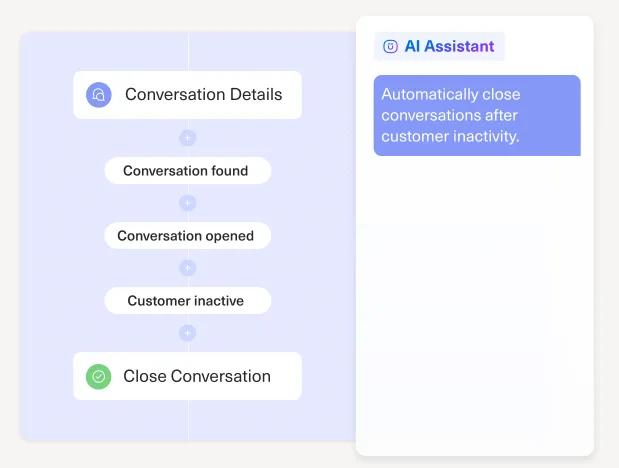
- Intent-based routing: Analyzes the sentiment and intent of incoming messages to bypass the general queue and drop tickets directly onto the correct agent's desk.
- Agentic AI resolution: Executes autonomous backend tasks, such as processing returns or applying credits, entirely without requiring human supervision.
- Omnichannel AI copilot: Summarizes complex threads and drafts personalized replies instantly using the customer's complete historical timeline.
Advantages of using Kustomer
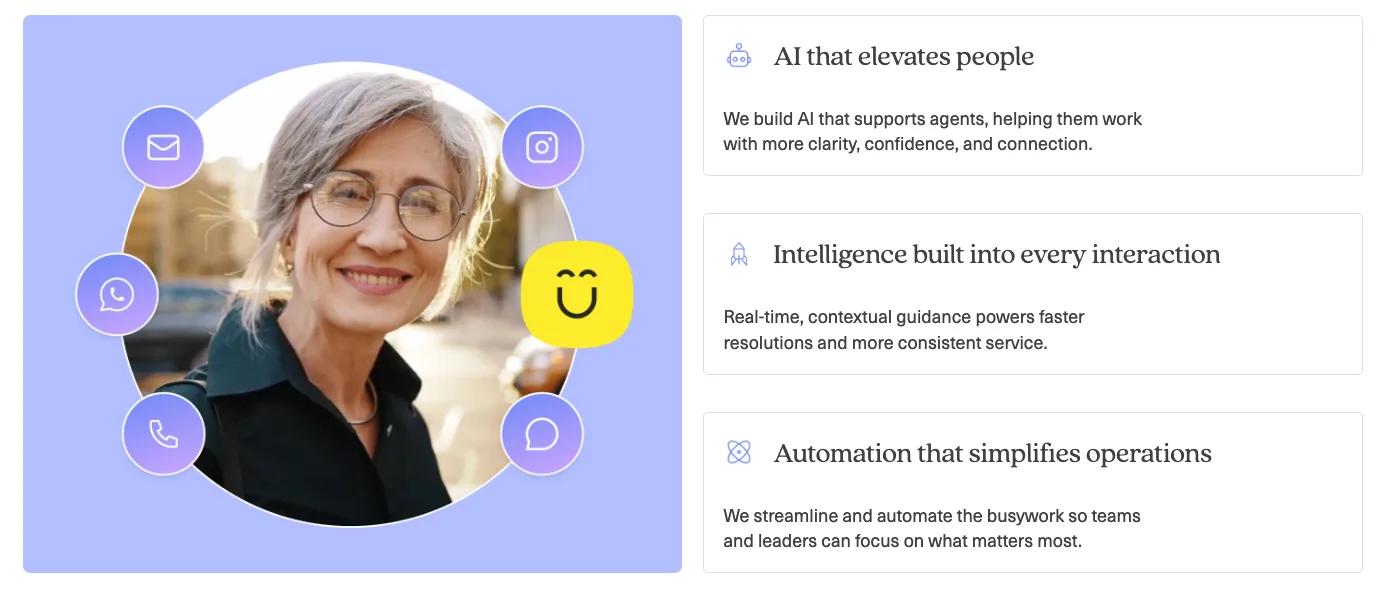
- Contextual guidance over rigid scripts: Instead of forcing buyers through a slow, rigid bot menu, Kustomer’s AI adapts to the customer's actual intent in real-time, ensuring the first automated response is a meaningful resolution rather than a generic link.
- A unified data foundation: By bringing conversations, purchase history, and backend data into one single source of truth, agents see the full picture instantly. This completely eliminates the swivel chair effect that inflates drafting times.
- Proactive rep signals: The platform surfaces critical customer insights in the moment during active conversations. Agents get real-time AI assistance directly in their workflow, allowing them to solve complex issues drastically faster.
- Transparent orchestration at scale: Kustomer layers powerful intelligence onto your current CX stack with built-in oversight. Leaders can design, test, and evolve complex routing journeys easily, keeping humans in the loop for sensitive escalations without slowing down the queue.
Kustomer pricing
Kustomer pricing operates on a flexible, custom model built around engaged conversations and customer outcomes. To learn more about available plans and offers, contact our sales team.
2. Intercom (Fin)
Best for: SaaS companies and mobile applications that rely heavily on real-time, in-app chat support rather than complex, long-form email ticketing.
Intercom dominates the chat-first ecosystem. Its platform is built around synchronous, in-app messaging, making it highly effective for driving down first response times for logged-in software users. Its primary AI engine, Fin, is heavily optimized for ingesting your knowledge base and resolving common questions through a conversational interface before they reach your human queue.
Key features
- Fin AI agent: Ingests your knowledge base to converse naturally with customers and resolve routine questions directly inside your app.
- Visual bot builder: Allows non-technical managers to map out custom automated workflows and deflection paths visually.
- Proactive outbound triggers: Sends automated, highly targeted messages based on user behavior to prevent support queries before they happen.
Related reading → 20 Best Intercom Alternatives & Competitors for 2026
3. Zendesk AI
Best for: Massive global enterprises that need to manage millions of tickets and possess the dedicated technical resources to maintain complex instances.
Zendesk is a legacy giant offering massive scale for global customer service teams. It manages immense ticket volumes and provides deep customization options for enterprise operations. While it offers powerful AI add-ons for routing and agent assistance, its core architecture still relies heavily on isolated tickets rather than a unified customer timeline, which can sometimes slow down agents searching for historical context.
Key features
- Advanced skill-based routing: Distributes complex tickets automatically based on the specific language fluency or product expertise of your agents.
- Macro suggestions: Analyzes the context of an open ticket to recommend the highest-converting pre-written responses to the human agent.
- Extensive AI integrations: Connects with thousands of third-party machine learning applications through its massive enterprise app marketplace.
Related reading → Is Zendesk Worth It? Hmm... See The Pros & Cons
4. Freshdesk (Freddy AI)
Best for: Mid-market teams looking for a cost-effective, intuitive stepping stone to automate basic workflows and improve their SLA hit rates.
Freshdesk is an accessible CRM support platform favored by mid-market companies seeking to move away from shared inboxes. Powered by its Freddy AI engine, it focuses on ease of use, making it simple for support managers to set up basic automation and collaboration tools without a steep learning curve or high implementation costs.
Key features
- Freddy AI assist: Helps agents draft responses, refine their tone, and translate messages across multiple languages natively.
- Automated ticket assignment: Uses round-robin and load-balancing logic to ensure tickets are distributed evenly across the team.
- AI-generated conversation summaries: Condenses long back-and-forth email threads into a few quick bullet points for seamless agent handoffs.
Related reading →
5. Gorgias
Best for: Direct-to-consumer (DTC) retail brands that require deep, native integration with their e-commerce storefronts to process transactional customer queries.
Gorgias is a specialized help desk built specifically for the e-commerce sector. It integrates deeply with platforms like Shopify and Magento right out of the box. By pulling commerce data directly into the agent interface, it allows support teams to answer common questions about shipping, tracking, and returns rapidly, heavily utilizing AI to draft replies based on that order data.
Key features
- Automated order management: Connects deeply with Shopify to process basic transactional customer requests like "Where is my order?" without agent input.
- Sentiment analysis for social media: Scans Instagram and Facebook comments to automatically prioritize angry buyers or flag positive engagements.
- AI-drafted email replies: Pulls historical purchase data directly into the drafting window to generate highly personalized responses for retail customers.
Related reading → Top 17 Gorgias Alternatives & Competitors for 2026 (Based on Real User Feedback)
Measure and Improve First Response Time with Kustomer
Speed is the only metric that matters when a customer needs help. Legacy help desks inflate your response times by forcing agents to act like data-entry clerks, trapping them in a cycle of manual triage.
Kustomer fixes this. As an intelligent CX platform, Kustomer AI layers directly onto your existing workflows to automate triage, eliminate bottlenecks, and accelerate your Time to First Meaningful Response (TFMR).
With Kustomer, you get:
- A unified data foundation: All conversations, purchase history, and backend data live in one continuous timeline. Agents get the full picture instantly without wasting time switching between disjointed tabs and tools.
- Intelligent orchestration: Real-time intent detection analyzes incoming messages, bypasses the general queue, and drops high-priority issues onto the exact right desk instantly.
- Built-in AI agents: Kustomer's AI adapts to customer intent rather than relying on rigid bot menus. It reasons through complex workflows to autonomously execute tier-1 tasks without human supervision.
- Proactive rep signals: The system surfaces critical customer insights mid-conversation. Agents get real-time AI assistance directly in their workflow, allowing them to solve complex escalations faster.
And more.
But hear it from our customers:
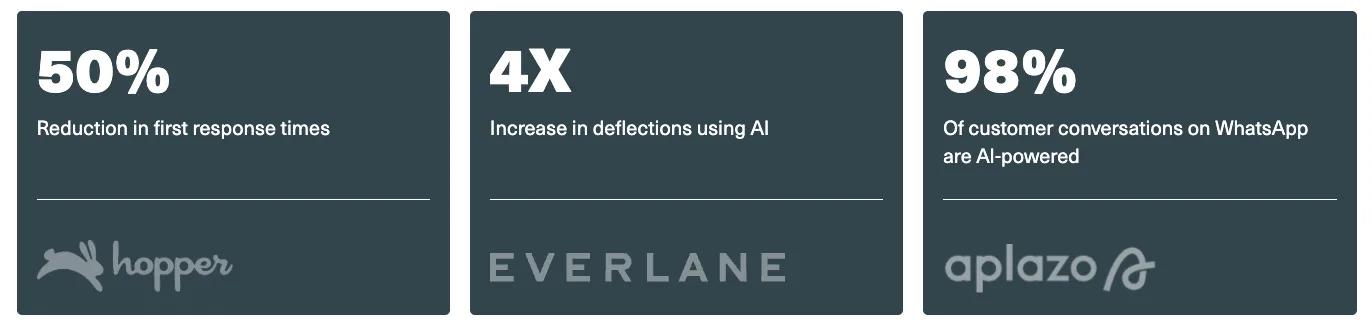
- 4x increase in deflections using AI: "On day one, Customer Assist handled 10% of chat conversations without any agent interaction and that number has been steadily increasing.” — TJ Stein, Head of Customer Experience, Everlane [Read the Full Case Study]
- 50% reduction in first response time: “Kustomer’s Envoy has had a measurable impact on our operations. We’ve seen meaningful improvements in response times and overall efficiency, as our reps spend less time searching for information and more time delivering value to customers.” — Mariano Pina, VP of Operations, Aplazo [Read the Full Case Study]
- 98% of customer conversations on WhatsApp are AI-powered: “Kustomer was the perfect mix of being resilient for scale and built for the needs of a modern service team.” — Jo Lai, Head of CX, Hopper [Read the Full Case Study]
Take complete control of your support queue and optimize your resolution times today. Try Kustomer AI free for 30 days to experience how our intelligent platform empowers your team to work faster, scale efficiently, and deliver an exceptional customer experience.
FAQs
What is first response time?
First response time (also known as the first reply time) is the total time a customer waits from the moment they submit a ticket until an agent or system delivers an initial response. It is one of the most critical KPIs for support teams because delivering a faster response makes customers feel valued and directly boosts overall customer satisfaction.
How do you calculate first response time?
To calculate your average first response time, simply divide the total wait time by the total number of tickets resolved within a given period.
- Include only official business hours: Ensure your reporting tools pause SLA timers during the weekend so overnight delays do not skew your data.
- Exclude automated receipts: A generic auto-reply acknowledging receipt does not count as a true customer service response.
What are the standard benchmarks for response times?
Industry benchmarks dictate that support teams must adapt their speed to the channel being used. Meeting these expectations is essential to drive long-term retention and maintain high CSAT:
- Live chat wait times: Aim for under two minutes.
- Email and ticketing: Keep your response under four hours to maintain high customer satisfaction scores.
How can AI help improve my response metrics?
Deploying AI-powered tools allows you to streamline your entire operation and handle volume spikes without drastically increasing your staffing budget. Modern AI chatbots instantly deflect routine customer questions, which significantly reduces the number of tickets hitting the human queue and allows agents to focus purely on complex problem-solving.
What is the difference between FRT and average resolution time?
While both metrics dictate how customers feel about your brand, they measure entirely different stages of the support interaction.
- First response time: This metric tracks the initial wait times from when a customer submits a request to when they receive their first meaningful reply.
- Average resolution time: This metric measures the total time it takes to completely solve the issue, execute any necessary follow-ups, and officially close the ticket.
You can have a fast first reply time, but if your agents lack the context or tools to actually fix the problem efficiently, your resolution time will grow, and your CSAT will eventually plummet.