16 Best AI-Powered Helpdesk Software on the Market Right Now


Support teams are drowning in tickets they could answer in their sleep. “Where’s my order?” “How do I reset my password?” “What’s your return policy?”
The same questions, hundreds of times daily, draining hours that should go toward complex problems actually requiring human judgment.
Plus, the math doesn’t work anymore. Hire more agents and the costs spiral. Don’t hire and response times suffer, satisfaction tanks, customers leave. You’re stuck choosing between expensive scaling or degrading service.
Well unless there’s something that can handle the repetitive work automatically while your team focuses on conversations that actually need them.
That’s the promise of AI-powered helpdesk software, and when it delivers, the impact is immediate.
- Routine questions get answered instantly by bots that understand context.
- Tickets route to the right specialist without manual triage.
- Agents open conversations already knowing customer history, order status, past issues.
- Teams handle 2x the volume without burning out because they’re solving real problems.

This guide covers 16 helpdesk platforms where teams use AI in their daily support operations. We’ll show you what each system’s AI does, what it handles well, and which fits your specific situation.
But first, let’s understand the solution.
What is AI Help Desk Software?
AI help desk software is a customer support software that uses artificial intelligence to assist, automate, and improve how support teams handle customer conversations.
This reduces manual work while helping teams respond faster and more accurately to customer requests.
Think of it this way:
- A traditional help desk stores tickets, organizes queues, and tracks conversations.
- An AI-powered help desk does all that but also understands what customers are asking for, decides which team member should handle it, suggests how to respond based on past solutions, and in many cases resolves common issues automatically without human involvement.
Practical example:
Imagine a customer messages support with:
- “My order hasn’t arrived yet and I need it today.”
In a traditional ticketing system, that message becomes a case and waits in a queue until an agent reads it, figures out it’s an order issue, checks urgency, and responds.
With AI help desk software, the system can immediately detect the intent (order delay), recognize urgency from the language, pull in order details automatically, and route the conversation to the right team—or even send an instant, context-aware update if the answer is already known.
Benefits of an AI-Powered Help Desk
AI-powered help desks change how teams handle volume, complexity, and customer expectations.
When implemented well, AI becomes an operational layer that quietly improves speed, accuracy, and consistency without making support feel robotic.
Below are five benefits buyers tend to feel most clearly once AI is embedded into your day-to-day support operations.
Faster response times
AI helps reduce response times by handling the work that usually slows agents down. It classifies tickets, routes conversations, and surfaces relevant context automatically.
This means agents don’t waste time figuring out what the issue is or where it should go. The result is faster replies without forcing agents to cut corners or rely on canned responses.
Reduced repetitive work and agent burnout
A large portion of support volume is made up of repeat questions, status checks, and simple requests.
AI-powered help desks can handle these interactions autonomously through chatbots, automated replies, or guided workflows.
This reduces mental fatigue for agents and allows them to focus on problems that actually require human judgment and empathy.
Smarter prioritization based on context
Traditional help desks often prioritize based on static rules like timestamps or SLAs. AI-powered systems go further by factoring in intent, urgency, sentiment, and customer value.
This allows critical or emotionally charged issues to surface faster, even if they don’t use explicit “urgent” language.
From a buyer’s perspective, this leads to fewer escalations, better first-contact handling, and less damage control later on.
More consistent support as teams scale
As support teams grow, consistency becomes harder to maintain. New agents respond differently, processes drift, and quality varies.
AI-powered help desks help standardize workflows and responses by guiding agents with suggested actions, knowledge recommendations, and automation rules. This creates a shared baseline for quality while still allowing agents to personalize interactions.
Improved use of customer context
AI thrives on context. By pulling in conversation history, account data, orders, and past outcomes,
AI help desks give agents a more complete picture of the customer. This leads to more relevant responses and fewer frustrating moments where customers have to repeat themselves.
Related reading → 7 Benefits of Using AI in Customer Service
Key Features to Look for in AI Helpdesk Software
Not all AI helpdesk platforms are built the same. Some genuinely reduce workload and improve customer experience. Others simply layer a chatbot on top of an old ticketing system and call it “AI.”
If you’re in the market exploring options, this difference shows up quickly. You’ll see it in how much work still falls on agents, and how often AI needs manual correction.
To avoid that gap, here are the capabilities that matter most when evaluating AI-powered helpdesk software.
Generative AI agents
Traditional chatbots frustrate customers by forcing escalation for anything requiring action. Meanwhile, generative AI agents resolve these issues end-to-end.
For example, a customer saying “I need to change my delivery address” gets it done, instead of being referred to a document “here’s how to update your account settings.”
This deflects routine requests from your team, provides instant 24/7 service, and frees humans for complex problems.
| What to look for: The agent should integrate with your core systems (billing, CRM, e-commerce, scheduling). This helps in performing actions, authenticating customers securely before making changes, and escalating to humans when tasks exceed capabilities. A good rule of thumb is to ask vendors which specific actions their AI can execute autonomously versus which require human approval. |
AI copilots
Agents waste time reading through 20-message email threads to understand context.
They search knowledge bases for articles they know exist but can’t find quickly, or craft responses to questions they’ve answered dozens of times.
AI copilots compress this work. It provides instant summaries showing what’s happened, draft responses agents can review and personalize, and suggested actions based on what worked in similar cases.
This helps new agents perform like experienced ones by accessing pre-existing knowledge automatically.
| What to look for: The copilot should pull from your knowledge base and past tickets. Also look into its access to all communication channels (email, chat, phone transcripts) to allow easy editing of suggestions. |
Intelligence routing and triage
Manual triage is one of the biggest hidden costs in support operations. Tickets sit in general queues waiting for someone to read and route them, or get assigned to wrong teams who can’t help and must transfer.
However, intelligent routing happens instantly. Tickets reach specialists who can solve them on first contact. Frustrated customers get escalated to senior agents, VIP accounts route to dedicated handlers, and simple requests go to efficient generalists.
This improves first-contact resolution rate because the right person handles each issue from the start.
| What to look for: Your preferred system should explain their routing decision logic and allow manual override when agents disagree with assignments. Also consider agent workload to prevent some people being overwhelmed while others sit idle. |
Related reading → 12 Best AI Ticket Routing and Triage Tools for 2026
Predictive analytics
Reactive support always feels chaotic. You’re scrambling to handle unexpected volume spikes, discovering churn after customers leave, or realizing product issues only after hundreds of complaints accumulate.
Predictive analytics helps handle this. It can help you forecast ticket volume a week ahead and adjust staffing, or even identify at-risk customers and intervene before they cancel.
| What to look for: Predictions should include confidence levels, explain what’s driving projections (seasonality, product launches, marketing campaigns), and track accuracy over time proving the model actually works. |
Automated knowledge management
Knowledge bases often fall behind because they rely on manual upkeep. For example, new product features lack documentation, policies change but articles don’t auto-update, and common questions have no self-service answers forcing repeated agent responses.
Automated knowledge management keeps help centers current without requiring dedicated writers.
The AI identifies what’s missing based on ticket patterns, drafts content from how agents actually resolve issues, and surfaces outdated articles when agent behavior shows they’re no longer useful.
| What to look for: The platform should recommend articles based on ticket volume, and draft content in your brand voice and style. In addition, track which articles successfully deflect tickets versus which don’t help customers, and make suggestions actionable. |
Real-timesentiment analysis
Real-time sentiment detection catches problems earlier. It can detect when tone shifts from neutral to frustrated mid-conversation. Or when language indicates the customer is about to churn.
Early intervention such as routing to specialists, offering proactive compensation, or looping in managers—can save relationships that would otherwise be lost.
| What to look for: Sentiment insights should lead directly to actions (reroute, prioritize, notify, suggest responses). It shouldn’t just tag a conversation as “negative, positive or neutral.” |
Multilingual support with real-time translation
Hiring multilingual agents for every language your customers speak is expensive and often impossible for smaller teams or less common languages.
AI translation enables global support with your existing team. You can have one agent help customers in Spanish, Japanese, and Arabic during the same shift because the AI handles translation seamlessly.
This expands your addressable market without multiplying headcount.
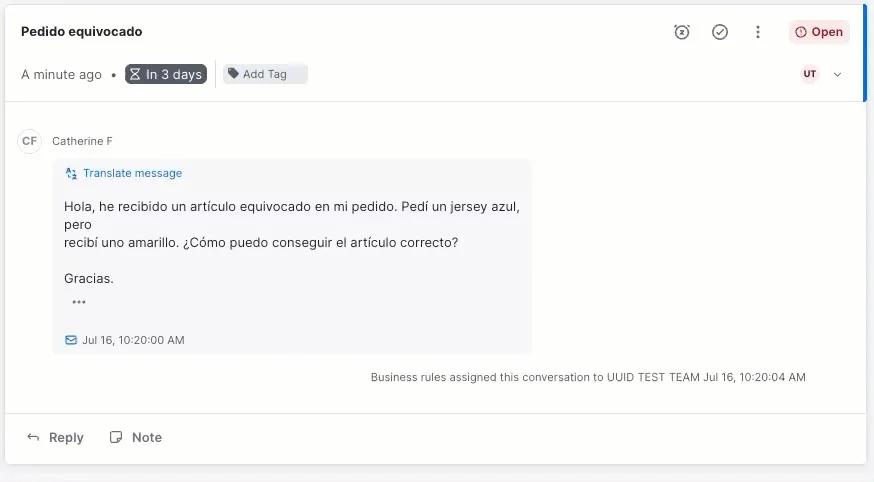
| What to look for: Agents should be able to write in their native language while customers read responses in theirs (and vice versa) without manual copying or tools. |
Top AI-Powered Help Desk Solutions on the Market Right Now
- 1. Kustomer
- Tidio
- Zendesk
- ProProfs Help Desk
- Gorgias
- HelpScout
- HubSpot Service Hub
- Intercom
- Freshdesk
- Hiver
- Missive
- HappyFox
- Sprinklr
- ServiceNow
- Salesforce Service Cloud
- Jira Service Management
1. Kustomer
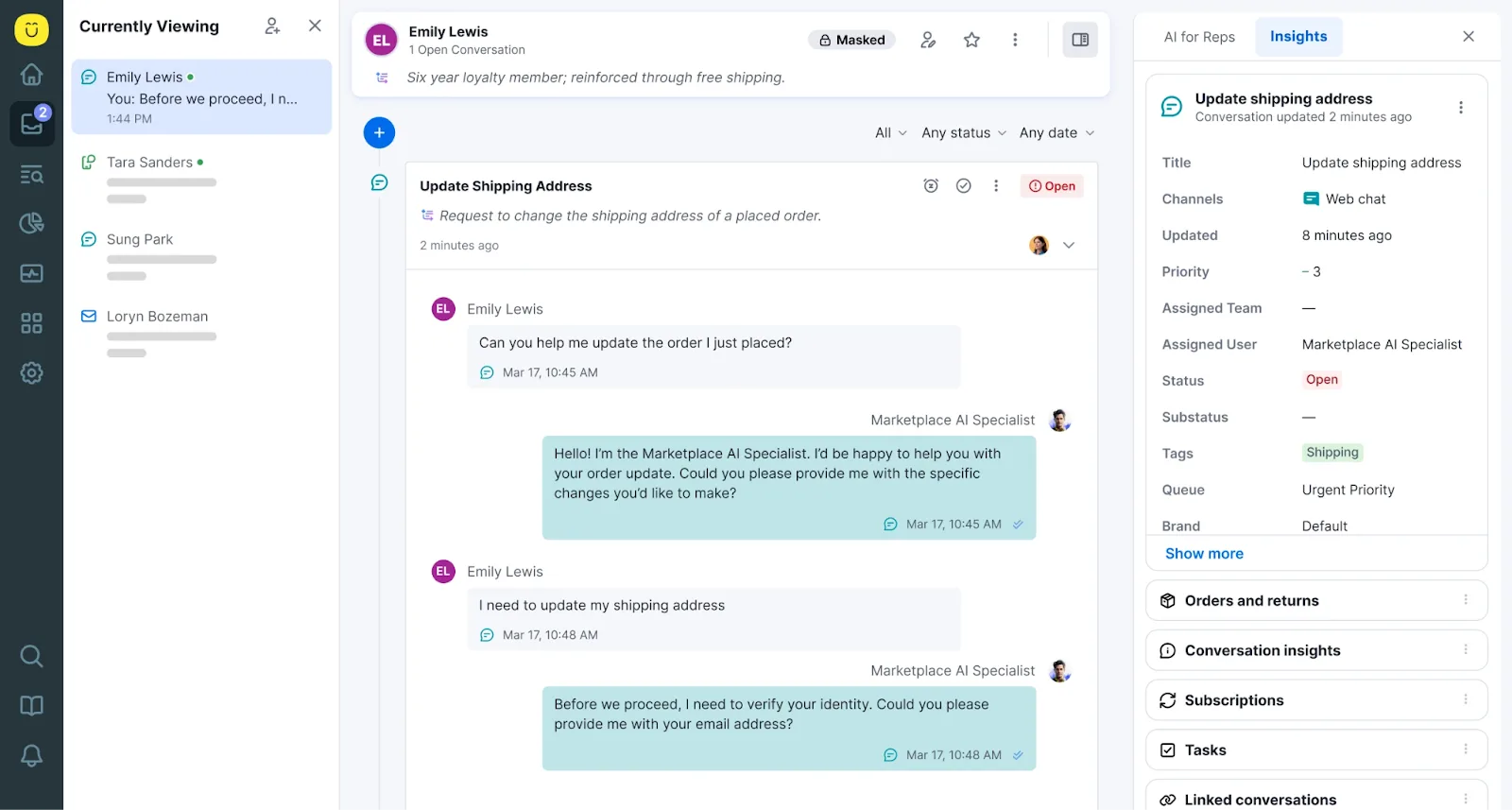
Kustomer is an AI-powered help desk built around a simple idea that support teams should support people.
Instead of treating each interaction as a standalone case, Kustomer structures its entire system around a single, continuously evolving customer record.
Every message, event, order update, and action becomes part of a unified timeline that gives agents and AI the full picture from the moment a conversation starts.
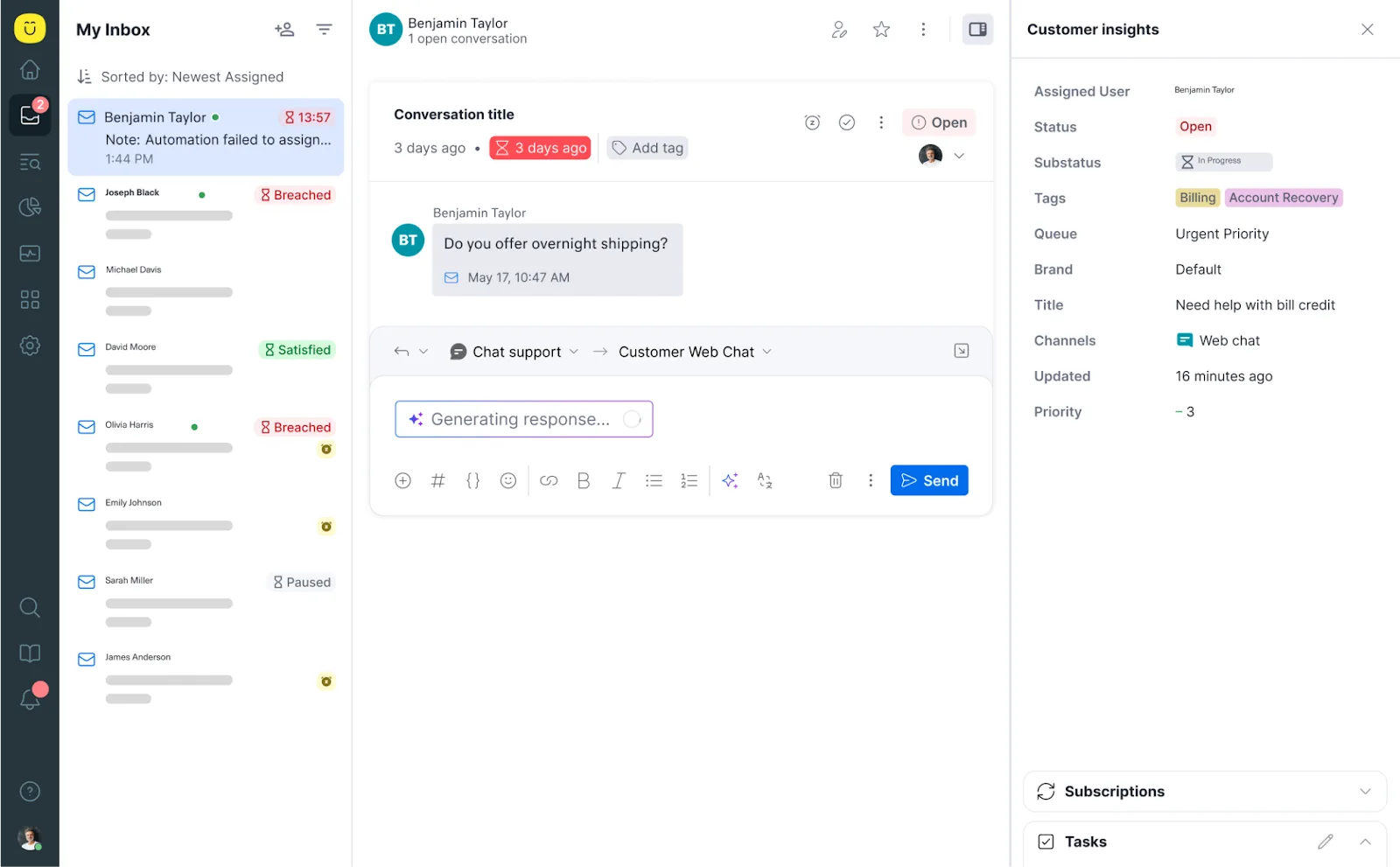
One interesting aspect about Kustomer is its event-based data model. Rather than inferring context from multiple tickets, it feeds intelligence from a living customer profile. This allows automation, routing, and AI assistance to operate with far greater accuracy.
The system understands who the customer is, what they’ve done before, what’s already happened in this conversation, and what typically resolves similar situations — all before an agent even engages.
Key features
Kustomer has designed its AI capabilities to reduce operational friction by rethinking who (or what) does the work inside a support organization.
Rather than limiting AI to scripted chat responses or post-conversation summaries, Kustomer embeds intelligence directly into the flow of resolution itself.
This involves four AI assistants, each mapped to an existing core layer of the platform:
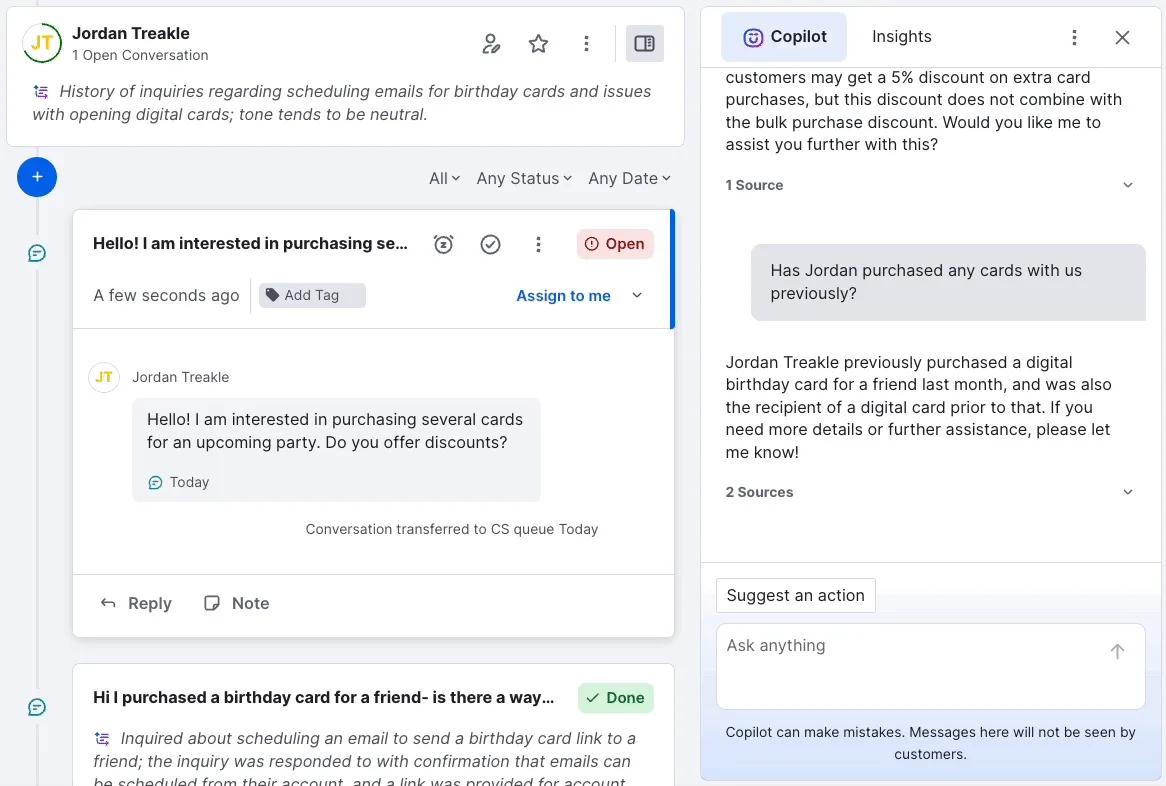
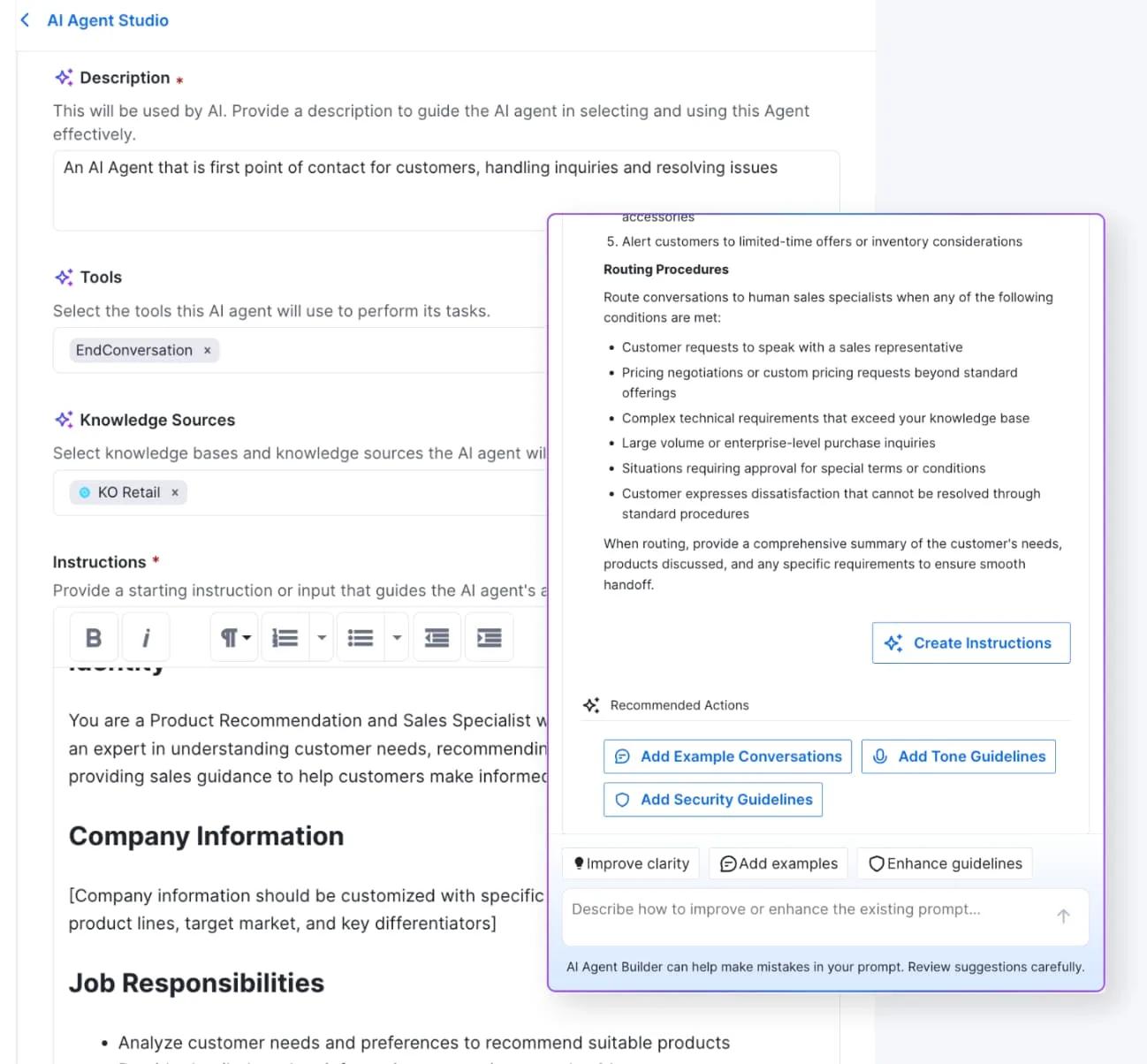
- AI agent team assistant: Reimagines AI agents as a managed org.
- AI knowledge base assistant: Turns KB into a living intelligence layer.
- AI workflow assistant: Ensures orchestration is seamless.
- AI search assistant: Makes analytics and insight conversational.
AI agent team assistant
These are built to autonomously resolve issues end-to-end by securely interacting with backend systems.
They can securely authenticate a customer, understand the context of the request, retrieve relevant account or order data, and execute actions like refunds, cancellations, or account updates.
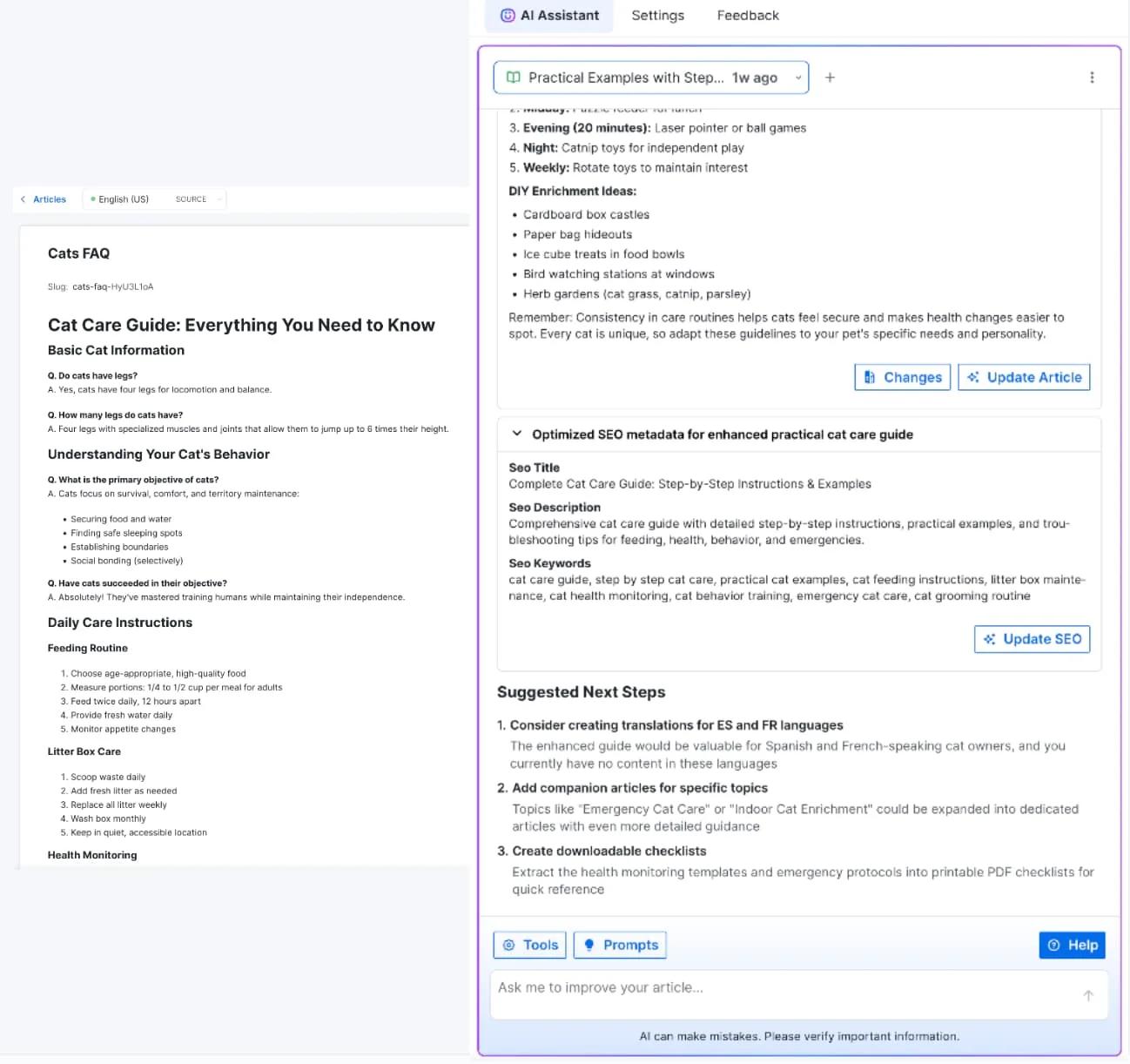
AI knowledge base assistant
Your knowledge base no longer has to be a static documentation that you update every few months.
Kustomer features a KB assistant that actively recommends new topics, drafts and edits content, localizes responses, and optimizes articles for SEO, AEO, and self-service deflection.
This ensures that customers, human agents, and AI agents all reference the same up-to-date, on-brand source of truth.
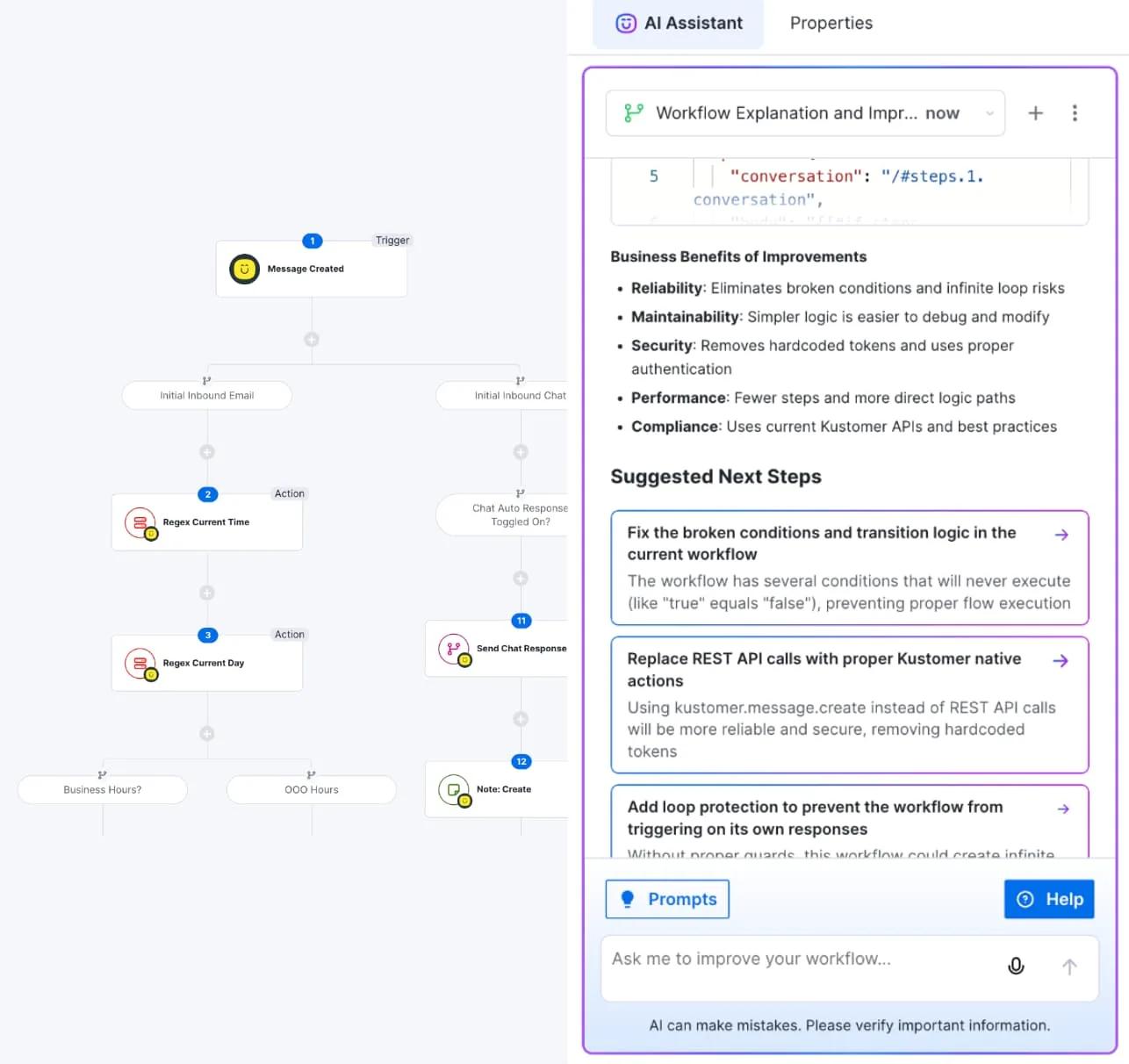
AI workflow assistant
That same intelligence extends into how work is routed and orchestrated behind the scenes.
Admins simply describe what they want to achieve in natural language, and the assistant builds, tests, and deploys workflows with full transparency and oversight.
Depending on how it’s set, the automation can trigger, pause, or escalate dynamically based on live signals such as customer intent, sentiment, account value, or previous outcomes.
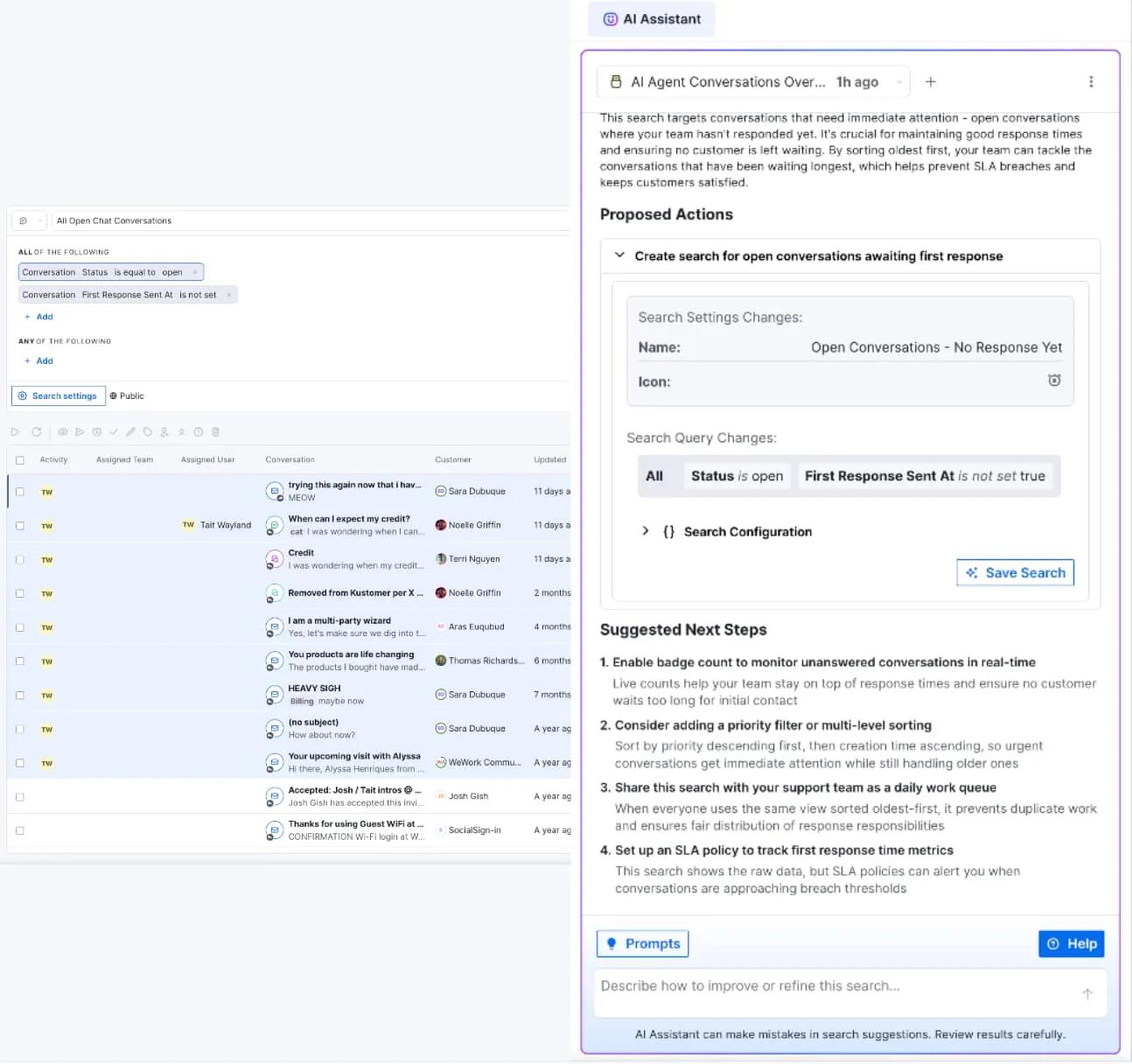
AI search assistant
Kustomer introduces a way to make analytics conversational. Leaders and admins can ask plain-language questions—such as:
- why refunds spiked,
- which teams handle the most escalations, or
- where bottlenecks are forming—and receive structured, actionable answers instantly.
The assistant surfaces insights directly tied to decision-making.
Over time, all of these interactions feed into Kustomer’s intelligence layer.
Every resolved conversation—whether handled by an AI agent, a human agent, or both—becomes training data for improving future decisions.
Resolution patterns, escalation drivers, and successful outcomes are analyzed and fed back into assistants, workflows, and autonomous agents.
The result is a support system that becomes more accurate and more efficient the longer it runs, without requiring teams to constantly rewrite rules or retrain staff.
Why modern support teams choose Kustomer
Teams choose Kustomer when traditional ticketing systems start slowing them down. Its customer-centric data model, built-in automation, and AI-driven assistance help support teams handle complex conversations at scale.
This is the same—
For Julie Weingardt, COO, Turo —
“What was so compelling about our decision to move to Kustomer was being able to see that conversation and being able to see if a repeat contact happened that we had that captured and we really knew our customers.”
For Tiffany Steinberg, Senior Manager of Customer Service, Lulus —
“I’m also really excited to see that there’s tools and technology coming out for leadership and really being able to understand —how can you take the data that’s in Kustomer, and learn from it, so that you can get insights into what’s driving contact. how could you leverage AI to do XYZ.”
For Rebecca Blount, Senior Manager, CX Strategy & Operations, Coterie Baby —
“We use several AI tools that we’ve integrated into Kustomer. We have an Agentic AI agent that handles a lot of our order management topics. One of the things that has been really useful for us is cancelling orders or subscriptions. It allows us to respond in hyper-speed and doesn’t require a customer to have to wait for one of our agents to handle the conversation.”
Your all-in-one AI powered service platform
Unite your entire customer service experience—seamlessly combining CRM, ticketing, and AI into one powerful platform for the future.
Explore AI Agents for Customers →
2. Tidio
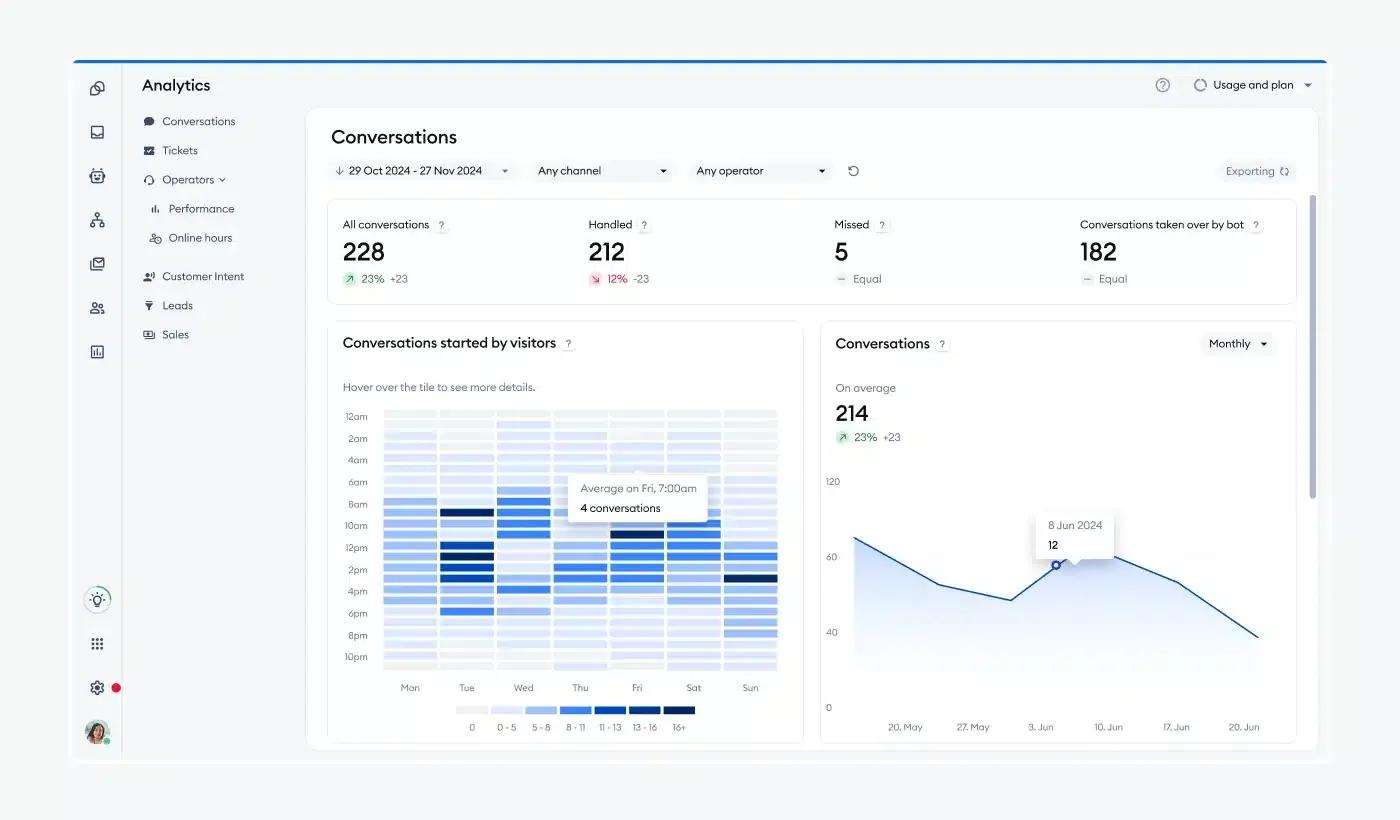
For small to mid-size businesses and e-commerce teams that want fast, automated customer engagement without heavy infrastructure or complex setup, Tidio is the next-best option.
It combines customizable chat widgets, AI-powered chatbots (Lyro AI), and basic ticketing into a unified interface that deploys on websites in minutes. Simply embed the codes in your website and you’re ready to go.
You can add live chat to your website site and interact with customers. There are also configurable AI bots using pre-built templates for common scenarios like abandoned cart recovery or order tracking, and start engaging visitors immediately.
Key features of Tidio
- Visitor info & live view: Provides real-time visibility into who is interacting with chat — including location, device, browsing activity, and prior visits.
- Lyro AI: Tidio’s conversational AI agent that understands natural language and autonomously answers frequent questions. It can handle inquiries like order status or shipping questions without human intervention.
- Automation flows: Visual, rule-based sequences that define how conversations progress from initial contact, through qualification, to resolution or handoff. These flows reduce manual triage and ensure consistent customer journeys.
Tidio’s customer reviews
- “After setting up Tidio customer conversations become easier to manage, messages from website visitors come in one place, and the live chat to visit feels light and responsive.” [*]
- “I don’t like how restrictive the free and lower-tier plans feel, especially the cap on monthly chatbot conversations. On top of that, the pricing ramps up quickly once you start adding multiple operators, which can get expensive for a growing small business.” [*]
Pricing
- Starter: $29 per month for 100 billable conversations.
- Growth: Starts at $59 per month for 250 billable conversations.
- Plus: Starts at $749 per month for customer billable conversations.
- Premium: Contact sales.
There’s also the Lyro AI add-on which starts at $39 per month for 50 billable conversations— and $749 per month if you want custom billable conversations.
| Best for: Small businesses and e-commerce teams that want fast AI automation and live chat without complex setup or enterprise overhead. |
3. Zendesk
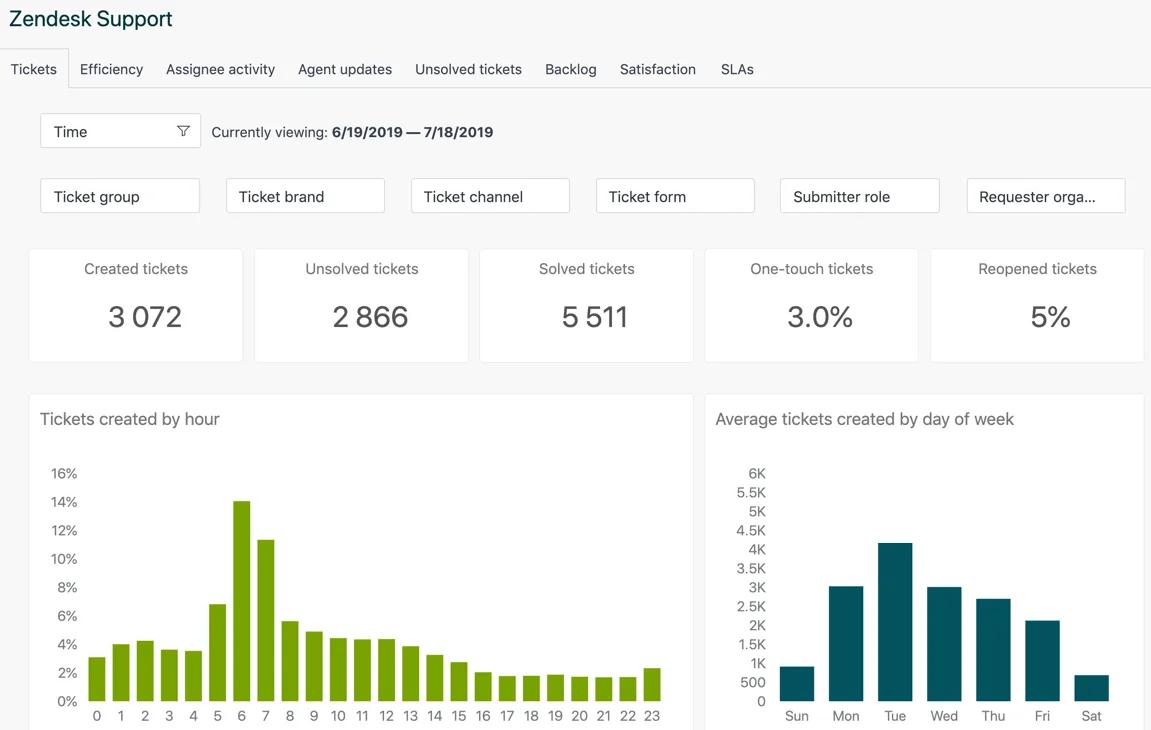
Zendesk offers a cloud-native helpdesk solution to help support teams manage customer conversations.
It centers on conversation continuity, allowing conversations to stay contextual, tracked, and interconnected even as customers switch channels or escalate issues.
Messages from email, web chat, messaging apps, voice, and social channels all flow into a unified interface that reduces context switching and enables agents to respond with a single view of the customer.
Zendesk also offers a marketplace with 1000+ pre-built integrations connecting to Slack, Salesforce, Jira, Shopify, and analytics tools without custom development.
Key features
- Agent workspace: This is a unified interface where all customer interactions across channels are surfaced with context, history, and suggestions. It streamlines work and reduces cognitive load for agents handling multiple conversations.
- Answer bot: This is Zendesk’s AI assistant that automatically recommends help center articles and can deflect routine questions before they reach a human agent, reducing overall workload and improving self-service effectiveness.
- Omnichannel support: Brings email, chat, voice, messaging apps, and social channels into a single operational flow with consistent context. Zendesk retains thread continuity so no matter how a conversation shifts, context stays intact.
Zendesk’s customer reviews
- “Zendesk makes handling customer support feel organized and manageable, even when ticket volume is high. Everything emails, chats and customer history is available in one place, which makes responding faster and more consistent.” [*]
- “One thing I dislike about Zendesk is that it can become expensive as the team grows. Adding agents and advanced features increases costs quickly, which can be hard for startups or smaller teams.” [*]
Pricing
Zendesk offers a complex pricing structure for its services. However, for its helpdesk solution it offers four pricing tiers.
- Support team: $19 per agent/month.
- Suite team: $55 per agent/month.
- Suite professional: $115 per agent/month.
- Suite enterprise: $169 per agent/month.
Zendesk also offers add-ons:
- Copilot: $50 per agent/month.
- Zendesk quality assurance: $35 per agent/month.
- Zendesk workforce management: $25 per agent/month.
- Advanced data protection: $50 per agent/month.
- Contact center: $50 per agent/month.
- Workforce engagement bundle: $50 per agent/month.
- Advanced AI agents: Talk to sales.
| Best for: Mid-to-large teams that need a reliable, scalable omnichannel helpdesk with strong workflows, reporting, and broad ecosystem support. |
Related → Top 20 Zendesk Alternatives & Competitors (Ranked & Rated) | Kustomer
4. ProProfs Help Desk
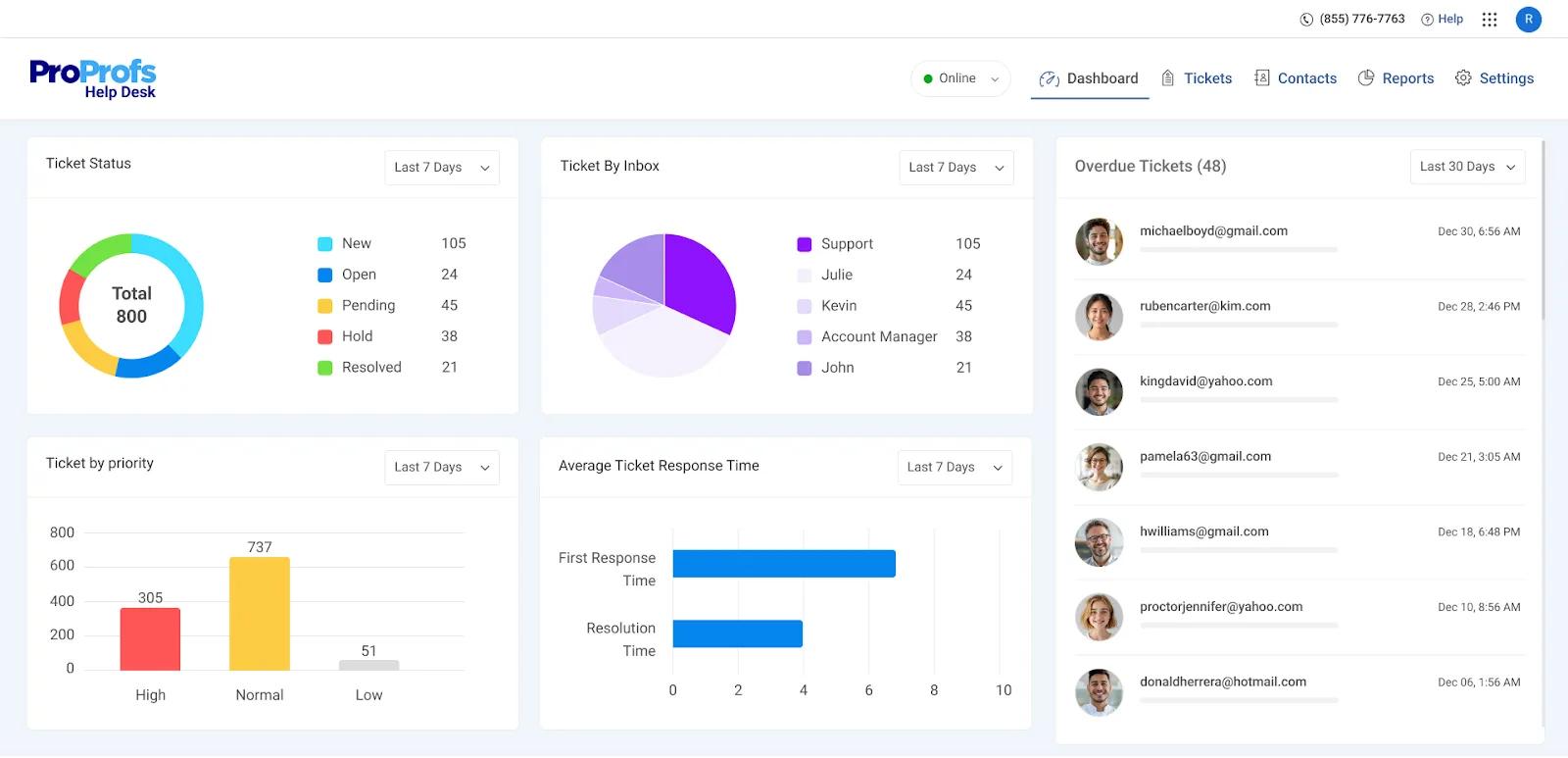
ProProfs Help Desk is a user-friendly, AI-enhanced support platform built for teams that want reliable helpdesk functionality.
It focuses on core helpdesk fundamentals such as email ticketing, shared team inboxes, knowledge base integration, basic automation, and reporting.
The latest integration on ProProfs is using AI for smart ticket assignment. It analyzes incoming requests and routes to appropriate agents based on keywords, customer history, and agent specialization.
Key features
- AI-powered canned responses: Recommends pre-written replies based on ticket content, and satisfaction surveys that automatically deploy after resolution to track team performance and customer sentiment.
- Shared team inbox: Centralizes all customer communications into one collaborative workspace where teams can comment, assign, and resolve together.
- Automated satisfaction surveys: Post-resolution CSAT surveys that deploy automatically after ticket closure. It tracks customer sentiment and agent performance to know how customers feel about the service.
ProProfs Help Desk’s customer reviews
- “The best part of being associated with ProProfs is that they offer incredible support. Unlike other help desk companies that reply on self-service or email, you can call their team anytime and have a meaningful interaction.” [*]
- “This tool is not a full-fledged ITSM tool. However, you can manage your basic IT ticketing needs with ease.” [*]
Pricing
- Single user: Free.
- Team (2+ users): 19.99 per user/month.
You also have Customer Delight and Customer Growth Suite that starts at $499 per month.
| Best for: Small to mid-size teams looking for a simple, affordable helpdesk with light AI assistance and easy onboarding. |
5. Gorgias
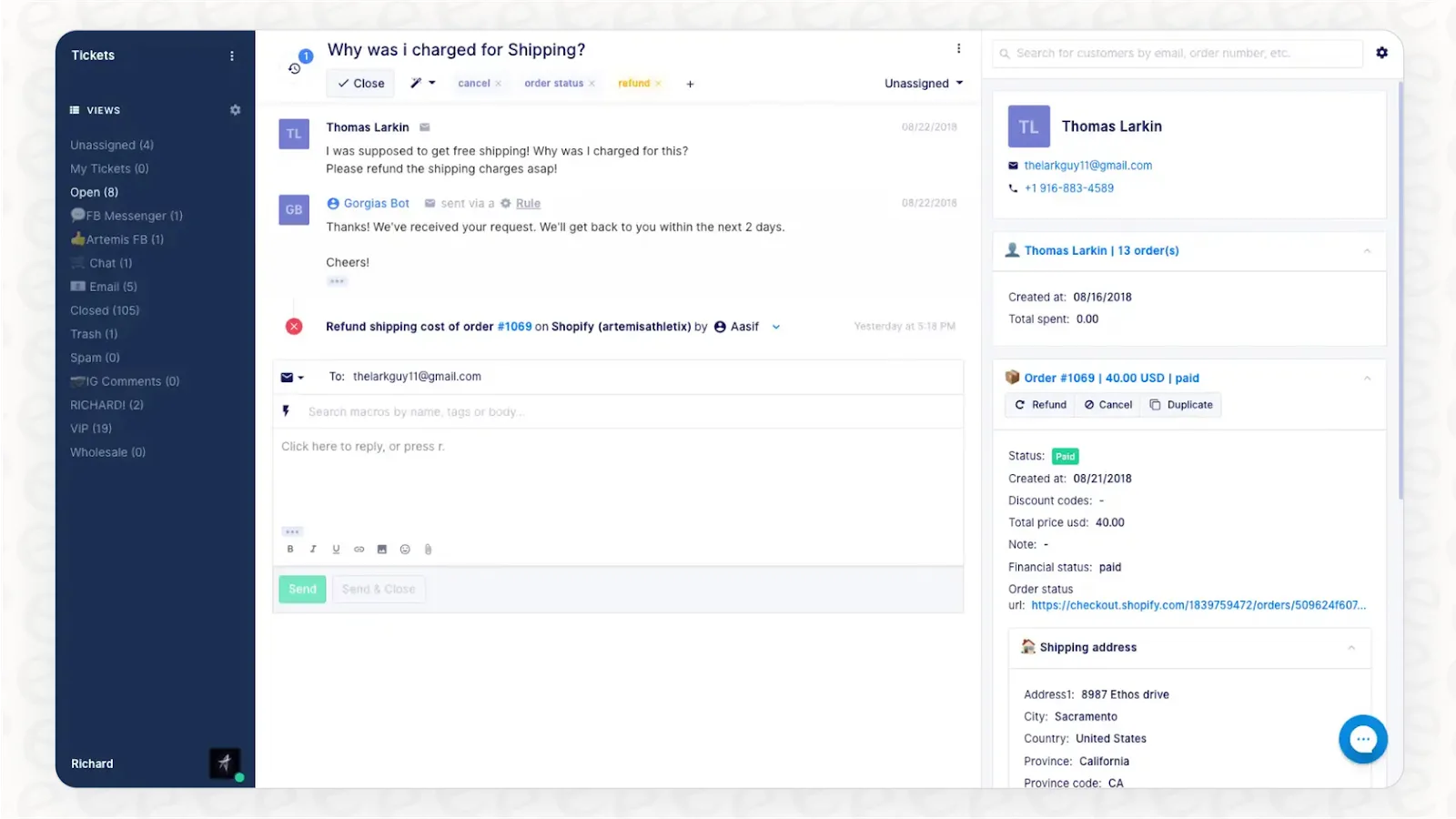
Gorgias is the e-commerce favorite for help desk solutions, offering native integrations into Shopify, BigCommerce, Magento, and WooCommerce. It allows support agents to view order details, process refunds, modify subscriptions, apply discount codes, and update shipping addresses directly from the helpdesk without leaving the platform.
Similar to Kustomer and Zendesk, Gorgias also gives you the conversational flow.
It unifies all your messages from email, live chat, SMS, and social media into a single system. Plus, it enriches those conversations with data from your integrated e-commerce platform. And the AI layer in Gorgias understands this.
For example, it can detect order-related urgency in customer messages, while identifying high-value customers warranting priority treatment.
The result is faster, more accurate support that directly impacts key business outcomes like retention and average order value.
Key features
- Shopping assistant: Uses your Shopify store and customer data to tailor conversations with customers.
- AI agent: Answers high-volume and repetitive inquiries like order status and return policies — freeing agents to handle more complex cases.
- Macros and automated rules: Enables templated responses and automatic ticket actions (like tagging, routing, or status updates) based on triggers like keywords or customer attributes.
Gorgias’s customer reviews
- “I find the integration with Aircall to be problematic. It seems to be competing with the voice or VoIP product, which suggests that the features are not fully compatible. This competition limits what the Aircall integration can do, potentially because Gorgias is trying to promote their own product over others.” [*]
- “Its ability to centralize customer support across email, live chat, social media, and SMS into one intuitive dashboard saves time and streamlinesworkflow.” [*]
Pricing
- Starter: From $10 per month for up to 50 tickets.
- Basic: From $50 per month for up to 300 tickets.
- Pro: From $300 per month for up to 2,000 tickets.
- Advanced: From $750 per month for up to 5,000 tickets.
- Enterprise: For custom volume, please contact sales.
| Best for: e-Commerce businesses (especially Shopify merchants) needing commerce-native support with revenue tracking and order actions. |
Related → Top 17 Gorgias Alternatives & Competitors for 2026
6. HelpScout
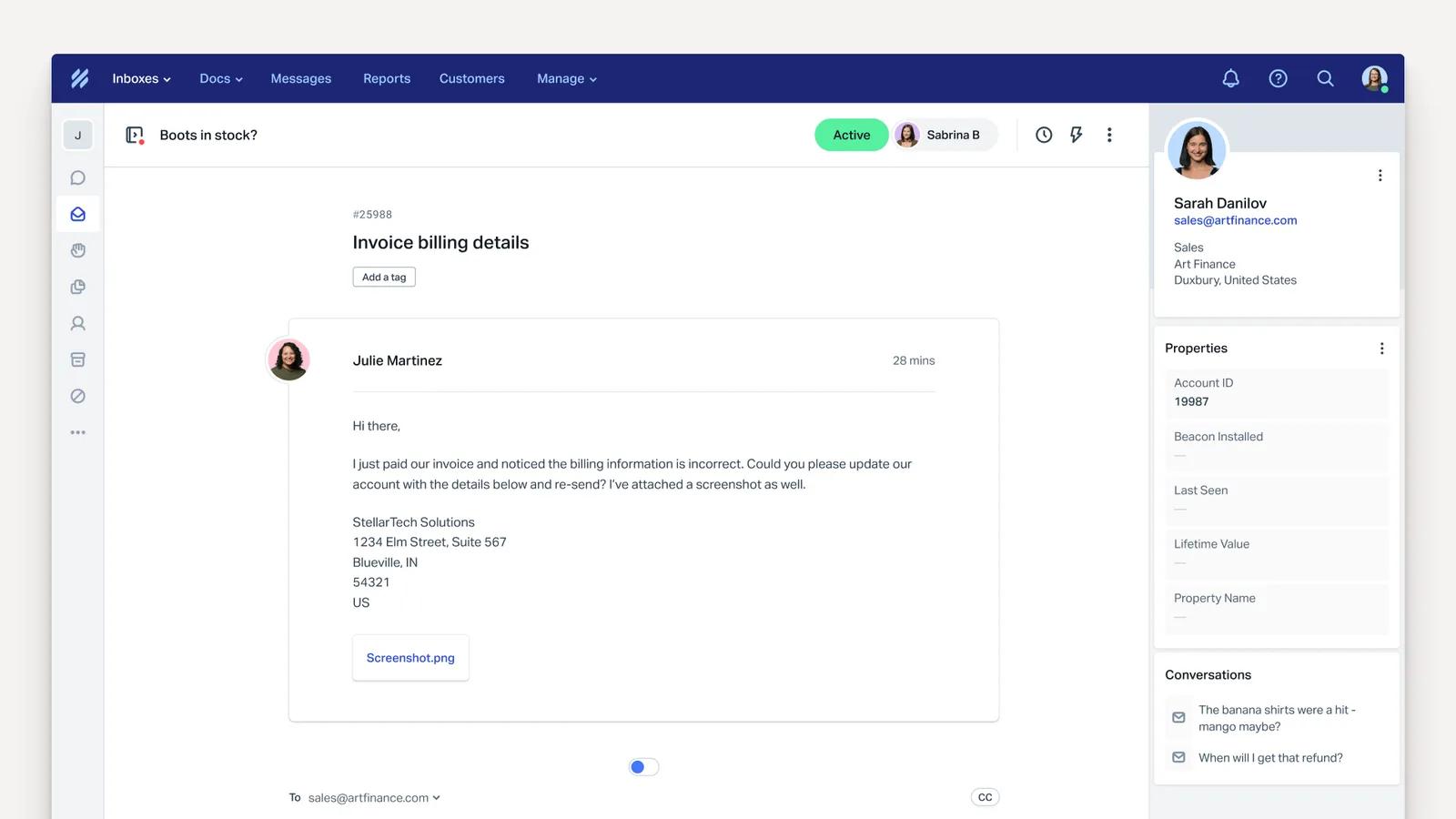
HelpScout is a helpdesk platform that blends the personal touch of email with the power of modern automation and AI. It gives teams a shared, email-style environment where every interaction feels natural, familiar, and context-rich.
With HelpScout, you can capture conversation context, customer profile data, and organization-defined signals so that agents don’t have to hunt for history or repeat work already done.
Key features
- Beacon: This is HelpScout’s embedded chat and help widget that brings guided self-service and live chat into your website or app. There’s also AI-assisted suggestions to help customers find answers without opening a ticket.
- AI suggested replies: Proposes contextually relevant response drafts based on prior conversations and knowledge base content, helping agents reply faster with consistent language.
- Doc search and recommendations: Automatically surfaces knowledge base articles to both agents and customers during conversations. This improves first-contact resolution and reduces support volume.
HelpScout’s customer reviews
- “Technical support is #1. They're team is constantly updating features and notifying their customers with new information and products in a way that isn't salesy or pushy, but purely informative.” [*]
- “Seems that there are often issues generating media from messages which can make it hard to see all of the content.” [*]
Pricing
- Standard: $25 per user/month.
- Plus: $45 per user/month.
- Pro: $75 per user/month.
HelpScout also offers an add-on to use its AI-powered assistant at $0.75 per resolution.
| Best for: Teams that prioritize human, email-style support and want AI assistance without losing a personal, conversational experience. |
7. HubSpot Service Hub
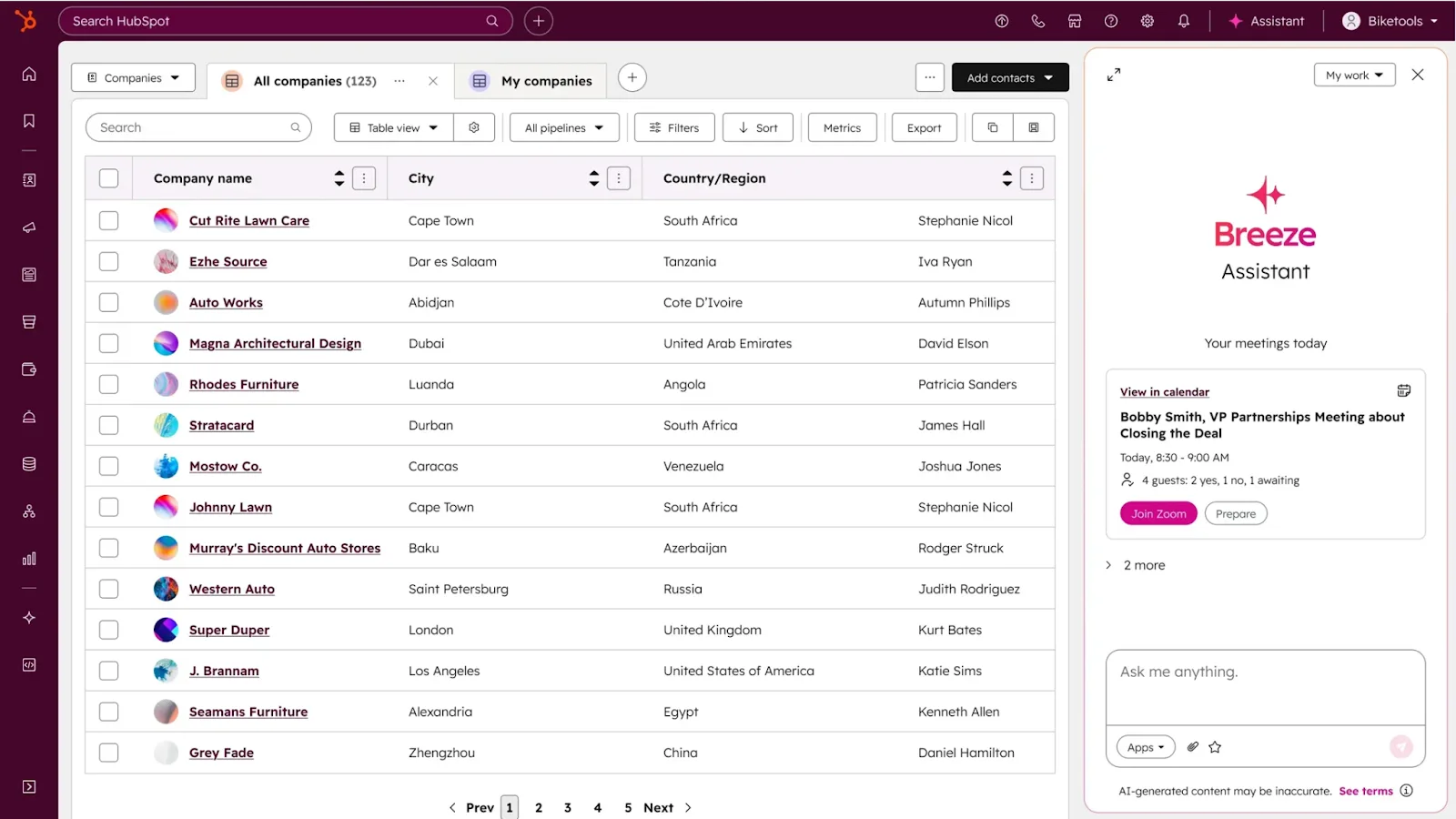
HubSpot Service Hub operates as the customer service component within HubSpot’s unified CRM platform. It shares the same database with support tickets, sales deals, marketing campaigns, and customer data.
For its AI capabilities, HubSpot introduces ‘Breeze AI’. This is an intelligent assistant that works across the platform to automate ticket routing based on content and customer attributes. Plus, it can suggest responses from knowledge base articles and past resolutions, and detect sentiment indicating escalation risk.
Companies already in the HubSpot ecosystem gain the most from this flow. The CRM-native approach eliminates data silos that form when companies use separate platforms for sales, marketing, and service.
Key features
- Breeze studio: Help you tailor pre-built agent teammates across marketing, sales, and customer service without code. You can also create custom assistants that work for your specific needs.
- Breeze assistant: Helps with routine tasks such as generating content, summarizing CRM records, pulling insights, and creating workflows or pages using natural language input.
- Breeze agent: Features autonomous AI agents that automate business processes. Common agent types include:
- Customer agent: Handles customer inquiries and support workflows.
- Prospecting agent: Assists with lead research and personalized outreach.
- Closing agent: Helps advance deals and surface buyer needs.
HubSpot Service Hub’s customer reviews
- “The ticketing system and automation tools streamline our workflows, and the shared inbox helps our team stay aligned without things slipping through the cracks.” [*]
- “I find the cost scaling and hidden fees challenging. The pricing seems excessive as quickly as you scale. The professional and enterprise tiers have mandatory fees ranging from $1,500, plus additional costs.” [*]
Pricing
HubSpot offers two pricing options for the Service Hub.
- Individual and small teams:
- Free: $0 per seat/month.
- Starter: $9 per seat/month.
- Professional: $90 per seat/month.
- Businesses and enterprises:
- Professional: $90 per seat/month.
- Enterprise: $150 per seat/month.
| Best for: Businesses already using HubSpot that want support tightly connected to sales, marketing, and CRM data across the customer lifecycle. |
Related → 10 Best HubSpot Service Hub Alternatives to Consider in 2026
8. Intercom
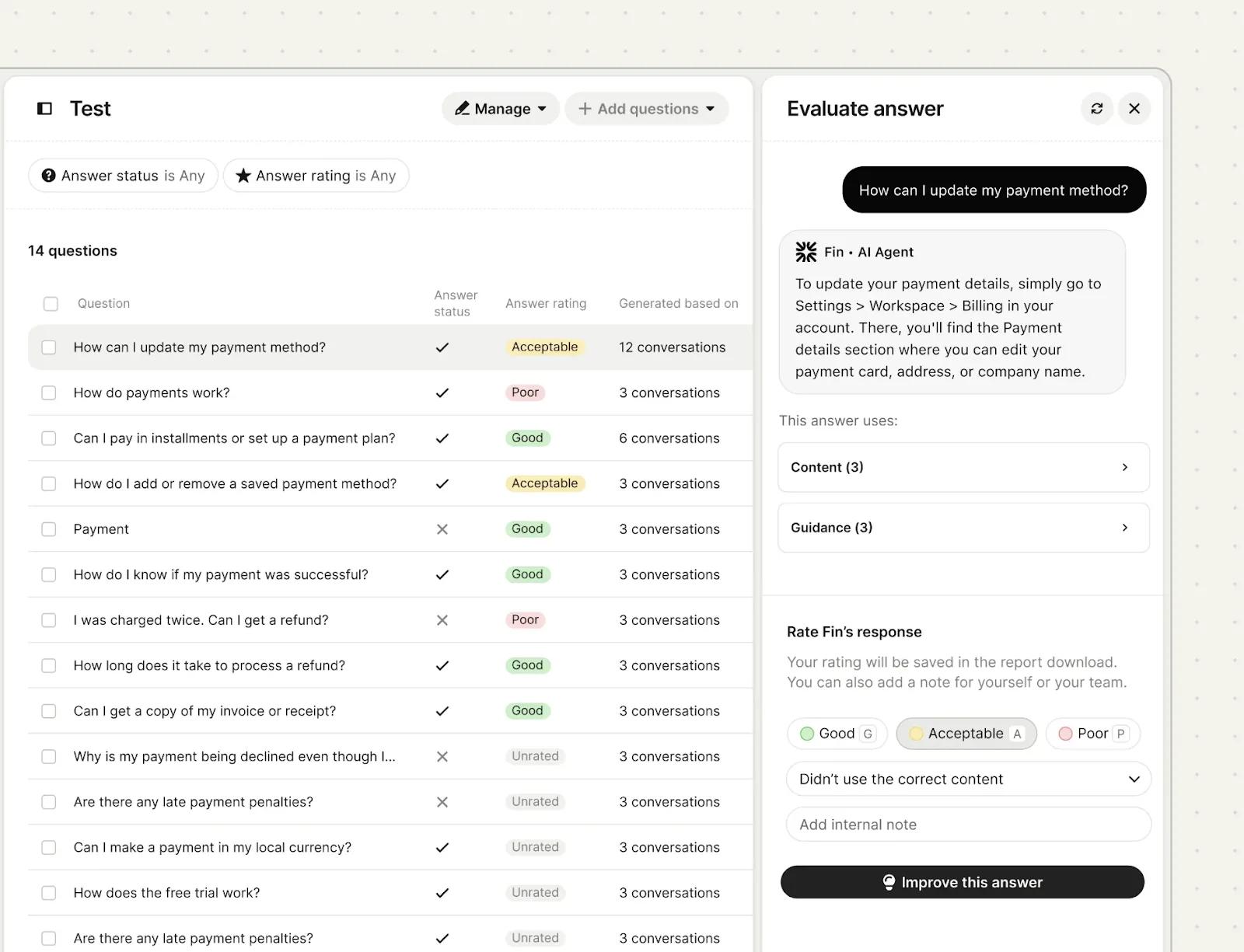
Intercom steps away from HelpScout’s email-based approach to be a conversational relationship platform built on real-time messaging.
It uses a chat-based system where every customer touchpoint is part of an ongoing conversation that’s accessible through a unified messenger.
In addition, Intercom’s AI (called Fin) actively participates throughout this conversation. It understands intent, answers routine questions, and guides both customers and agents toward resolution.
This is especially effective for product-led, SaaS, and digital-first companies where in-app messaging, onboarding questions, and real-time support are central to the customer experience.
Key features
- Fin AI agent: Answers customer questions using your help content and past conversations. It resolves routine issues end-to-end and escalates to humans only when necessary.
- Inbox: Shared workspace where all customer conversations live, with full context, history, and collaboration tools. AI assists directly inside the inbox to reduce agent effort during live interactions.
- AI copilot: supports agents by summarizing conversations, drafting responses, and suggesting next steps in real time.
Intercom’s customer reviews
- “In my daily work, Fin runs seamlessly within the Intercom ecosystem, drawing on existing help center content, conversation history, and established workflows. This keeps setup quick and helps minimize operational overhead.” [*]
- “Creating the perfect flow or custom routing sometimes requires trial and error. Also, pricing can increase quickly when you start adding more features.” [*]
Pricing
- Essential: $29 per seat/month.
- Advanced: $85 per seat/month.
- Expert: $132 per seat/month.
The Fin AI Agent comes as an add-on and costs $0.99 per resolution—while copilot costs $29 per agent/month.
| Best for: SaaS and product-led companies that rely on real-time, in-app conversations and want AI to handle front-line support at scale. |
Related → Zendesk vs. Intercom: 2026 Comparison & Better Options
9. Freshdesk
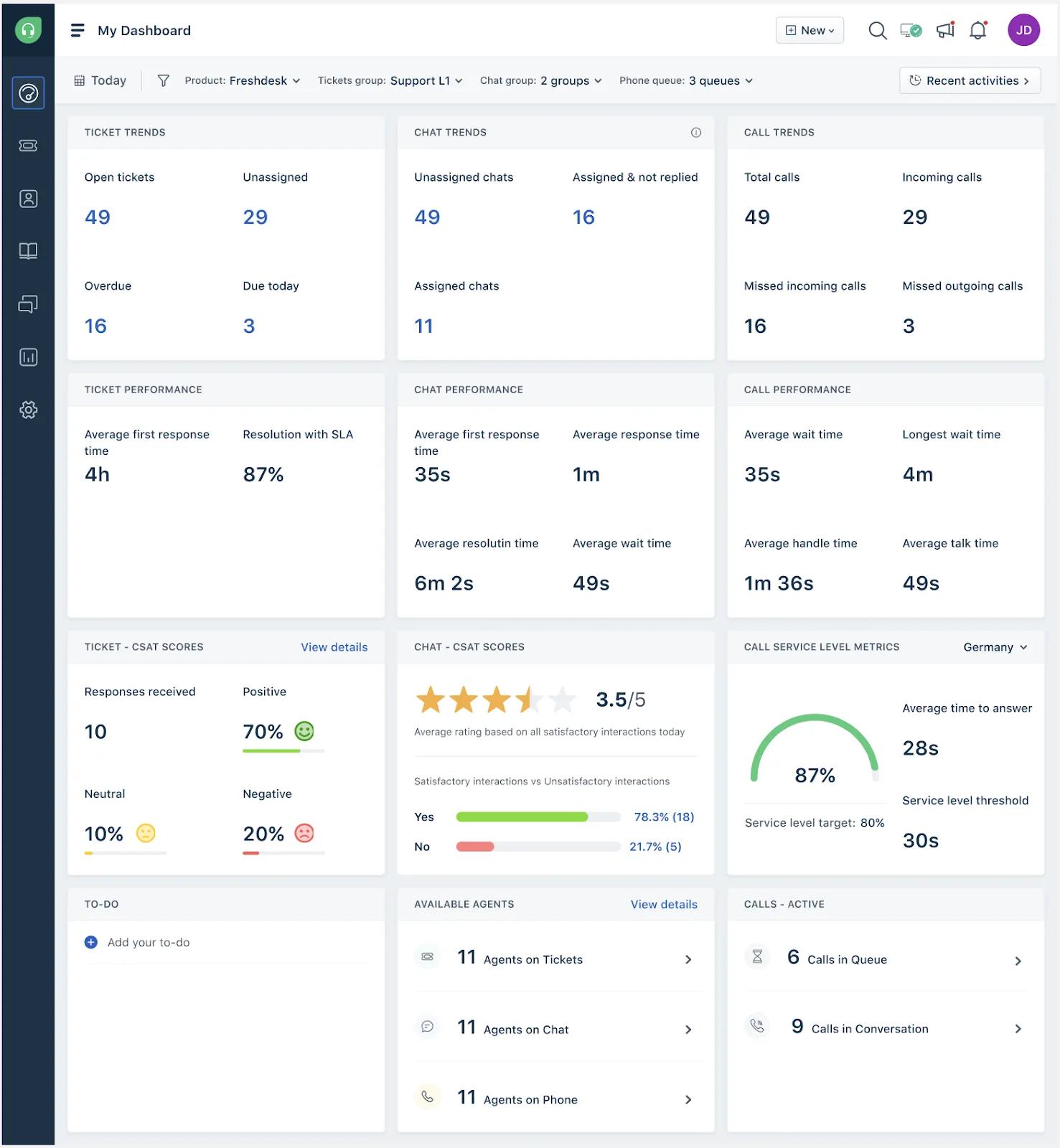
Freshdesk tags itself the customer service solution that ‘puts people first’. As part of the Freshworks suite, Freshdesk provides omnichannel support across email, phone, chat, social media, and messaging apps.
It also features an always-on assistant called Freddy AI. This helps route tickets based on content and urgency, powering conversational bots that handle routine inquiries, and also suggests responses to agents from knowledge base content.
Key features
- Customer portal with knowledge base: Self-service hub where users search articles, browse FAQs, submit tickets, and track status, with AI suggesting relevant content as customers type inquiries.
- Collaboration tools with threading: Features allowing agents to @mention colleagues for input, add internal notes, and create child tickets for sub-tasks.
- Freddy AI insights: Performance metrics tracking resolution times, ticket volumes, agent productivity, satisfaction scores, and SLA compliance with customizable views for different roles.
Freshdek’s customer reviews
- “Commercial and billing flexibility doesn’t match the operational flexibility of the product itself. Seat management and subscription changes feel rigid and process-heavy, particularly for businesses that need to scale down as well as up.” [*]
- “All customer conversations, emails, chat messages, and tickets come into one place, so nothing gets lost. This makes it very easy to track issues and respond on time.” [*]
Pricing
There are two pricing options:
Freshdesk:
- Growth: $19 per agent/month.
- Pro: $55 per agent/month.
- Enterprise: $89 per agent/month.
Fredesk Omni:
- Growth: $29 per agent/month.
- Pro: $79 per agent/month.
- Enterprise: $119 per agent/month.
| Best for: Growing teams that need a structured, ticket-driven helpdesk with predictable workflows, SLAs, and practical AI enhancements. |
Related → 17 Best Freshdesk Alternatives for 2026 (Based on Real Users)
10. Hiver
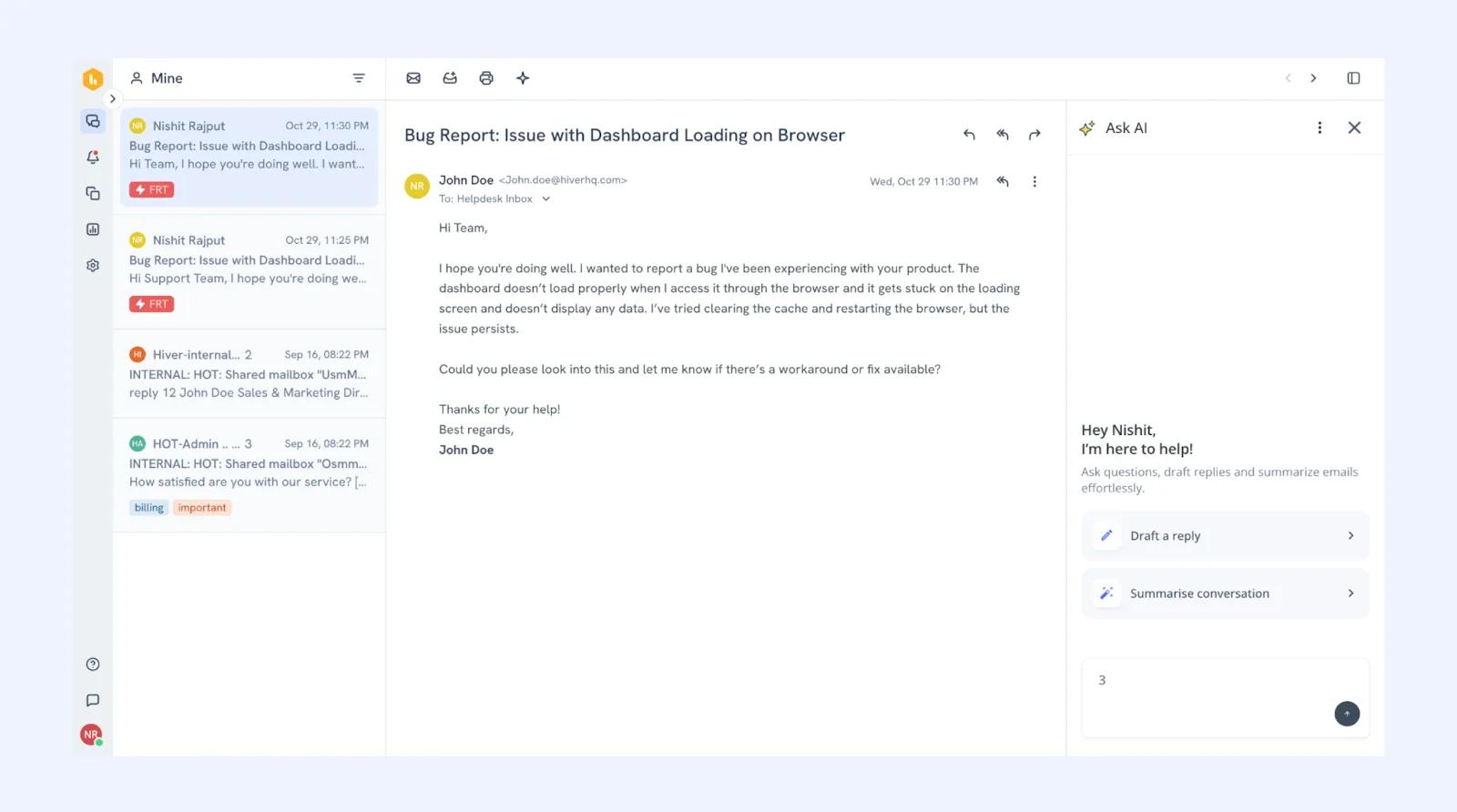
Hiver transforms Gmail into a collaborative helpdesk without requiring teams to leave their email client or learn separate ticketing systems.
You can manage customer support, internal help desks, and shared team inboxes (like support@, help@, or sales@) directly within the Gmail interface everyone already knows.
It also comes with typical helpdesk capabilities including ticket assignment, collision detection, preventing duplicate responses, SLA tracking, automation rules, analytics, and saved replies.
Key features
- Hiver AI agents: Automates and resolves routine customer support tasks—like answering FAQs, tagging, routing, and triggering workflows—so your team can focus on higher-value conversations.
- Hiver AI copilots: Assists support agents in real time by drafting replies, suggesting responses, summarizing conversations, and fetching answers from your knowledge sources directly in the inbox.
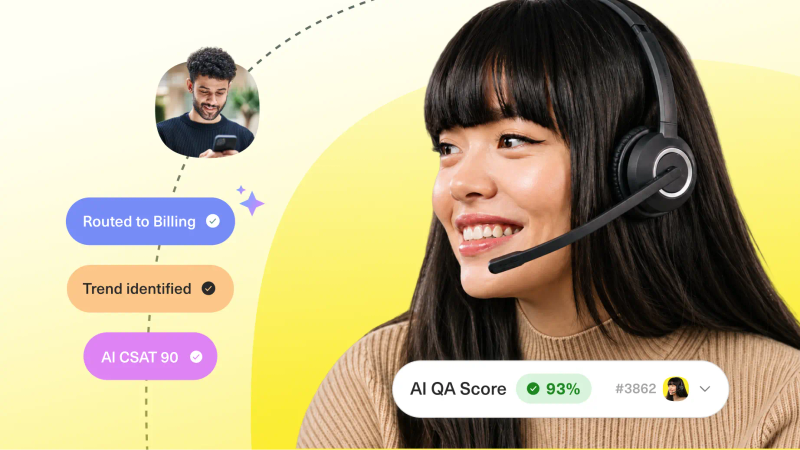
- Hiver AI QA: Automatically evaluates agent replies across quality metrics like tone, accuracy, and clarity, scoring interactions to uncover coaching opportunities and track performance trends.
Hiver’s customer reviews
- “Hiver’s shared inbox and email collaboration features make it extremely easy for teams to manage support and sales inquiries without missing a thing.” [*]
- “Sometimes, performance may lag slightly when handling a large volume of emails or switching between views. Additionally, some of the more advanced automation features are limited compared to full-featured help desk tools.” [*]
Pricing
- Free: $0 forever.
- Growth: $25 per agent/month.
- Pro: $65 per agent/month.
- Elite: $115 per agent/month.
| Best for: Teams that run support primarily through Gmail and want AI-assisted collaboration without leaving Google Workspace. |
11. Missive
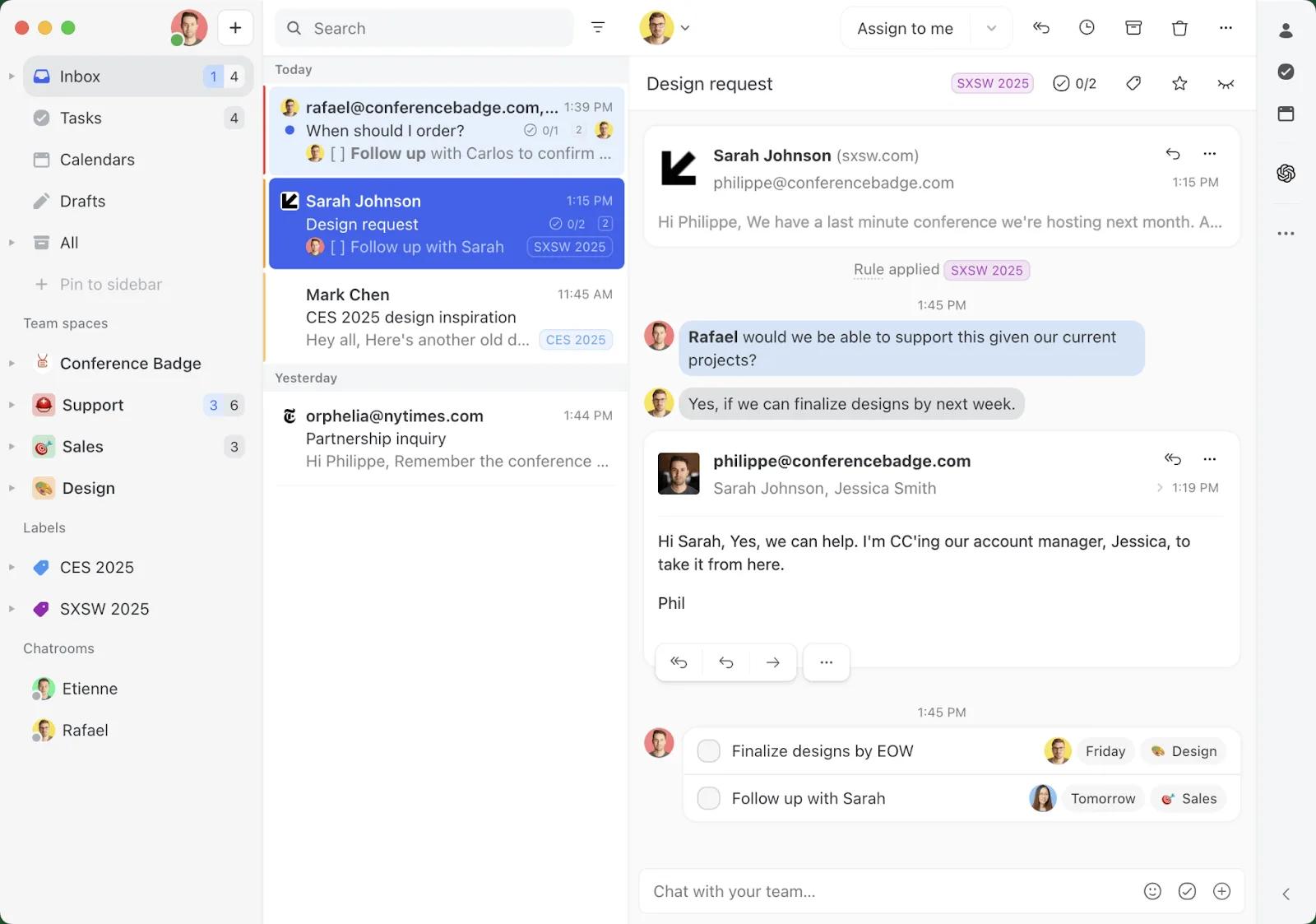
Missive takes a page out of Hiver’s book and treats customer communication as a ‘shared responsibility.’ Everything happens inside your inbox without switching to another tool.
It’s designed around real conversations (email, chat, SMS, and social) and gives teams a workspace where collaboration happens inside the conversation. The result is a helpdesk that feels more like a team chat layered onto customer messaging, rather than a rigid support system.
However, Missive does not have an AI feature. But it offers integration with OpenAI, allowing you to build your custom workflow depending on your needs.
Key features
- Internal chat and comments: Team members can discuss customer issues privately inside the conversation thread, keeping collaboration contextual and fast.
- AI writing assistant: Helps agents draft replies, rephrase messages, and improve clarity and tone directly within conversations.
- Conversation snoozing: Teams can temporarily pause threads and bring them back at the right time, helping manage follow-ups without clutter.
Missive’s customer reviews
- “Locating older conversations or particular messages was not as straightforward as we would have preferred, especially given the large volume of emails we handle.” [*]
- “I like using Missive because it helps our team keep all our emails in one shared inbox. Everyone can see messages, assign a colleague to take care of an email, and reply from a single email address, which makes work faster.” [*]
Pricing
- Starter: $14 per user/month.
- Productive: $24 per user/month.
- Business: $36 per user/month.
| Best for: Cross-functional teams that need real-time collaboration inside customer conversations, especially when support overlaps with ops or leadership. |
12. HappyFox
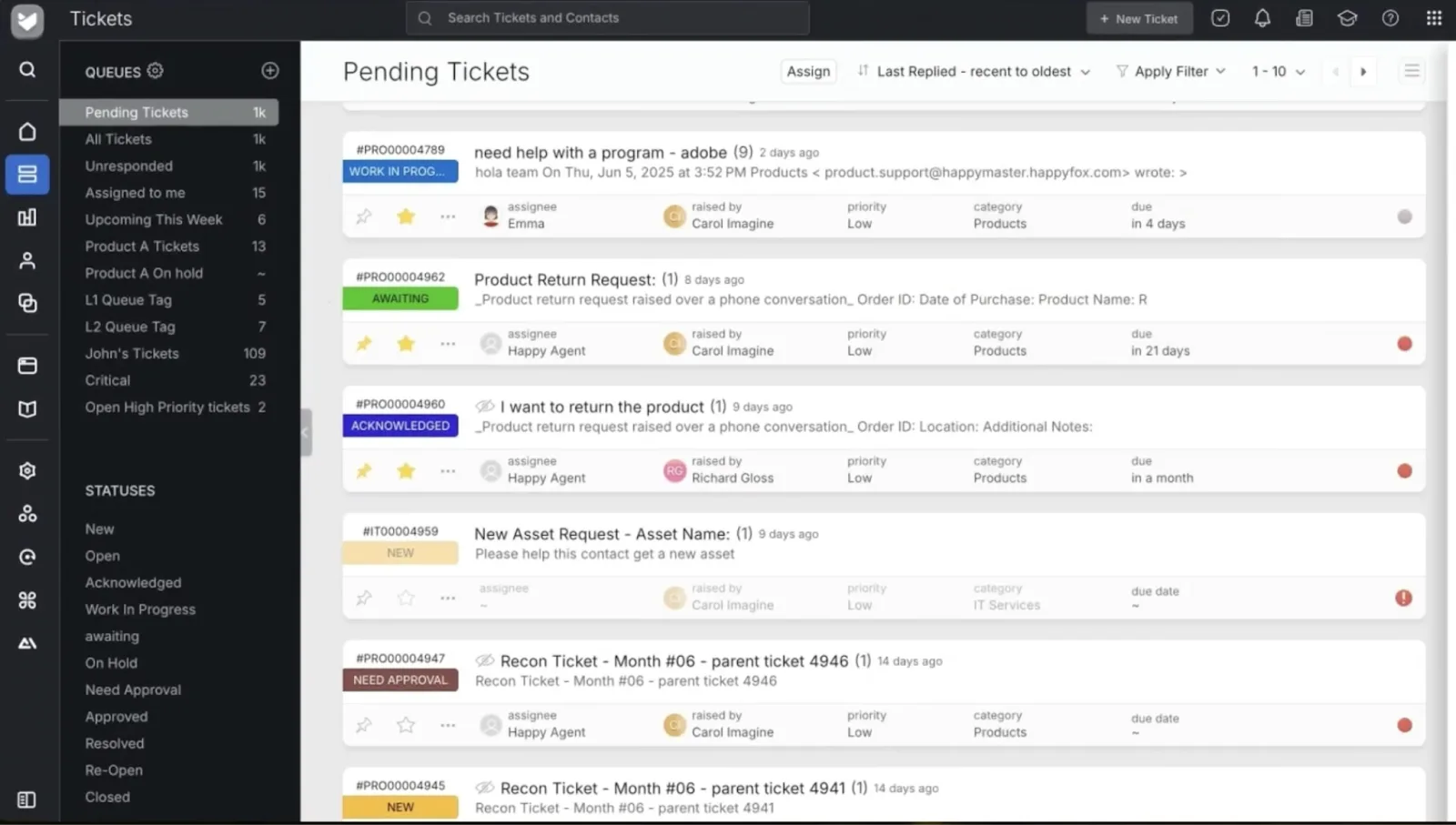
HappyFox is an AI-powered helpdesk solution for process-driven support teams like Ops and IT that need structure, visibility, and control as ticket volume grows.
It takes a workflow-first approach to customer support, focusing on helping teams manage complexity through clear categorization, automation, and accountability
Unlike Kustomer or Intercom, HappyFox doesn’t center the experience purely around conversion flow. Instead, it pushes for ‘operational discipline.’ This makes it easier for teams to stay organized and meet service commitments consistently.
For agents and customers of HappyFox, the ‘Assist AI’ provides round-the-clock support—and can even deflect support tickets directly within collaboration tools like Slack and Microsoft Teams.
Key features
- HappyFox AI (AI copilot and AI support): AI-powered assistant that boosts agent productivity with automated response suggestions, summaries, grammar/tone corrections, and similar ticket recommendations.
- Agent scripting: Guided script prompts that help agents follow troubleshooting steps and maintain quality responses.
- Chatbot: Custom AI chatbot that deflects tickets at the entry point of support and provides instant answers to common queries.
HappyFox’s customer reviews
- “The reports may be confusing, and some of its features require a higher tier. Managing contacts is not the best experience. It does it work, but it could be improved giving option such as disabling a contact without deleting it.” [*]
- “I love how easy and intuitive their software is to setup and configure, including customizing the knowledge base.” [*]
Pricing
- Basic: $24 per agent/month.
- Team: $49 per agent/month.
- Pro: $99 per agent/month.
- Enterprise PRO: Please contact sales.
If you want unlimited agents, HappyFox also offers options starting from $1,999/month to $5,999/month.
| Best for: Process-driven teams that care about SLA discipline, workflow control, and predictable ticket handling. |
Related → 15 Best AI Customer Service Software Heading Into 2026
13. Sprinklr
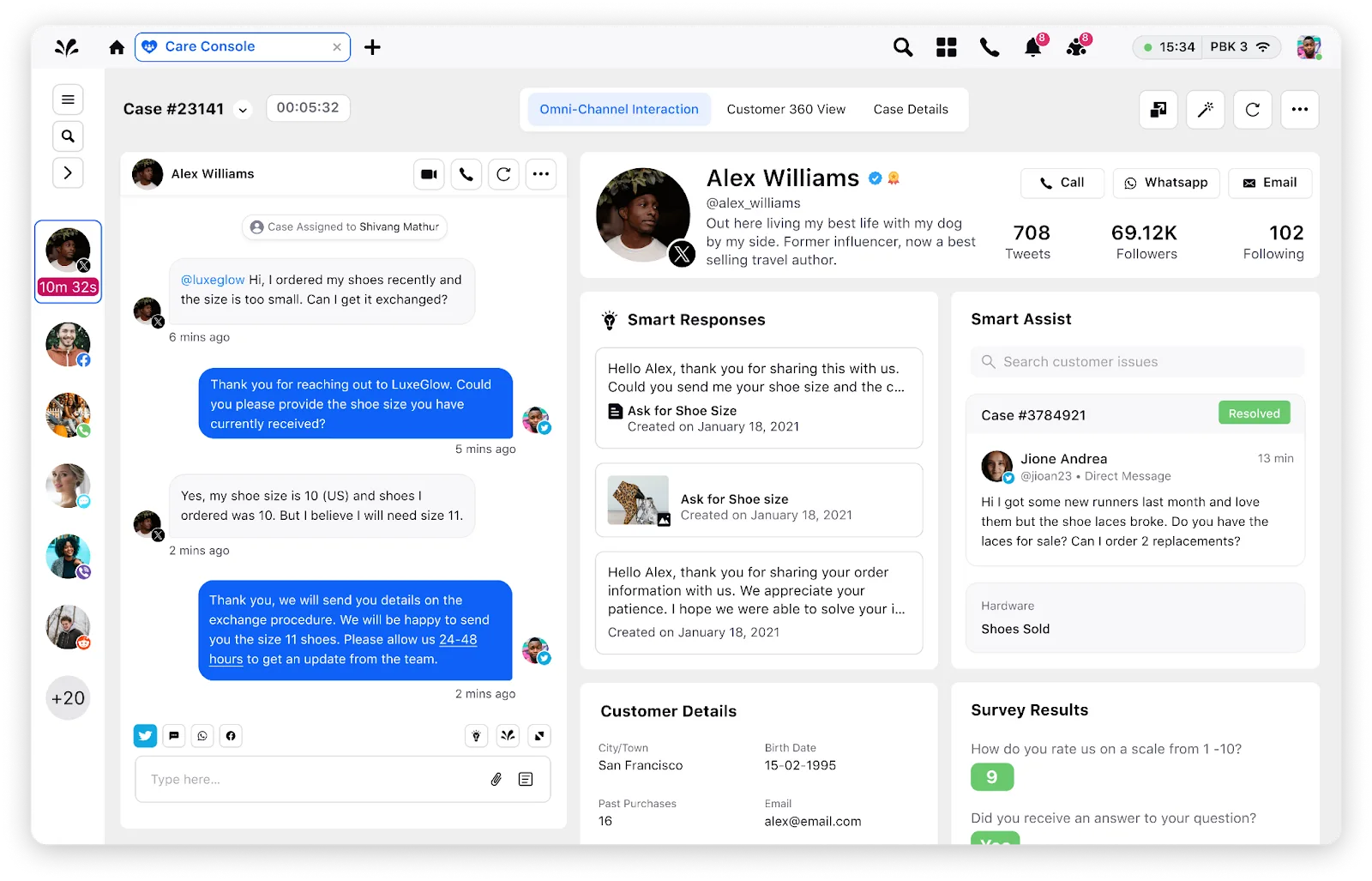
Sprinklr leans heavily to the enterprise side, helping organizations manage massive volumes of customer conversations across dozens of digital channels.
The focus here isn’t on tickets or inboxes as Sprinklr approaches support as part of a broader unified customer experience (CX) operation, spanning service, social, marketing, and insights—all on a single platform.
It ingests customer conversations from social media, messaging apps, email, chat, and digital communities into a centralized system—where Sprinklr AI Agents continuously analyzes intent, sentiment, risk, and urgency.
Key features
- VoiceConnect: You can add reliable, carrier-grade voice to SprinklrService so you can deliver clearer calls and manage voice interactions from one AI-native platform.
- Conversational IVR: Automatically understand why customers are calling, capture context, and route them to the right agent.
- Guided workflows: Helps customers and agents solve issues faster with step-by-step guidance built directly into GenAI bots and live chat.
Sprinklr’s customer reviews
- “It allows us to speak with customers via a new method, it has great reporting built-in to the backend and is customizable to our business needs.” [*]
- “In my opinion, the graphical interface could be improved and made more user-friendly, and many aspects could be simplified because, as of today, its use is a bit more complex.” [*]
Pricing
- Social: $3,600 per seat/year.
- Digital + voice: $4,200 per seat/year.
- Complete package: $5,100 per seat/year.
| Best for: Global enterprises managing massive omnichannel volumes, social support, and brand-sensitive interactions with strict governance needs. |
14. ServiceNow
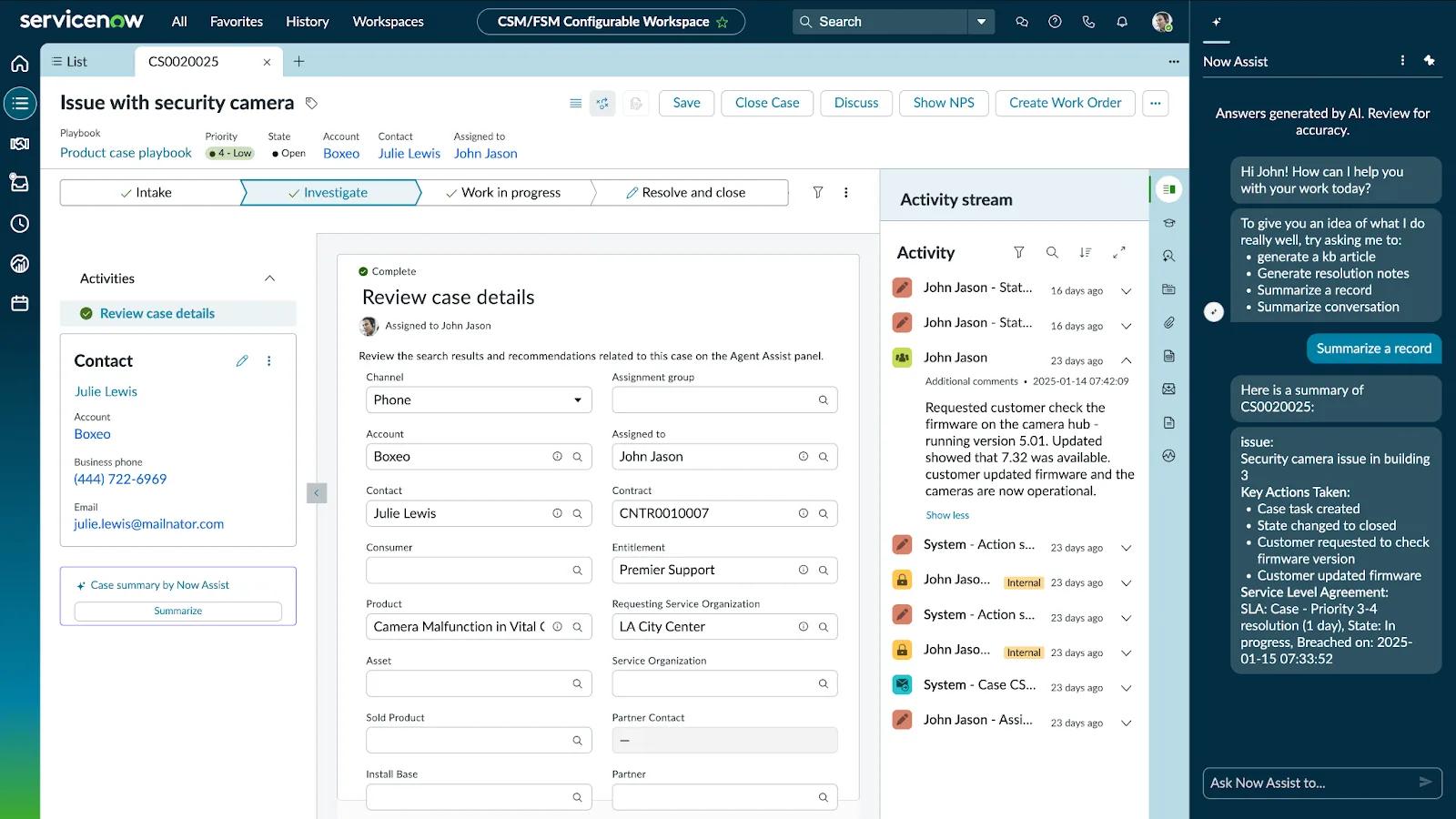
Originally rooted in IT service management, ServiceNow has evolved into a comprehensive service platform that supports customer service management, IT, HR, and operations through a unified architecture.
Its helpdesk capabilities are designed for scale, governance, and process maturity, making it a common choice for large enterprises with complex service environments. Every interaction, request, and case moves through structured processes that are deeply configurable and auditable.
Now Assist adds generative AI directly into these workflows to help agents work faster and more consistently. It can summarize cases, suggest responses, generate knowledge articles, and automate routine steps based on context from existing records.
Key features
- Case Management: Cases automatically route to the right teams based on rules, priority, and context, reducing handoffs and delays.
- Knowledge management: ServiceNow AI agents can create and share relevant knowledge articles and case summaries quickly with your human agents and customers.
- Predictive intelligence: Uses AI to automatically classify cases, predict priorities, and recommend assignments. This reduces manual triage and helps teams respond faster to urgent issues.
ServiceNow’s customer reviews
- “Some tasks like building or modifying workflows can feel overly complex without prior experience. The learning curve can be steep for new users, especially when configuring advanced automation or reporting.” [*]
- “The tracking of requests is clearly structured, allowing me to immediately see what I need to do without any confusion.” [*]
Pricing
- Contact sales for more information.
| Best for: Large organizations with complex service operations, compliance requirements, and cross-department service workflows (IT, HR, CX). |
15. Salesforce Service Cloud
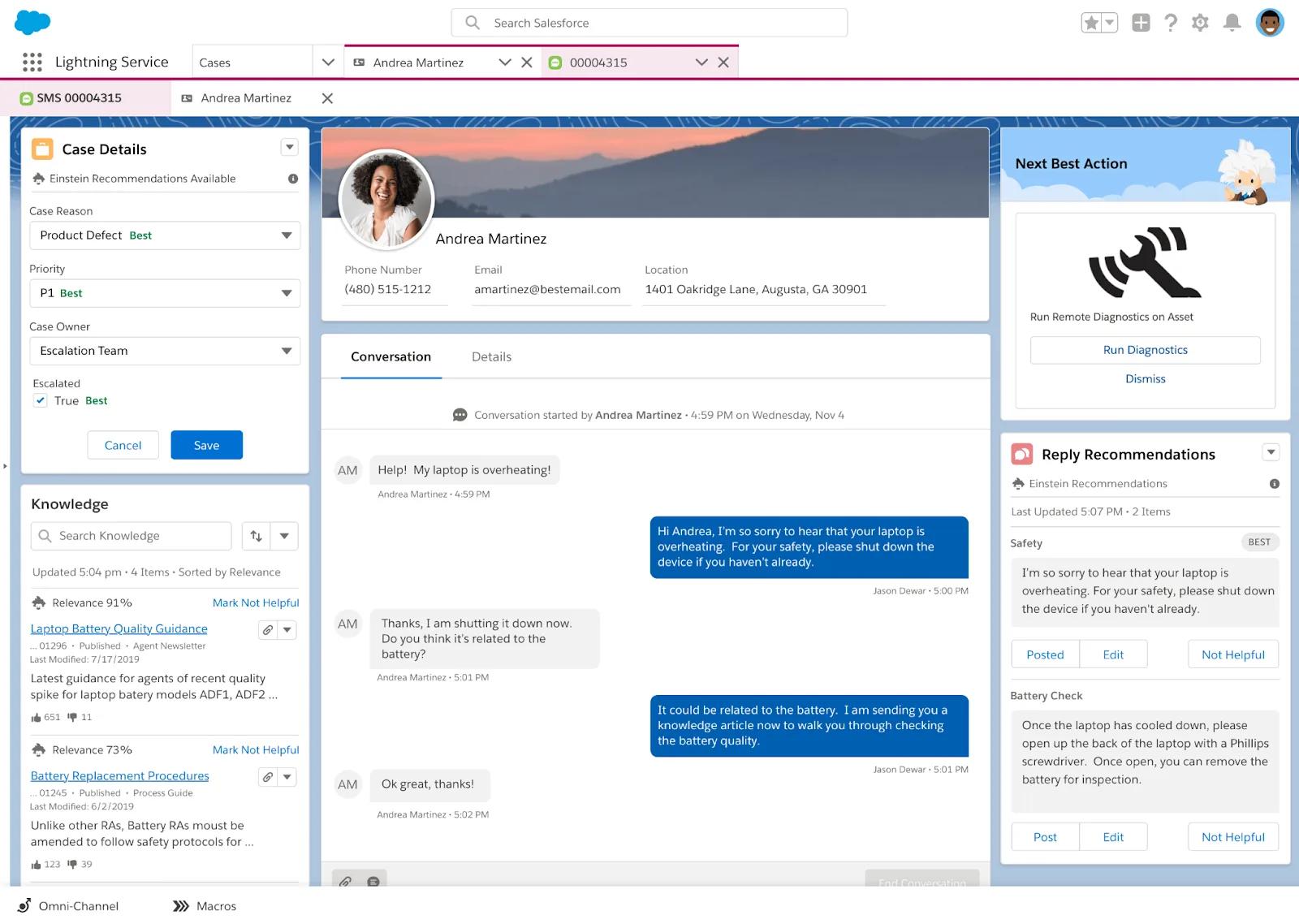
Salesforce Service Cloud leverages its Einstein AI feature to turn customer data into real-time guidance for agents.
Einstein analyzes case content, customer history, sentiment, and interaction patterns to automatically classify issues, predict intent and urgency, and recommend the next best action. During live interactions, Einstein for Service suggests responses, surfaces relevant knowledge articles, and highlights upsell or retention risks based on account context.
Then you have Einstein Bots that handle routine questions by understanding natural language, collecting details, and escalating complex issues with full context passed to agents.
Because Einstein operates directly on Salesforce CRM data, every AI-driven action is grounded in customer records, and continuously improves as more cases flow through the system.
Key features
- Reply recommendations: Einstein analyzes similar past cases and successful resolutions to suggest response drafts during live interactions. Agents can also edit or send these recommendations.
- Case classification: Categorizes incoming cases by type, priority, and sentiment using historical case data. By reducing manual triage, it ensures cases are routed correctly from the moment they enter the system.
- Conversation insights: Analyzes customer interactions to detect sentiment, key topics, and recurring issues. Service leaders use these insights to identify service gaps, improve training, and optimize workflows.
Salesforce Service Cloud’s customer reviews
- “It brings cases, omnichannel communication, automation, and reporting into one place, making it easier for support teams to work efficiently and deliver consistent customer experiences.” [*]
- “The integration between the Salesforce ecosystem and other clouds is not always as simple or included as I expected. Additionally, the initial startup was not very easy; it took about a year to get up to speed and involve all the stores in the data acquisition phase.” [*]
Pricing
- Free suite: $0 per user/month.
- Starter suite: $25 per user/month.
- Pro suite: $100 per user/month.
To explore Salesforce Einstein AI, please contact sales.
| Best for: Enterprises already on Salesforce that want deeply integrated, data-driven customer service aligned with revenue and retention. |
16. JiraService Management
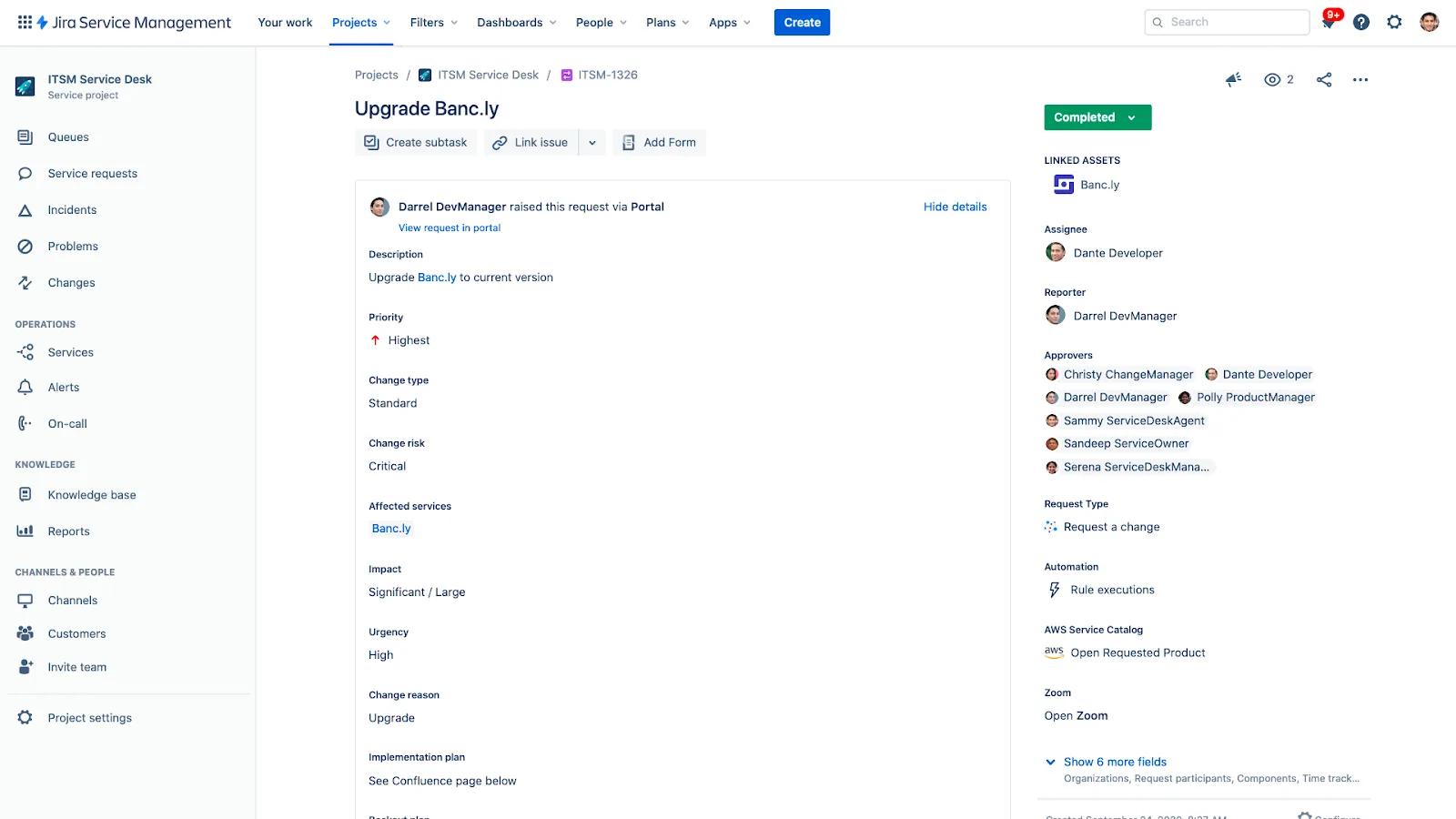
Jira Service Management (JSM) is Atlassian’s IT service management (ITSM) platform. It is built for fast-moving support teams that need tight alignment between customer support, IT, and engineering.
The platform combines service desk functionality with Jira’s issue tracking and workflow engine, making it especially effective for teams that resolve customer issues alongside product and engineering work.
Key features
- Atlassian Intelligence: Uses AI to summarize tickets, suggest responses, and help agents understand issues faster without reading long histories. It works directly inside JSM, using context from tickets, comments, and linked issues to support faster decision-making.
- Virtual agent: Answers common questions, deflects repetitive tickets, and guides users through request forms in Slack or the help center.
- Incident management: Built-in incident workflows that helps teams respond quickly to major issues with automated escalation, stakeholder communication, and post-incident reviews.
JiraService Management’s customer reviews
- “What I like best about JiraService Management is the ease of use for both IT (and even non-IT teams) to provide great customer support, easily integrating all the number of features Atlassian has to offer, into our environment.” [*]
- “There are limitations around complex SLA setups, reporting is fairly basic out of the box, and scaling for multiple clients often requires multiple projects, which increases administrative effort.” [*]
Pricing
For a team of 75 agents, JSM offers three pricing tiers:
- Starter: $20 per agent/month.
- Premium: $51.42 per agent/month.
- Enterprise: Contact sales for more information.
| Best for: Teams where support, IT, and engineering must collaborate, especially for technical service environments. |
Related → 16 Best Jira Service Management Alternatives Right Now
How to Pick the Right AI-Powered Help Desk Solution for Your Needs
Buying an AI help desk solution can be quite complicated. The moment AI touches customer conversations, it affects cost structure, agent workload, escalation paths, compliance exposure, and customer trust.
That’s why the wrong choice doesn’t just slow teams down as it creates hidden debt that shows up months later as churn, or high support costs.
Use these four criteria to evaluate your decision:
Deflection vs. Resolution: What do you want the AI to do?
The critical question isn’t whether a platform has “AI”—it’s what kind of AI work it performs.
- Deflection-focused AI intercepts customers before they reach your team. It surfaces help articles, suggests FAQ answers, and routes tickets intelligently.
- This reduces volume, but customers with complex issues still need human intervention.
- Examples: Traditional chatbots, intent classifiers, and smart search tools.
- This reduces volume, but customers with complex issues still need human intervention.
- Resolution-focused AI actually executes actions on behalf of customers. It processes refunds, updates shipping addresses, applies discount codes, or escalates VIP accounts without human review.
- This reduces volume and solves problems end-to-end.
The distinction matters because deflection AI typically saves you time per ticket, while resolution AI eliminates entire ticket categories from your queue.
What to look for:
- Platforms that support agentic AI or autonomous agents (like Kustomer or Intercom Fin).
- Case studies showing resolution rates
- Demo scenarios where the AI completes a transaction.
- API-level access to your core systems (order management, billing, CRM).
The consumption-based pricing trap (and how to avoid it)
Traditional software economics are predictable: $80 per agent × 20 agents = $1,600/month.
However, AI software economics are volatile. Let’s say you’re paying per AI-handled conversation, resolution, or message at $0.50-$2.00 per interaction.
On paper this sounds fair because your bill scales directly with conversation volume. But if your AI handles 3x the volume in a busy month (e.g., Black Friday), your bill can triple overnight without warning and without new revenue to offset it.
For comparison, a flat-rate platform at $5,000/month costs the same whether you handle 5,000 or 50,000 conversations.
When to use consumption pricing:
- Your volume is highly predictable month-to-month.
- You’re an early-stage company experimenting with AI.
- Your average ticket value is high enough that variable costs don’t matter ($500+ LTV customers).
When NOT to use consumption pricing:
- You run a seasonal business (retail, travel, tax services).
- High-volume, low-margin operations (SMB SaaS, marketplace platforms).
- Unpredictable growth curves where you can’t forecast AI usage.
What to look for:
- Hybrid models: flat platform fee + capped per-conversation costs.
- Volume discounts that kick in automatically.
- “Unlimited AI conversations” tiers for predictable budgeting.
- Transparent cost calculators (Intercom and Kustomer both offer these).
Data unification: AI is only as smart as what it can see
If your help desk AI can’t see real customer data (e.g., orders, subscriptions, SLAs, account tier) it will guess. And guessing in customer support leads to misinformation, broken trust, and escalations.
When evaluating platforms, test the data layer directly:
- Can the AI see real-time order status?
- Can it identify VIP or high-risk customers?
- Can it reference past interactions across channels automatically?
🚩A critical red flag: If access to core systems like Shopify or Salesforce requires fragile third-party connectors or bolt-on apps, the AI will struggle to operate reliably.
What to look for:
- Real-time data sync.
- Bi-directional integrations (AI can read and write data).
- Single customer timeline showing conversations, transactions and product usage.
- No-code workflow builders that can trigger actions across systems.
Setup Time vs. Customization Depth: Choose what works for you
There’s an inverse relationship between implementation speed and customization capability. Understanding where your business sits on this table is important.
Fast setup: Days to weeks
Tools like Tidio, Gorgias, or Freshdesk are designed to work almost immediately. They’re ideal for SMBs or teams that want quick wins with minimal configuration.
| The trade-off: You’ll eventually hit a complexity ceiling where workflows, escalation logic, or compliance needs can’t be customized deeply enough. |
Deep customization: Weeks to months
Platforms like ServiceNow or Salesforce allow you to build highly specific AI workflows, enforce governance, and support regulated environments.
| The trade-off: Longer implementation cycles, higher costs, and often a dependency on consultants or internal admins. |
What to look for:
The best approach is to choose a middle ground. And a growing number of platforms occupy the sweet spot between plug-and-play simplicity and enterprise flexibility.
For example, platforms like Kustomer or Intercom offer:
- No-code workflow builders for custom logic.
- Flexible AI that can be trained on your specific use cases.
- Enterprise-grade integrations but faster implementation.
Kustomer Makes AI Feel Like Part of the Team
Most AI help desks feel bolted on. There’s your support platform over here, your customer data over there, and a chatbot in the middle trying to connect the dots—usually failing.
Kustomer works differently because it was built from the ground up as a unified customer platform.
When a customer contacts you, Kustomer’s AI sees the entire conversation. It knows every order, return, subscription change, and previous interaction.
And because that data lives natively in the platform, the AI can actually do something with it. Process that refund. Update that shipping address. Apply that loyalty discount.
The result is a support operation where AI works with the team to improve customer satisfaction. Brands using Kustomer report 25% agent hours saved, with AI handling everything from order status checks to subscription modifications to returns processing.
Kustomer gives you the implementation speed of a plug-and-play tool with the customization depth of an enterprise platform.
Your team can use our no-code workflow builder to configure complex AI logic without engineering resources. Plus, we have pre-built integrations to help connect your commerce platform, billing system, and CRM in minutes.
The best way to understand what makes Kustomer different is to experience it.
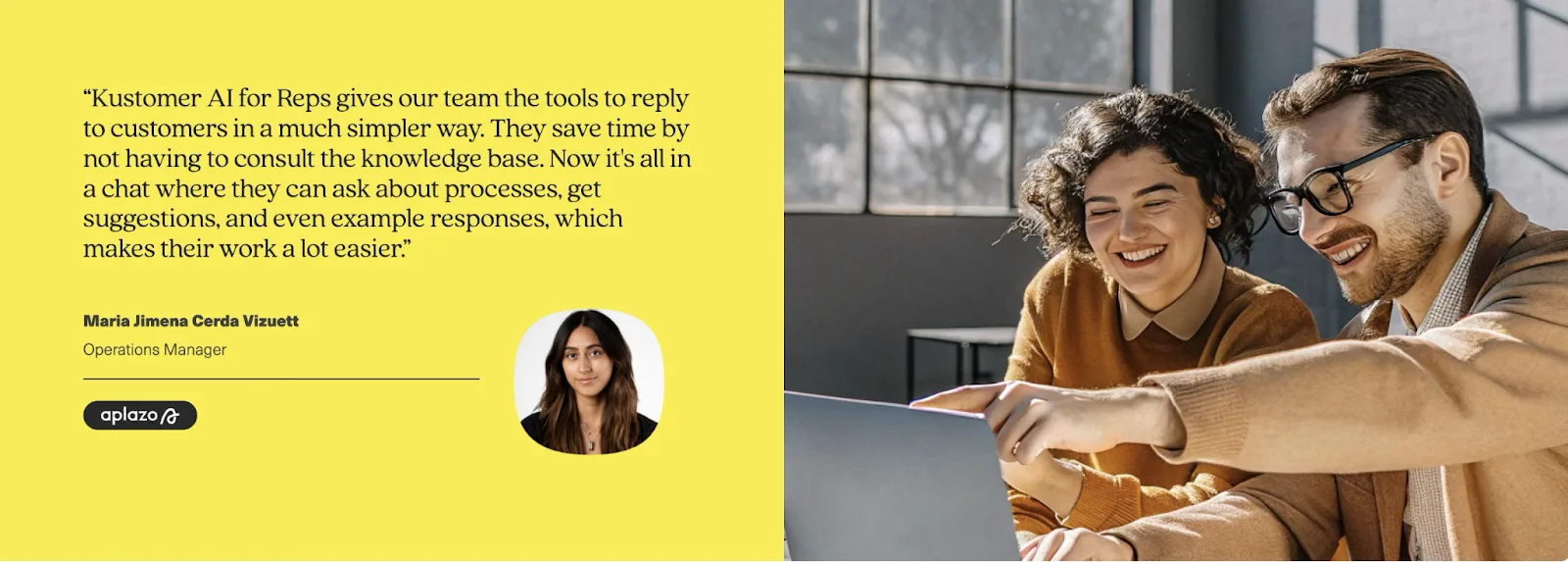
Request a demo to see how brands like Aplazo use Kustomer AI to resolve customer enquiries in a much simpler way.