

Zendesk is still a dominant player in the customer support solutions market — most commonly compared against Kustomer, Freshdesk, Gorgias, Intercom, and several other alternatives.
Zendesk is best known for its ticketing system, automation features and integrations, making it a fan favorite for thousands of SMBs globally.
While Zendesk Suite provides seemingly everything you need from a help desk software, it does come with some hefty drawbacks.
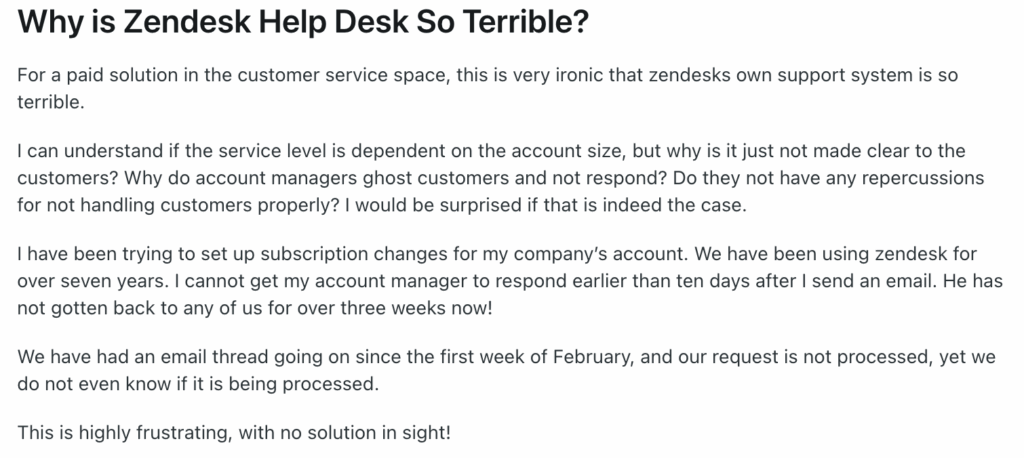
Some Zendesk customers have reported they make it very hard for you to cancel once something goes wrong, plus you’ll be dealing with unresponsive customer support.
Another major concern with adopting Zendesk is its complexity and steep learning curve — not to mention its tricky pricing model.
A user on G2 recently cited their dissatisfaction with Zendesk’s reporting, specifically the challenges associated with filtering and sorting tickets:
“I do not like Zendesk reporting and searching. Trying to find specific tickets or filter them in existing views can be a pain. Having to create queries for reports as opposed to just selecting the fields you want on the report is confusing.”
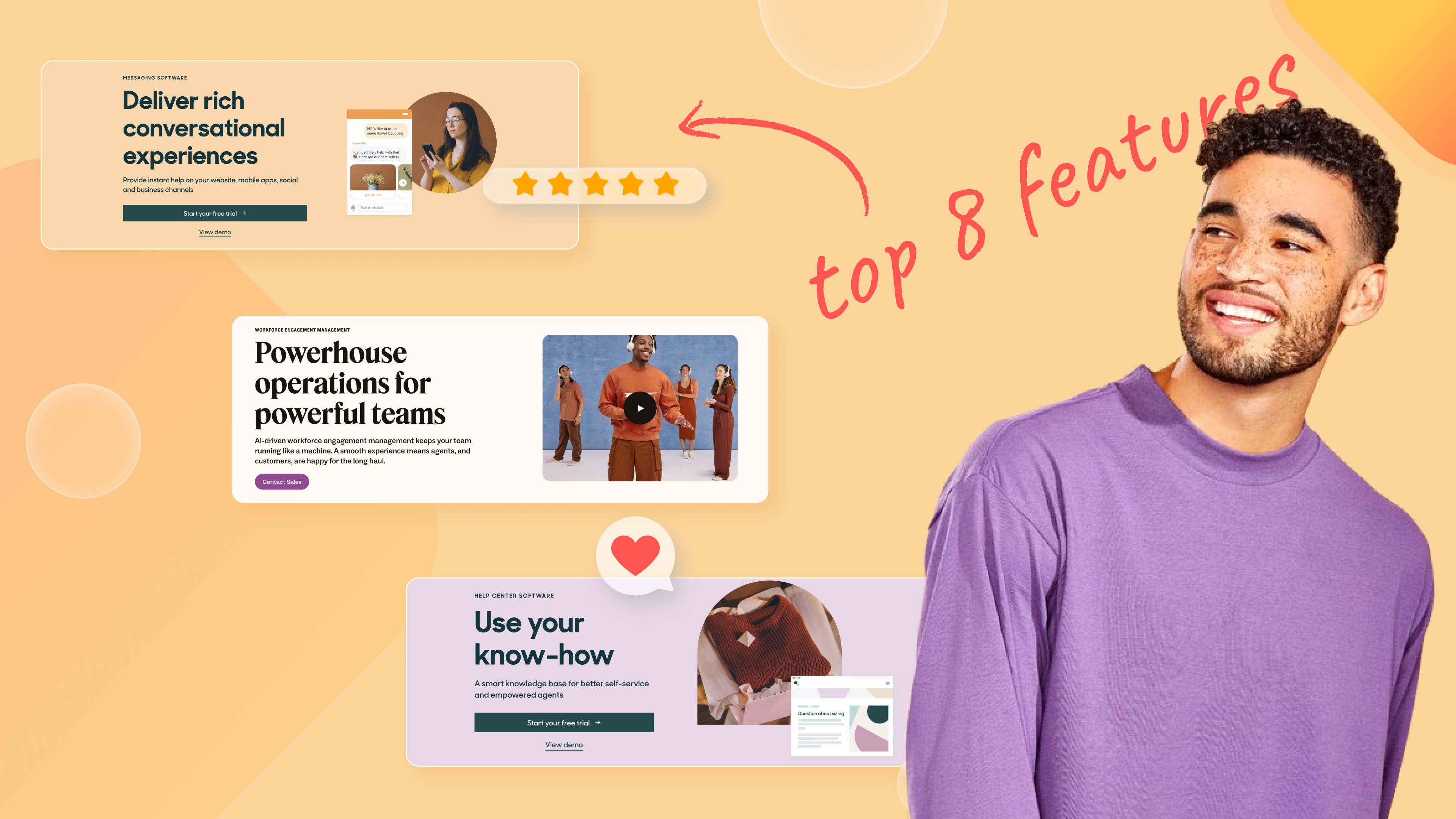
Despite Zendesk’s shortcomings, it’s still a powerhouse player in the market, so here’s a breakdown of its most popular features along with the advantages and disadvantages of each.
Zendesk’s Most Popular Features
- Ticketing system
- Multi-channel support
- Self-service knowledge base
- Chat, messaging and phone support
- Analytics and dashboards
- Automation, workflows and macros
- Customization and integrations
- CRM
1. Ticketing System
Zendesk’s ticketing system is at the core of email or chat-based customer support. It helps you manage the tickets and keep things streamlined. It works by tracking each customer query or issue in the form of tickets (basically records with unique IDs) that can be created, assigned to specific agents, updated with all relevant information, moved through different stages of the support cycle, and validated to ensure proper addressing of each customer inquiry. [*]
The typical functionalities of an all-in-one SaaS ticket management system are creating, managing, and routing support tickets. You should also be able to view and manage your SLAs with your ticketing system.
Zendesk’s ticketing system is also designed to help customer service agents. They are assigned CSAT ratings, time tracking, and SLAs to make informed decisions and resolve queries as quickly as possible.
Disadvantages of Zendesk’s Ticketing System
- While Zendesk provides a complete ticketing system with support for automation and analytics — the biggest downside is its complex interface.
- New support agents might face a steep learning curve with Zendesk’s ticketing UI.
- There is also a risk of improper management with Zendesk, which could result in accumulated backlogs and delayed customer responses, at least initially.
- Personalization and customization are possible, but only for enterprise-level plans.
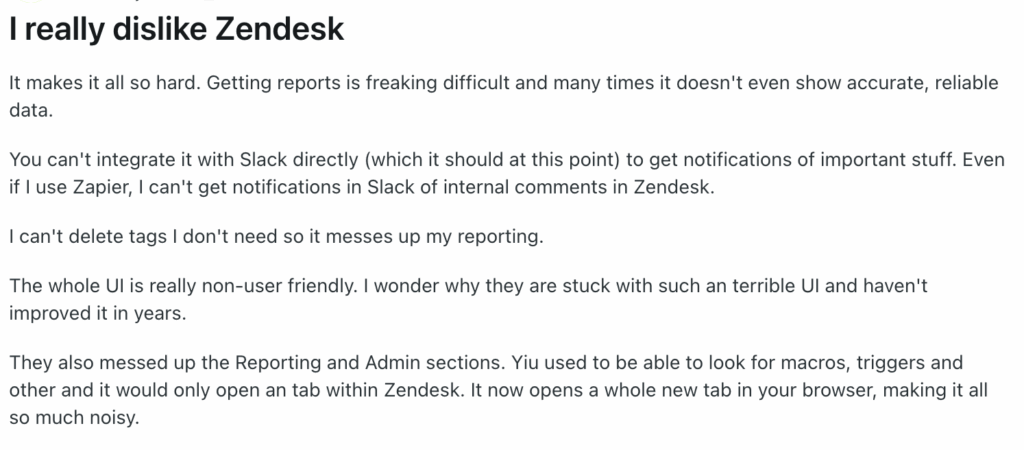
Here is what one Redditor shared:
2. Multi-channel Zendesk Support
Zendesk helps you track all customer interactions with its multi-channel support system, offering the following functionalities:
- Integration with email, social media, phone support, and web widgets with coding.
- Real-time messaging and chatbot functionality.
- Omnichannel experience for seamless customer interactions.
Disadvantages of Zendesk’s Multi-Channel Support
- Similar to the ticketing system, the multi-channel support provided by Zendesk also requires additional training for the support team. This can be a challenge for quick adoption and can lag your customer support operations.
- You also stand the risk of delivering inconsistent messaging across your channels if your multi-channel support is not centralized, as each channel operates independently in Zendesk.
3. Self-service Knowledge Base
Knowledge base is another crucial component of most help desk solutions that play a big part in providing customers self-service options.
Zendesk customer support software allows you to build a vast knowledge base for your help desk. You can add as many articles, guides, manuals, and FAQs as needed. It also supports community forums to boost customer engagement and organically build a knowledge base.
While the basic plan allows you to create a knowledge base in one language of choice, the advanced plan allows you access to over 40 languages and self-service features, albeit at a much higher price. The community forum is only available for high-tiered users subscribing to the Pro and Enterprise plans.
Disadvantages Of Zendesk’s Self-Service Knowledge Base
- Content management and maintenance are your major concerns with the Zendesk knowledge base. You must ensure that the content is always up-to-date and accurate, but regular Zendesk updates can be resource-intensive for smaller businesses.
- You also have to continuously monitor your knowledge base to check for outdated or incorrect information, which could lead to customer confusion and, in the worst case, liability issues.
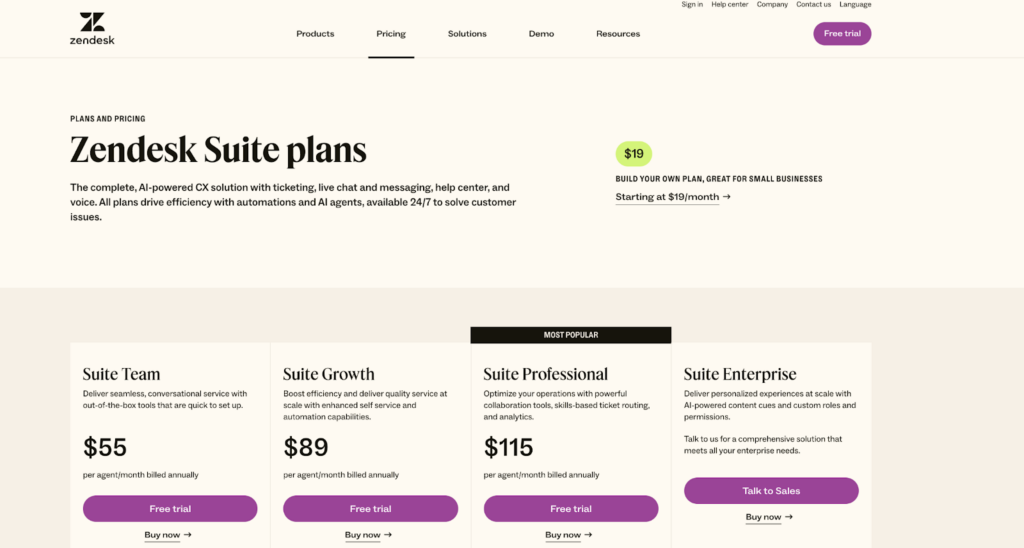
- To get the advanced knowledge base features, you must upgrade to their most expensive plan, starting at $115 per agent, per month.
4. Chat, Messaging, and Phone Support
Zendesk customer service software offers all-encompassing chat, messaging, and phone call support as part of its multi-channel support. Notable features in this regard include:
- Real-time chat support with Zendesk’s chatbot
- Integration with messaging apps and phone call support
- Mobile app functionality for support on the go
On top of these features, Zendesk allows you to conduct customer interactions within a context. The customer context feature lets you retain information about previous interactions, relevant details about the customer, and visibility on the overall interaction history to enable seamless interaction across all channels.
Disadvantages of Zendesk’s Chat, Messaging, and Phone Support
- Zendesk is reported to have some performance issues during peak usage. During peak times, real-time chat demands can strain customer service agents.
- Over-reliance on Zendesk’s chatbot platform may lead to misinterpretation of complex customer queries.
5. Analytics and Dashboards
Zendesk's customer support platform offers some of the best-performing analytics and dashboard features for a help desk solution. The Zendesk Explore feature offers a comprehensive analytics application for collecting, measuring, and analyzing customer data.
Companies like Instacart use data to gain deeper insights and uncover data trends to further optimize their business operations.
Some of the relevant features provided are:
- Performance dashboards that provide useful metrics and insights into customer support operations
- Analytics tools to measure customer satisfaction and engagement
- Customizable dashboards for Enterprise and Pro customers
- You can also export the Zendesk data into a centralized database to manipulate and analyze data.
Disadvantages of Zendesk’s Analytics and Dashboards
- The high level of features Zendesk provides can sometimes be overkill and make it difficult to use the tool. While Zendesk is powerful, the vast array of metrics and data can overwhelm small businesses without dedicated analysts.
- Another challenge with Zendesk reporting is that it doesn’t offer deeper insights into actionable items. Data is only as good as the actions taken on it; without actionable insights, it can be just noise.
According to a user on Reddit:
“Getting reports is freaking difficult and many times it doesn’t even show accurate, reliable data. They also messed up the Reporting and Admin sections. You used to be able to look for macros, triggers and others and it would only open a tab within Zendesk. It now opens a whole new tab in your browser, making it all so much noisy.”
6. Automation, Workflows, and Macros
Zendesk offers several automation facilities to make workflows and customer support operations more efficient and error-free. It can automatically create tickets based on customer messages and help you route them using an automated workflow.
With Zendesk, you can automate support requests using triggers and create workflows to track the ticket status at all times. You can customize your workflows to align with your business operations and use macros to automate simple tasks. Pre-configured macros can improve response times and can be created by agents to serve the common tickets.
Disadvantages Of Zendesk’s Automation, Workflows, and Macros
The initial setup of automation rules and workflows can be complex and may require the technical expertise of someone already using Zendesk products.
7. Customization and Integrations
- Zendesk supports numerous third-party apps and add-ons that can enhance your help desk implementation with additional features. You can get access to a lot of useful apps and add-ons from Zendesk’s marketplace. The integrations require no coding effort.
- On top of that, you also get a good range of customization options and templates to align your customer support interfaces with your branding.
- You also get API support so your in-house team can develop and integrate their features with Zendesk to support your unique requirements.
Disadvantages of Zendesk’s Customization and Integrations
While the customization options can make your help desk unique and fit your requirements, it requires a lot of expertise to get it done correctly. Such expertise and technical resources do not usually come cheap.
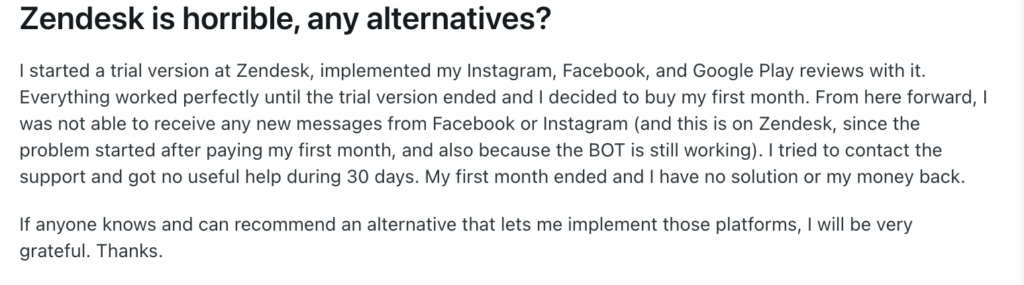
A user on Reddit recently voiced the same issue about having difficulty with integrating Instagram, Facebook, and Google Pay.
8. Collaboration and CRM in Zendesk
Teams, especially in large organizations, are often accused of working in silos. Zendesk recognizes that and offers collaboration tools.
You can use Zendesk if you are a company with 500+ employees, as it can make collaboration among huge teams easy. This will enable transparency, keep everyone in the loop, and help you boost productivity.
Some of the features that allow for easy collaboration and efficient CRM with Zendesk are:
- Internal collaboration with shared views and macros.
- Notifications and internal communications for support agents.
- Automated ticket sharing from one Zendesk account to another as required.
- Real-time agent collision detection to power up efficient real-time collaboration.
- Support for private agent comments on tickets to share important information with other agents.
- Available third-party integrations with apps like Shopify, Salesforce, Slack, Jira, HubSpot, Office365, etc.
Disadvantages of Zendesk’s Collaboration Suite and CRM
- Zendesk provides an exhaustive list of customer experience features, but it can become difficult to manage financially and operationally as you add these features.
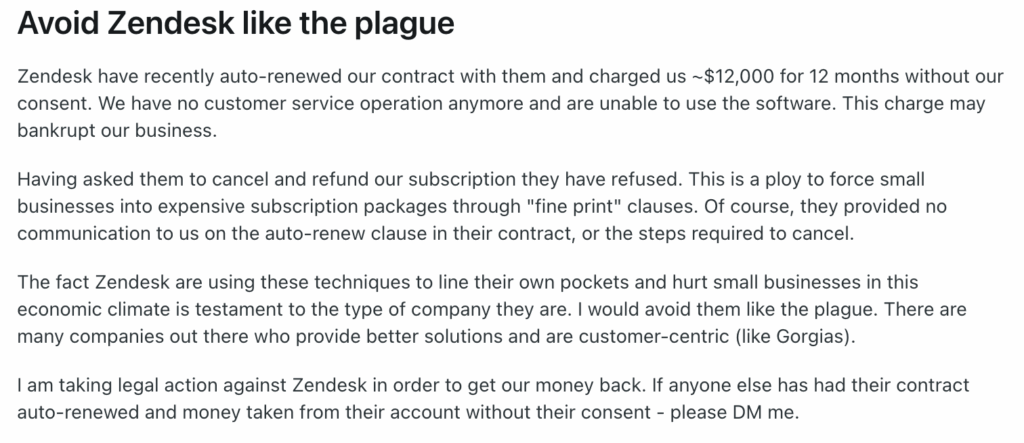
- Moving to higher-tiered Zendesk plans can become significantly more expensive as businesses grow.
Here's one Redditor shared:
Learn more → Is Zendesk Worth It? Hmm... See The Pros & Cons
Where Kustomer Outshines Zendesk
Let’s compare Zendesk to Kustomer — where you can decide what matters.
Here’s what real customers say after switching to Kustomer:
“The most persuasive feature Kustomer offered was the timeline layout. We prefer to handle customers within the full context of their relationship with us, not through siloed tickets that provide little insight into their overall experience with the Terra Kaffe brand.”
“Throughout our relationship with Kustomer, we’ve been able to maintain a CSAT in the mid-90s for much of our growth, and we’re able to more effectively serve our community, even as it’s more than quadrupled in a relatively short period of time.”
Case study → Learn how a luxury coffee machine maker switched from Zendesk to Kustomer for better customer visibility.
Implementation and Support
Kustomer is hands-on from the very beginning. Mapping out what needs to be integrated and where customer data needs to flow. They support you 100% throughout the data migration process with a team of experts who have a deep technical understanding of the product.
Unified Customer View
Kustomer is known for its ability to provide a unified view of customer interactions across different channels. This allows agents to see the entire customer journey in one place, which can lead to more personalized and efficient support.
Simple Interface
Kustomer presents an overall easier interface than Zendesk, which often requires a complex setup.


Customization
Kustomer is scalable. It offers a high degree of customization, allowing businesses to tailor the platform to their specific needs. This includes custom workflows, reporting, and integrations. And you don’t need an expensive enterprise plan to use customization features.
AI and Automation
Kustomer has invested significantly in AI and automation to help businesses streamline their support processes. This includes a smart AI copilot capable of real-time collaboration. Simply ask questions and get instant, personalized answers pulled from across your data sources.
From troubleshooting faster to drafting customer responses using CRM data and internal knowledge, Kustomer AI Agents help your team work smarter.
Integration Capabilities
Kustomer is known for its robust integration capabilities, allowing businesses to connect the platform with other tools and systems.
Channel Flexibility
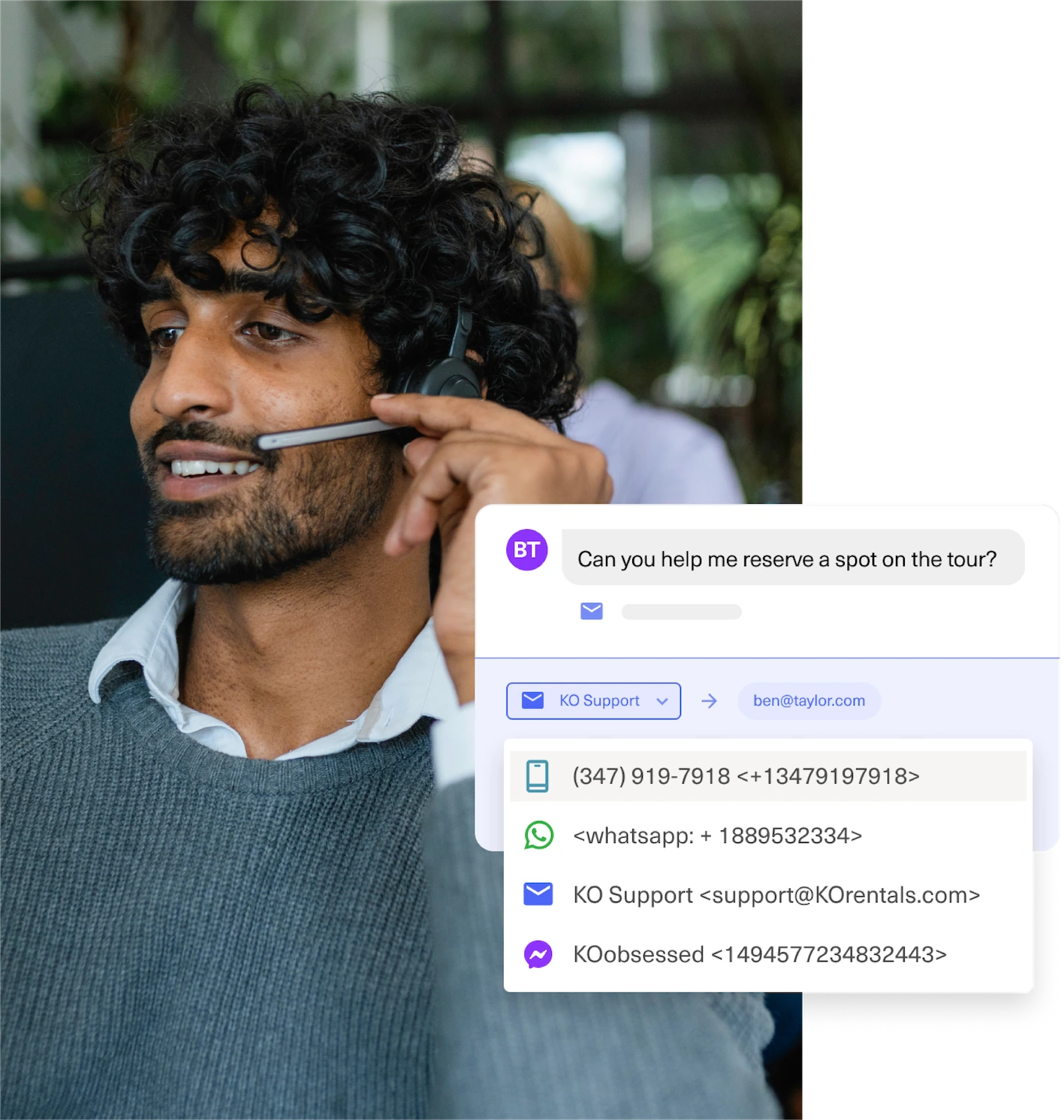
Kustomer is an omnichannel customer service platform, allowing you to streamline interactions between customers and agents with single-threaded conversations across multiple support channels.
Pricing Model
While both platforms offer various pricing plans, some users have found Kustomer’s pricing model more transparent and flexible than Zendesk.
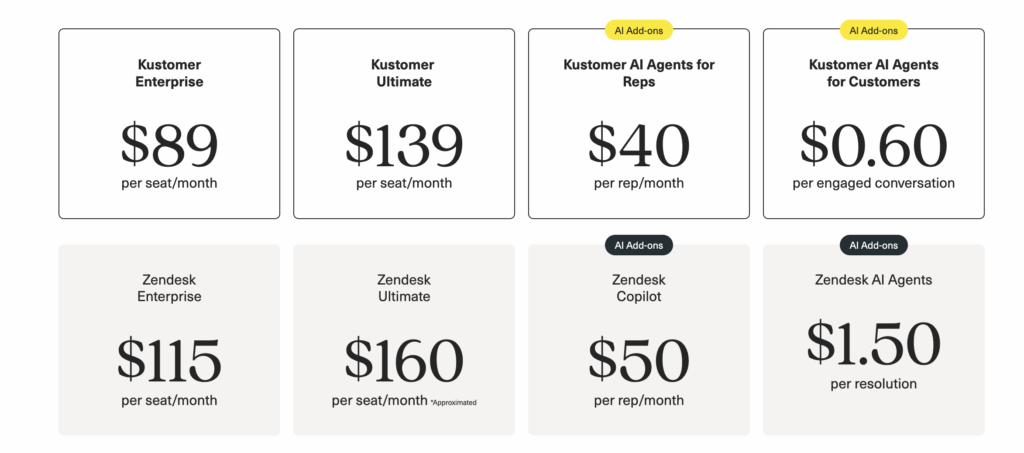
Zendesk’s layered pricing adds up fast. Kustomer keeps its pricing simple—with clear, scalable seat-based plans and optional add-ons like AI and automation, so you only pay for what you truly need.
Ease of Use
Kustomer’s interface is more intuitive and user-friendly, especially for agents juggling multiple interactions simultaneously. Thus, your customer representatives (even those in non-English-speaking countries) can get started with minimal training.
Why switch to Kustomer?
Compared with Zendesk, Kustomer shines with a cleaner UI, better omnichannel support system with modern AI capabilities, and overall value pricing.
Learn why Kustomer exceeds expectations when compared to Zendesk:
- Pricing is a no-brainer. Kustomer starts at $89 per month / per user for the enterprise package; meanwhile, Zendesk does not disclose its enterprise plans.
- Kustomer provides 360-degree customer insights by allowing you to merge data from different channels, whereas Zendesk has limited customer visibility.
- Kustomer makes it easy to switch between various support channels and connect data across all your digital channels, allowing you to provide a high level of personalized customer support. There are no channel limitations, unlike with Zendesk.
- Kustomer's AI capabilities are enhanced for high speed and low response times. You can easily embed AI into your automated workflows and deploy AI agents when required.
- Kustomer has a very low learning curve, and maintenance with Kustomer can be performed in-house without the need for expensive third-party consultants.
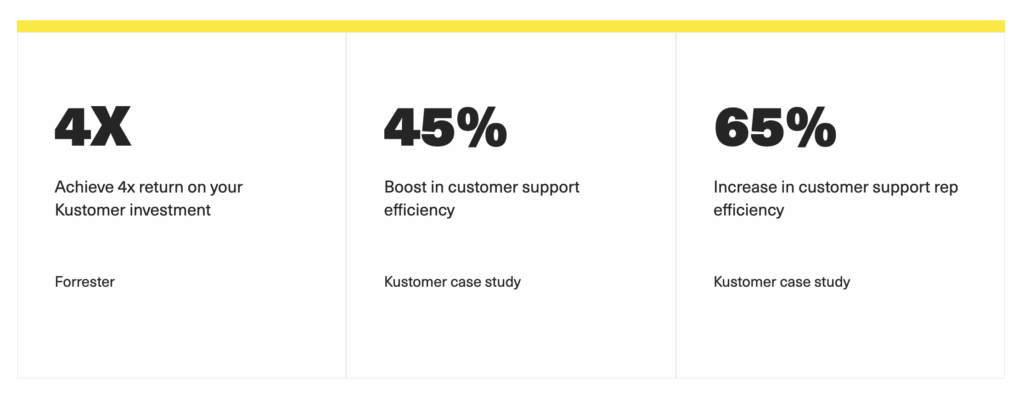
Thousands of companies have already switched to Kustomer to escape the high prices, confusing interface, and limited functionality of Zendesk.
With Kustomer, you'll get:
- Transparent pricing: No more hidden fees or confusing contracts. With Kustomer, you know exactly what you’re paying for.
- A platform that works for you: Our flexible, customizable platform can be tailored to meet the unique needs of your business.
- Support that’s actually supportive: Our team of experts is here to help you every step of the way, from migration to optimization.
But don't take our word for it. Hear it from our friends at Zwift.
“Kustomer’s cutting edge feature set such as ‘skill-based routing’ are a main reason why we’re sticking with the Kustomer platform.”
Stop wrestling with Zendesk's features. Start solving for your customer.


