Your support team just handled their 1000th ticket this week. (hurray…?)
Half were basic order status questions that took way too many clicks to answer. The other half needed complex workflows your platform can’t handle.
Sound familiar?
This is the reality for businesses caught between Gorgias and Zendesk. ..
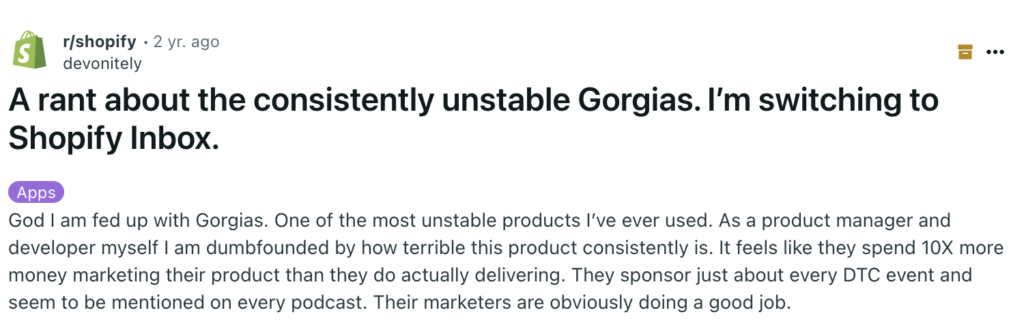
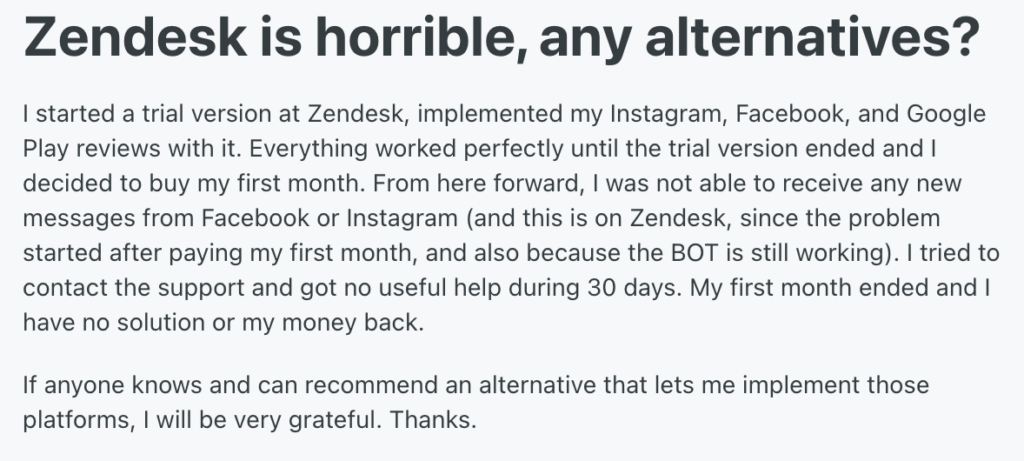
- Gorgias is the e-commerce specialist – a Shopify-native that handles order tracking for online stores. Perfect for pure e-commerce, until you need enterprise-grade features or support across multiple channels [*].
- Zendesk is the industry veteran, built for handling complex support operations at scale. But when it comes to e-commerce integration, expect complex workarounds just to handle basic store functions. [*].
Now here’s what you should actually be asking yourself: Can either platform deliver what your growing business needs, or are you setting yourself up for another platform switch six months down the road?
In this comparison, we’ll cut through the noise and show you exactly what you get (and don’t get) with each platform. We’ll also explore why there might be better options you haven’t considered yet.
Gorgias Overview
Imagine a command center where every customer interaction flows seamlessly into one intuitive interface. That’s Gorgias — a helpdesk software for eCommerce businesses with native integrations with Shopify, BigCommerce, and Magento.
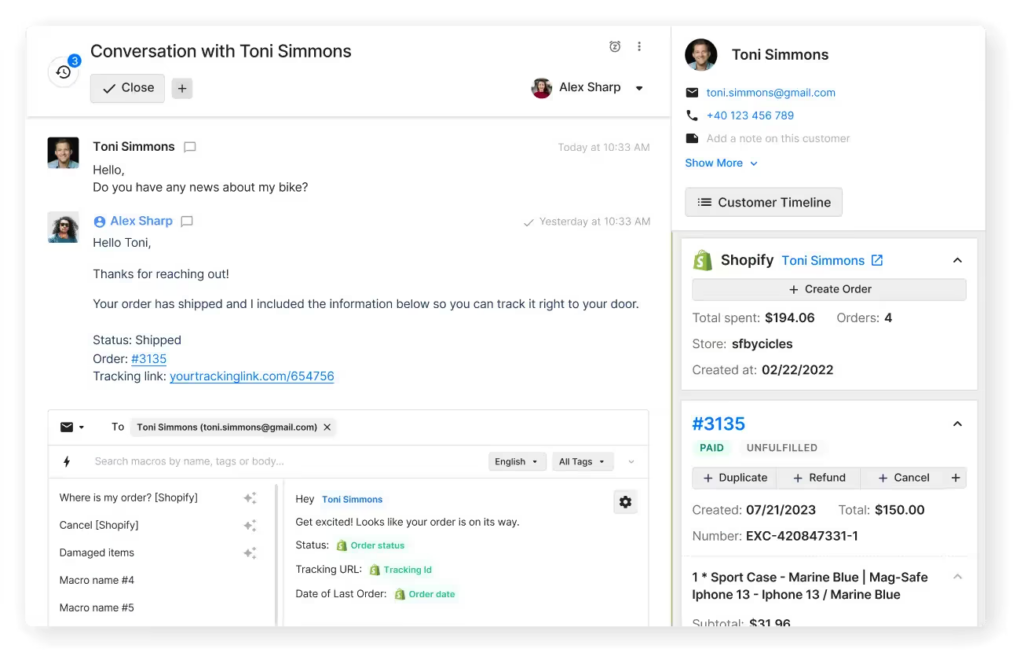
Unlike traditional help desks that rely on "ticket numbers," Gorgias centralizes inquiries from every channel—including email, live chat, SMS, WhatsApp, and social media—into a single customer view.
For example, its AI Agent detects customer intent instantly. When someone asks "Where’s my order?" or "Can I return this?", the system can provide an immediate, fully automated resolution without human intervention.
Another key differentiator is the ability to perform actions directly from the helpdesk. Agents can modify orders, process refunds, and duplicate subscriptions without ever leaving the Gorgias dashboard.
Related → Top 17 Gorgias Alternatives & Competitors (+User Feedback)
Zendesk Overview
Think of a platform that connects with customers, manages internal operations, and handles complex enterprise-scale workflows—that’s Zendesk. It’s an enterprise-grade solution that provides advanced ticketing, omnichannel support, and workflow automation for both customer service (CX) and internal IT support (EX) teams.
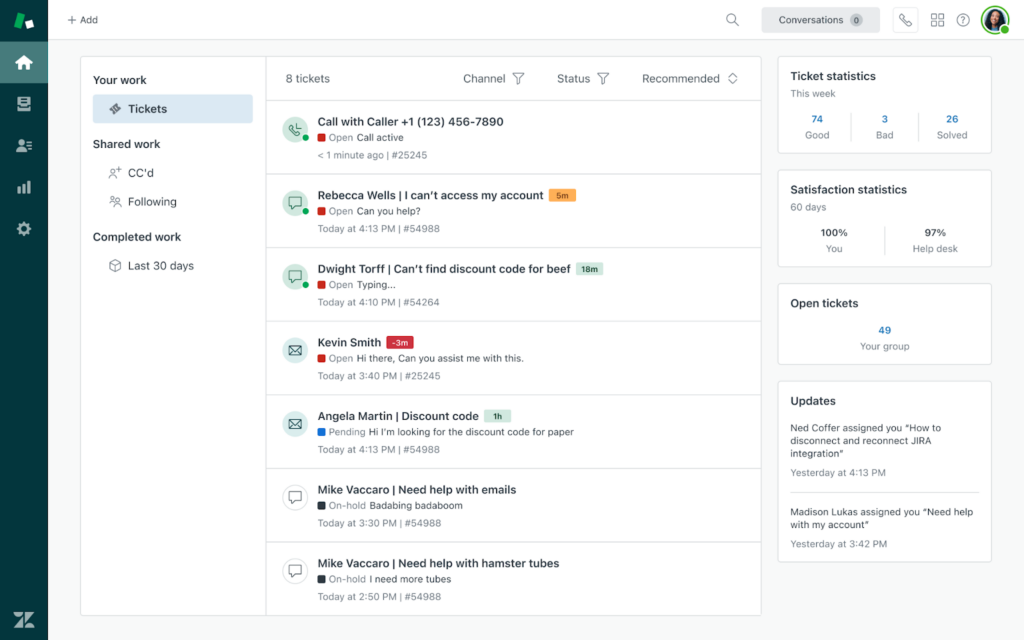
A major advantage of Zendesk is its unified Suite architecture, which combines powerful capabilities into one workspace. This includes Ticketing (Support), Messaging (formerly Chat), Voice (formerly Talk), and Help Center (Guide).
With the Agent Workspace, interactions from WhatsApp, Instagram, X, email, or phone flow into a single continuous thread. This allows enterprise teams to use skills-based routing, strict Service Level Agreements (SLAs), and AI-powered Copilot suggestions to resolve complex issues at scale.
Related → Top 20 Zendesk Alternatives & Competitors (Ranked & Rated) | Kustomer
Key Differences Between Gorgias and Zendesk
Pricing models
- Zendesk charges per agent. You can have 1,000,000 tickets with 5 agents, and the price is the same. It rewards efficiency and high volume.
- Gorgias charges per ticket (billable interaction). If you have a low-margin product with high ticket volume (e.g., fast fashion), Gorgias can become punishingly expensive. It rewards automating tickets away.
Chat vs. ticketing
- Gorgias feels like a feed. It is built for speed, social comments, and chat. It behaves like a multi-channel inbox (similar to a unified Instagram/Email inbox).
- Zendesk feels like a database. It is built for cases and tickets. It excels when a single issue requires multiple departments, long timelines, or complex routing (SLAs).
When to Choose Each
Choose Gorgias if:
- You run on Shopify/BigCommerce: The integration is 10x deeper than any other helpdesk. You want to edit orders without opening a new tab.
- Your volume is manageable, but value is high: You want to track exactly how much revenue your support team generates ($ generated > cost of tickets).
- Social media is a major support channel: You get more questions on Instagram/TikTok comments and DMs than you do via phone.
- You have a small team (<15 agents): You need a tool that is plug-and-play with almost zero setup time.
Choose Zendesk if:
- You have high ticket volume: You don't want to worry about billable tickets eating your margins.
- You need Phone support: Zendesk’s native voice (Talk) is superior to Gorgias’s add-on.
- You have complex compliance needs: You need HIPAA compliance, strict SLAs (Service Level Agreements), or enterprise-grade data privacy.
- You are Hybrid (B2B + B2C): You support both direct consumers (Shoppers) and wholesale partners (B2B), requiring different workflows for each.
| Gorgias | Zendesk | |
| Primary focus | eCommerce growth. Turning support into a sales channel. | Enterprise management. Managing complex support operations at scale. |
| Pricing model | Pay-per-ticket. Costs scale with your conversation volume. | Pay-per-agent. Costs scale with your team size (predictable). |
| Key differentiator | Revenue tracking. Native dashboards to see sales generated by agents. | Operational power. Advanced routing, SLAs, and compliance tools. |
| Ideal for | DTC brands. Shopify/Magento merchants focused on speed and sales. | Large organizations. SaaS, healthcare, or retail giants with complex needs. |
Alternative to Gorgias and Zendesk: Kustomer
- True omnichannel timeline: Unlike Zendesk’s ticket-based structure which can sometimes compartmentalize conversations, Kustomer treats every interaction—whether email, chat, or social—as a continuous timeline. This ensures agents have full context of the relationship history without needing to merge tickets or search for previous messages.
- CRM-first architecture: Kustomer doesn't just pull data like Gorgias; it acts as the system of record for customer data. By ingesting real-time info from your e-commerce platform and other tools, it allows agents to see orders, shipping status, and lifetime value instantly, without relying on third-party connectors.
- Data-driven automation: Because it holds all customer data natively, Kustomer’s automation triggers are often more flexible than standard workflows. It allows for proactive support—such as automatically reaching out to VIP customers who experience a shipping delay—bridging the gap between the simplicity of Gorgias and the enterprise scale of Zendesk.
Gorgias: Features, Pricing, Pros & Cons
Key Features
- AI Agent: Beyond simple rules, Gorgias now uses Generative AI to fully resolve support tickets without human intervention. The AI Agent can answer pre-sales questions, manage returns, and even adopt your brand’s tone of voice.
- Omnichannel Social Integration: Now supports WhatsApp and TikTok in addition to Instagram, Facebook, and Messenger. You can reply to comments and DMs from a single dashboard to capture sales from social engagement.
- Live Chat with Behavior Triggers: Proactively start chats based on visitor behavior (e.g., spending 30 seconds on a checkout page) to prevent cart abandonment.
- Smart Macros: Templated responses that auto-populate dynamic data (like Order Status or Tracking Link) to personalize replies instantly.
- Native Order Management: Deep integration with Shopify, BigCommerce, and Magento allows agents to refund, cancel, or duplicate orders without leaving the helpdesk.
- Intent Detection: Automatically tags and categorizes incoming messages (e.g., Shipping, Damaged Item, Urgent) to route them to the correct team or AI workflow.
Pricing Plans
- Starter: $10/mo (50 tickets included).
- Basic: $60/mo (300 tickets included).
- Pro: $360/mo (2,000 tickets included).
- Advanced: $900/mo (5,000 tickets included).
- Enterprise: Custom volume and dedicated success manager.
Key Add-ons
- AI Agent: Starts at $30/month (for 30 fully automated resolutions).
- Voice Support: Pay-per-ticket model (approx. $2.40/ticket) or included in higher tiers.
- SMS Support: Pay-per-ticket model (approx. $1.60/ticket).
Pros of Gorgias
- Strong Community and Support Network. Gorgias has an engaging user community and provides comprehensive support options. This makes it easy for businesses to find guidance and best practices from both experts and fellow users [*].
- Intuitive and Easy to Use. Designed with a user-friendly interface, Gorgias simplifies the onboarding process for new agents and integrates seamlessly into existing workflows, reducing the learning curve [*].
- Multi-Channel Data Integration. The platform enables smooth data synchronization across multiple channels, supporting features like status tracking and self-service widgets that enhance customer interactions [*].
Cons of Gorgias
- Pricing Challenges for Smaller Businesses. The cost of Gorgias can be restrictive for startups and businesses with tight budgets, making it less accessible for those looking for a cost-effective solution [*].
- Limited Customer Data Management. Users have noted inefficiencies in handling customer records, as the platform lacks an effective way to delete customers or sort them [*].
- Inadequate Notification System. Gorgias does not provide robust notifications for new tickets, which can lead to delayed responses. Users have highlighted the need for a more comprehensive alert system to ensure timely engagement with customer inquiries [*].
Gorgias Alternative: Kustomer
While Gorgias offers basic automation and e-commerce integrations, Kustomer is built for brands that prioritize deep customer relationships.
With Kustomer, you get a 360-degree customer view, allowing agents to access full conversation histories and contextual data in one unified timeline—something Gorgias lacks.
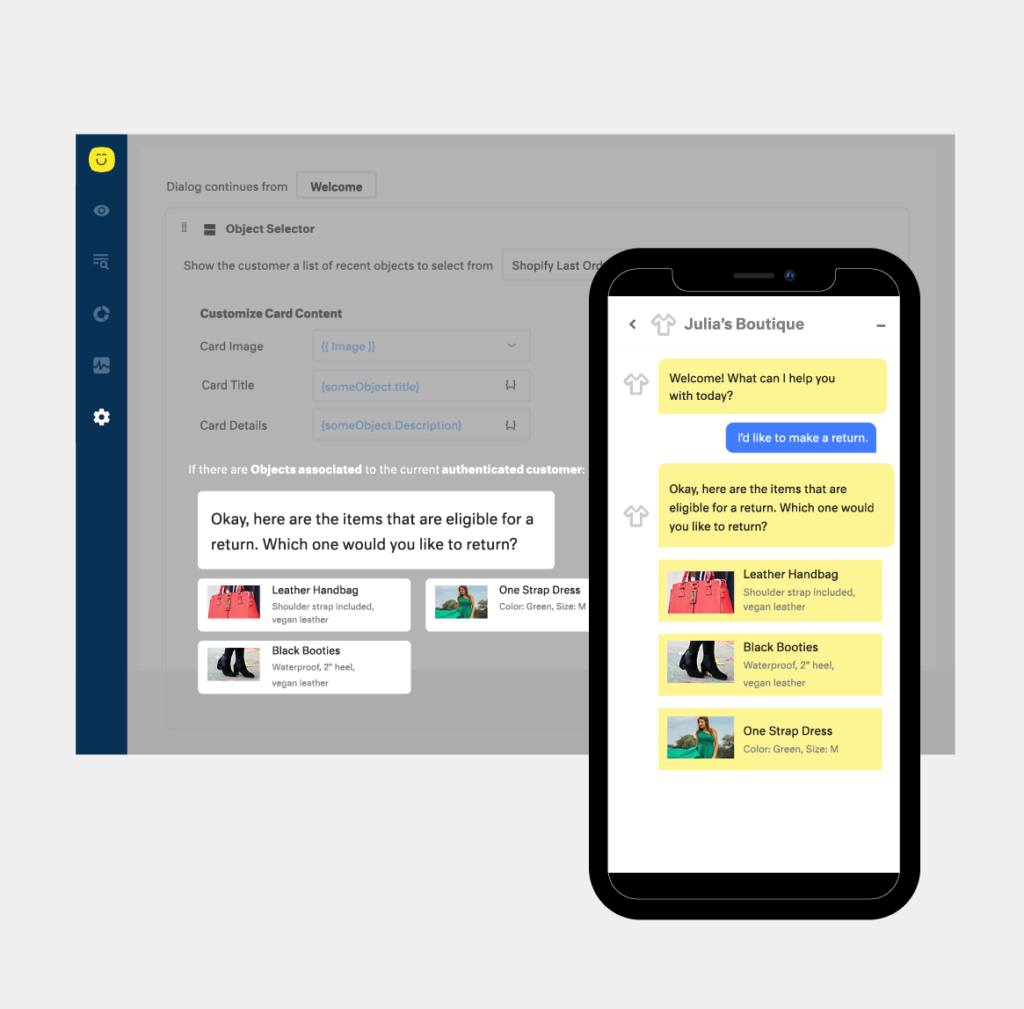
Additionally, Kustomer’s omnichannel capabilities far exceed Gorgias’ multi-channel approach.
With native support for voice, chat, email, social, and messaging apps in a single workspace, Kustomer ensures that agents never have to switch between platforms—leading to smoother, more efficient interactions.
“Kustomer’s cutting-edge feature sets such as skill-based routing are the main reason why we’re sticking with the Kustomer platform. Without [it], we would really have an inefficient workforce.”—Alexandra Bennett, Senior CS Specialist, Zwift.
Zendesk: Features, Pricing, Pros & Cons
Key Features
- AI Agents: A visual, no-code builder that automates conversations across web, mobile, and social channels. It allows you to design guided flows for FAQs and troubleshooting to resolve issues without human agents.
- Zendesk Guide & Knowledge: Builds a smart help center with Content Cues (now part of Zendesk AI) that analyzes tickets to suggest missing articles, ensuring your self-service content stays relevant.
- Zendesk Messaging: Unifies conversations from WhatsApp, Messenger, SMS, and email into a single continuous thread, so customers never have to repeat themselves even if they switch channels.
- Custom Objects: Allows you to store unique business data (like Subscription Tier or Vehicle Model) directly inside Zendesk, so agents have full context without switching tabs.
- Triggers & Macros: The core automation engine. It routes tickets, auto-tags priority issues, and allows agents to send pre-written responses with a single click.
Related → Zendesk Features Mega Teardown: Advantages & Disadvantages
Pricing Plans
Zendesk Suite (Includes Ticketing, Help Center, Chat, & Voice)
- Suite Team: $55 per agent/month.
- Suite Professional: $115 per agent/month.
- Suite Enterprise: $169 per agent/month.
Zendesk Support Only (Ticketing Only)
- Support Team: $19 per agent/month.
- Support Professional: $55 per agent/month.
- Support Enterprise: $115 per agent/month.
Key Add-Ons (Per Agent/Month)
- Zendesk Copilot (Advanced AI): $50
- Workforce Management (WFM): $25
- Quality Assurance (QA): $35
- Workforce Engagement Bundle (WFM + QA): $50
How Zendesk Can Become Expensive Quickly
The entry price is low, but removing the Growth plan means most growing businesses must jump straight to Professional ($115) to get essential features like SLAs and multilingual support.
Scenario: Mid-sized E-commerce Brand (5 Agents)
You need SLAs and custom reports, so you choose Suite Professional ($115).
- Base Cost: $575/month ($115 × 5 agents)
Then you add the necessary modern features:
- AI Automation to reduce ticket volume (Copilot): +$250 ($50 × 5)
- QA to monitor agent quality: +$175 ($35 × 5)
- WFM to manage shifts: +$125 ($25 × 5)
- Final Monthly Cost: $1,125 (vs. the $575 base price)
- Annual Cost: $13,500 (paid upfront)
Related reading: Each upgrade on Zendesk promises enhanced capabilities, but does the cost justify the offerings? Find out in this pricing teardown guide.
Pros of Zendesk
- Efficient Ticket Management. Zendesk helps IT support teams stay organized with bulk updates, customizable macros, and automated workflows that streamline ticket handling and reduce manual workload [*].
- Extensive Integrations. With Zendesk Explore, businesses gain access to comprehensive reporting and analytics, along with seamless integrations with third-party tools like JIRA and time-tracking apps, enhancing productivity and data-driven decision-making [*].
- Unified Customer Support Hub. Zendesk simplifies multichannel support by centralizing customer interactions across email, chat, phone, and social media into a single interface, making it easier for teams to provide consistent and efficient service [*].
Cons of Zendesk
- Steep Learning Curve. While Zendesk offers powerful automation and customization options, setting them up effectively requires technical expertise, which can slow down implementation and adoption for teams new to the platform [*].
- Pricing Can Be a Barrier. Many essential features are locked behind higher-tier plans, making scaling Zendesk costly for smaller teams that need access to advanced capabilities [*].
- No Automatic Page Refresh. Users who need real-time ticket updates find the lack of an automatic refresh function inconvenient, especially in environments where immediate visibility of new requests is critical [*].
Related → Is Zendesk Worth It? Hmm... See The Pros & Cons
Zendesk Alternative: Kustomer
The truth is: Zendesk’s conventional ticket-based system still works — if you’re nostalgic for 2010 or enjoy explaining to customers why they need to repeat their story with every interaction.
Kustomer represents what modern ecommerce customer service should be: intelligent, unified, and relationship-focused. While Zendesk continues to treat support conversations like numbered tickets, Kustomer gives your team the complete context they need to deliver exceptional support in real time.
And we’re not ‘just’ making claims here, we’ve seen several customers switch from Zendesk to Kustomer — and for good reason.
Terra Kaffe — a luxury coffee machine maker, switched from Zendesk to Kustomer for better customer visibility. Read case study →
Also, let’s talk pricing because Zendesk’s approach to features is simply to lock them behind premium tiers. Want basic automation? That’ll be an upgrade. Need proper analytics? Time to level up again. Meanwhile, Kustomer believes in giving you the tools you actually need from the start. Plus, you only pay for what you use. How cool…?
How to Choose the Right Customer Service Platform for Your Business?
1. Identify Your Customer Service Needs
Before diving into features and pricing, take a step back and assess what your business actually needs from a customer service platform.
Start by asking:
- What support channels do your customers use most? (Email, phone, live chat, social media, or self-service?)
- What is your daily support ticket volume? (Do you need automation to handle high volumes efficiently?)
- What type of inquiries does your team handle most? (Product issues, billing, order tracking, technical support?)
- How fast do you need to respond to queries? (Do you have SLAs or response-time expectations?)
- Do you require integrations with CRM, e-commerce, or billing tools?
For small businesses, an easy-to-use platform with email and live chat support may be enough. However, a scaling business might need AI-driven chatbots, omnichannel support, and deep reporting capabilities. Enterprises with global operations may require advanced automation, multi-language support, and integrations with their CRM and ERP systems.
| 💡Kustomer Desk → Analyze past customer interactions. Identify recurring issues, peak support times, and agent workload. A platform should solve bottlenecks, not just add features. |
2. Prioritize Omnichannel Support
Customers expect seamless support across multiple channels. If a customer reaches out via live chat, follows up on email, and escalates via phone, your customer service team needs to see the full conversation history—not treat each interaction separately.
Here’s what to look out for:
- Email Ticketing. This helps in structuring customer inquiries.
- Live Chat. Enables real-time responses and quick issue resolution.
- Phone Support (VoIP Integration). Important for businesses handling urgent or complex customer issues.
- Social Media Messaging. Direct support via Facebook, Twitter, WhatsApp, Instagram, and LinkedIn.
- Self-service Portals & Knowledge Bases. Reduces ticket volume by allowing customers to find answers on their own.
| 💡Kustomer Desk → If social media is a major customer touchpoint, choose a platform with AI-powered social listening. This helps your team detect and respond to brand mentions, complaints, or questions in real time—even before customers reach out directly. |
3. Evaluate User Experience & Agent Productivity
Even the most feature-rich platform will fail if it’s difficult to use. A clean, intuitive, and well-designed interface helps agents navigate tickets quickly, switch between tasks effortlessly, and minimize response time.
Key factors that define a great user experience (UX):
- Ease of Navigation. Agents should instantly access customer details, ticket history, and resolution workflows.
- Minimal Learning Curve. New hires should be able to master the platform within hours, not weeks.
- Customizable Workflows. The system should allow personalized ticket views, automation rules, and agent workspaces.
- Mobile-friendly Experience. If agents work remotely, they need a well-designed mobile app for support on the go.
| 💡Kustomer Desk → If you manage multiple support teams (sales, technical support, billing, etc.), choose a platform that offers role-based UI customization. This ensures each team sees only the relevant tools and data, reducing clutter. |
4. Opt for Efficiency Using AI & Automation
Handling repetitive support queries manually slows down response times and increases operational costs.
Look for automation features like:
- AI-powered Chatbots. Instantly answer FAQs and route complex issues to human agents.
- Automated Ticket Routing. Assign tickets based on agent skills, workload, or issue type.
- Canned Responses & Macros. Standardize responses to common inquiries.
- Sentiment Analysis. Detect customer frustration and prioritize urgent tickets accordingly.
| 💡Kustomer Desk → Avoid over-automating. Customers still want personalized support, so automation should complement—not replace—human interactions. |
5. Ensure Seamless Integration with Your Tech Stack
Think about it—your support team shouldn’t waste time switching between multiple platforms to look up customer details, process refunds, or escalate tickets. A lack of integrations leads to inefficiency, data silos, and a poor customer experience.
A strong customer service platform should sync effortlessly with:
- CRM Systems (Salesforce, HubSpot, Zoho CRM). Ensure your agents have a 360-degree view of the customer, including past interactions, purchase history, and support tickets.
- E-commerce Platforms (Shopify, WooCommerce, Magento). Allow agents to quickly pull order details, track shipments, and process refunds without switching systems.
- Billing & Payments (Stripe, PayPal, QuickBooks). Streamline invoice management, payment disputes, and subscription issues directly from the helpdesk.
- Live Chat & Chatbots (WhatsApp, Facebook Messenger). Ensure conversations from messaging apps flow into the same dashboard as email and phone support.
- Project Management Tools (Jira, Trello, Asana). Connect customer feedback to internal teams, enabling better tracking of bug reports, feature requests, and product improvements.
- Collaboration Tools (Slack, Microsoft Teams). Agents can collaborate instantly with internal teams, reducing resolution time for complex issues.
| 💡Kustomer Desk → Before committing, test integrations during the free trial—some platforms claim compatibility but require custom development work or extra plugins, increasing costs and complexity. |
6. Understand the Real Cost: Pricing & Total Cost of Ownership (TCO)
Pricing is one of the biggest decision factors, but many businesses make the mistake of only looking at the subscription cost without considering the total cost of ownership (TCO).
Some platforms appear affordable at first glance, but their pricing structure may have hidden costs, such as:
- Per-Agent Fees. Some platforms charge per user, which can become costly as your team grows.
- Feature Locking. Essential tools like automation, analytics, or integrations may require higher-tier plans.
- API Access Fees. Some helpdesk providers charge extra for API usage, making integrations more expensive.
- Customization Costs. If the platform lacks out-of-the-box flexibility, you may need custom development (which adds to long-term costs).
- Onboarding & Training Fees. Some platforms charge extra for setup assistance, training, and premium support, which can increase your first-year expenses significantly.
- Overage Fees. Watch out for platforms that charge extra per ticket, message, or customer interaction once you exceed plan limits.
To make an informed decision, calculate the TCO over at least three years, factoring in:
How to Calculate TCO?
- Subscription Costs. Monthly or annual pricing per agent.
- Feature Add-ons. Extra costs for premium features like automation, AI, or reporting.
- Implementation & Training. One-time fees for onboarding and team training.
- Integration Costs. Additional charges for API access, third-party tools, or developer resources.
- Scalability Costs. How much will it cost to upgrade as your business grows?
Below is a side-by-side comparison of three platforms:
| Platform | Base Cost (per agent/month) | API Access | Advanced Automation | Estimated Yearly Cost (5 agents) |
| Platform A | $50 | Free | Included | $3,000 |
| Platform B | $30 | $100/month | $50/month | $5,400 |
| Platform C | $40 | Free | $75/month | $4,500 |
| 💡Kustomer Desk → Avoid platforms with rigid pricing structures that force you into expensive enterprise plans just to unlock essential features like automation or reporting. |
Kustomer — A Better Alternative to Gorgias and Zendesk
We’ve spent enough time picking apart Gorgias and Zendesk. By now, you’ve seen the gaps: Gorgias locks you into the e-commerce box, while Zendesk makes e-commerce feel like an awkward add-on. Both solve one problem while creating another.
But here’s what we haven’t talked about yet – what happens when your support needs evolve beyond simple order tracking or when your enterprise operations need more than just basic e-commerce functions?
That’s the real problem. Neither platform truly understands the modern customer experience.
This is where Kustomer steps in – not as just another option, but as a complete solution.
Imagine having:
- A true e-commerce integration that goes beyond basic order tracking
- The enterprise features of Zendesk without the e-commerce headaches
- A unified platform that grows with your business, not against it
Why settle for platforms that force you to choose between e-commerce and enterprise capabilities when you can have both?
The real question isn’t whether you need a better solution – it’s how much longer you’ll wait to get one.
No more choosing between features. Get everything!